
A family game scorekeeping app with a specialized Mexican Train Dominoes module, live multi-device sync, victory share cards, family leaderboards, and unlockable badges.
Dark mode by default (obsidian #0D0F12, slate #161920, Electric Indigo #6366F1, Emerald #10B981) with a light-mode toggle. Responsive: bottom navigation on phones, split scoreboard/checklist view on tablets, sidebar navigation + keyboard shortcuts on desktop.
| Dashboard | Live scorekeeper |
|---|---|
 |
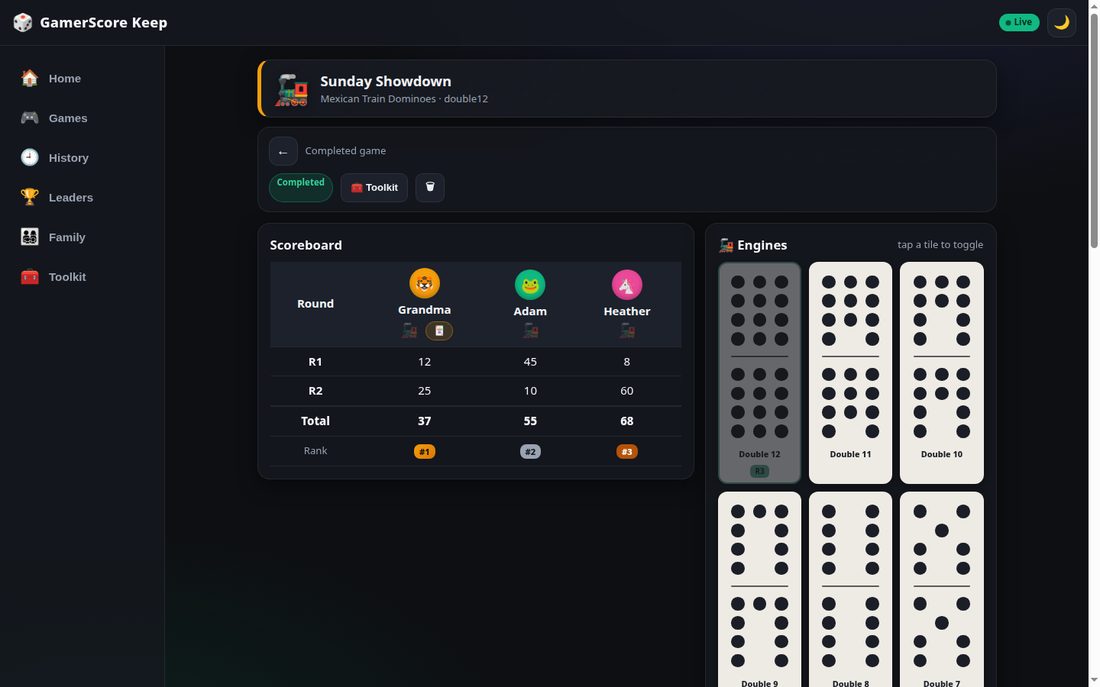 |
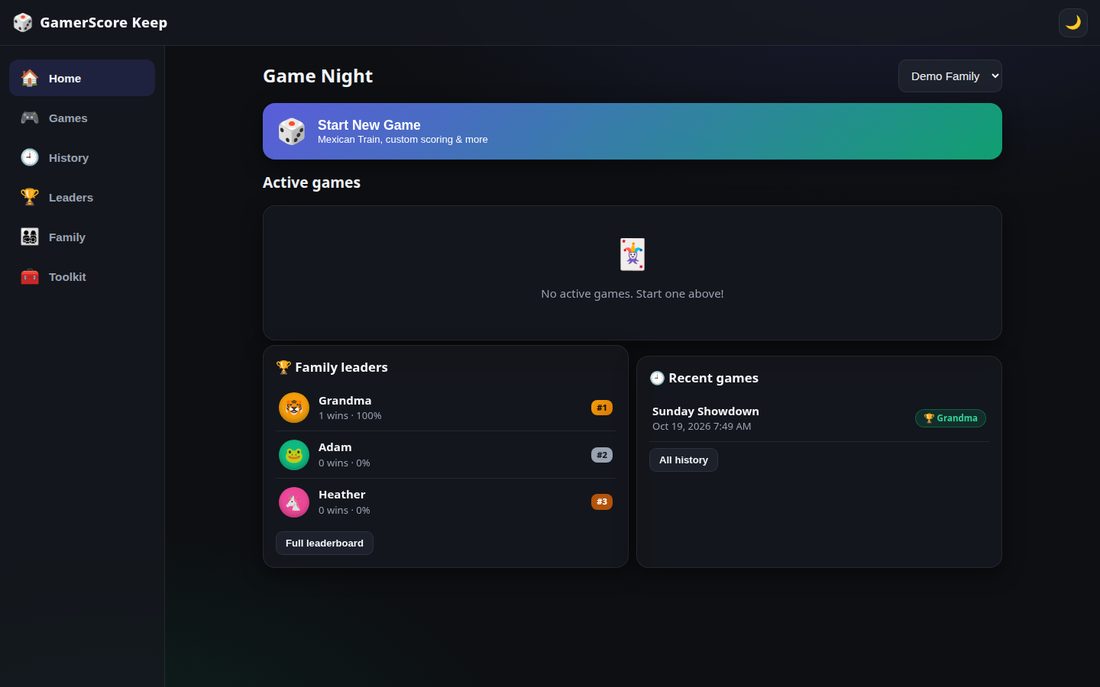
| Game Night dashboard: active game card with live leader, family leaders, and recent games. | Mexican Train scorekeeper: round-by-round grid with running totals and ranks, tappable engine domino checklist (double-12 set), and quick-tap scoring buttons. |
| Leaderboard | Toolkit |
|---|---|
 |
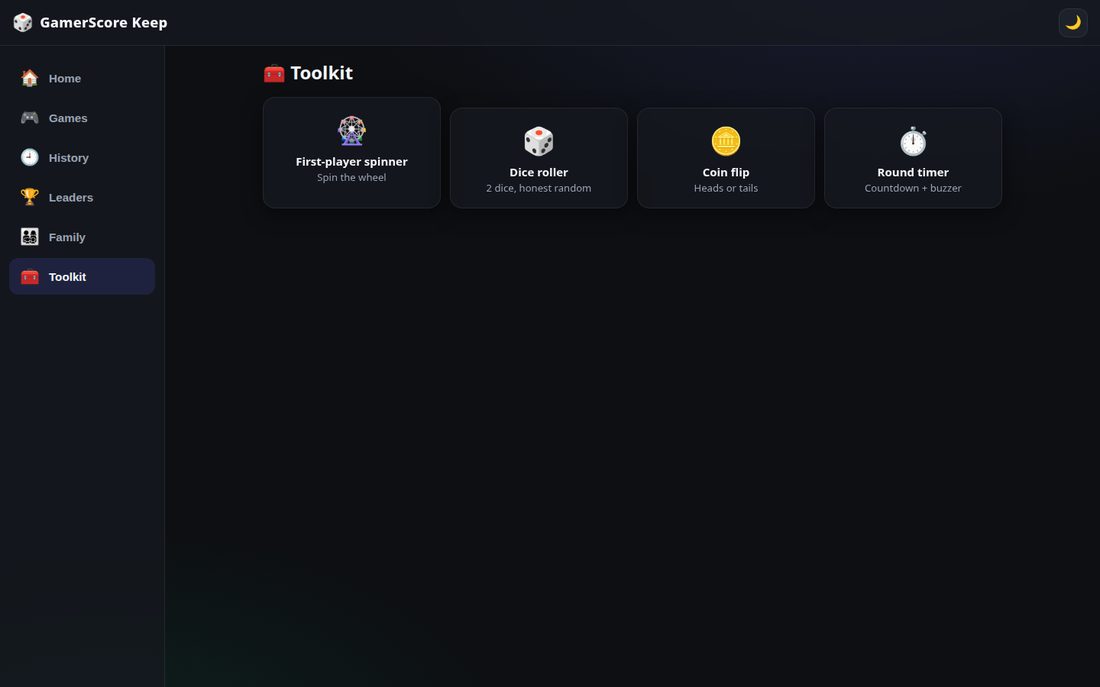 |
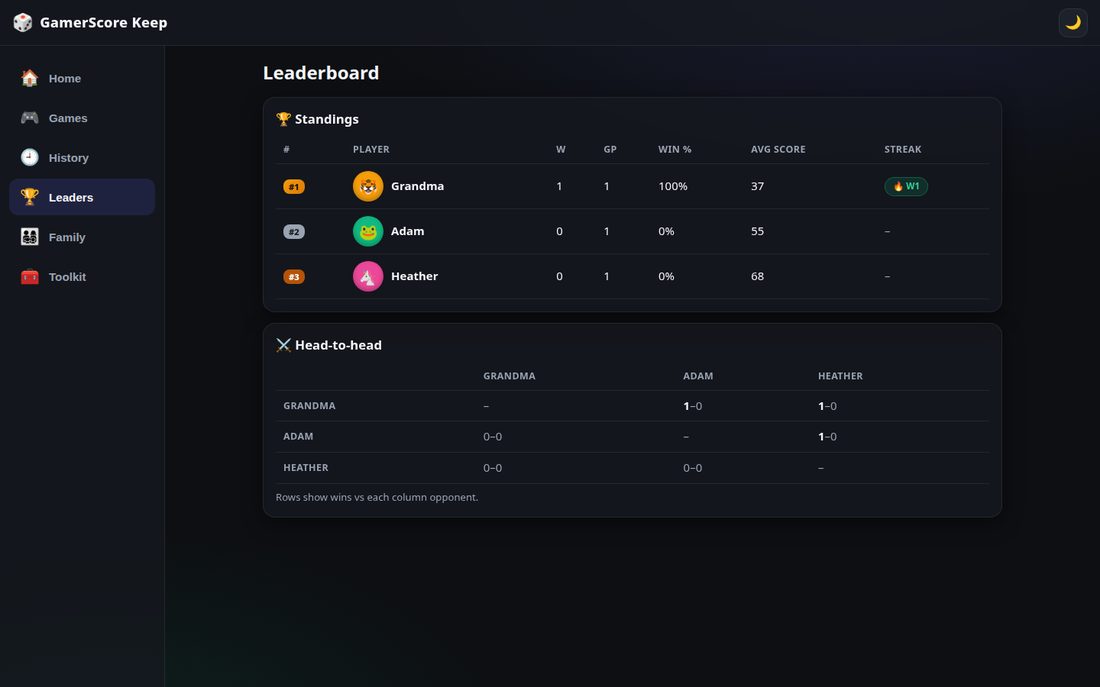
| Standings with wins, win rate, average score and streaks, plus a head-to-head wins matrix. | Game-night toolkit: first-player spinner wheel, animated dice roller, coin flip, and round timer with buzzer. |
| Sign in | Mobile layout |
|---|---|
 |
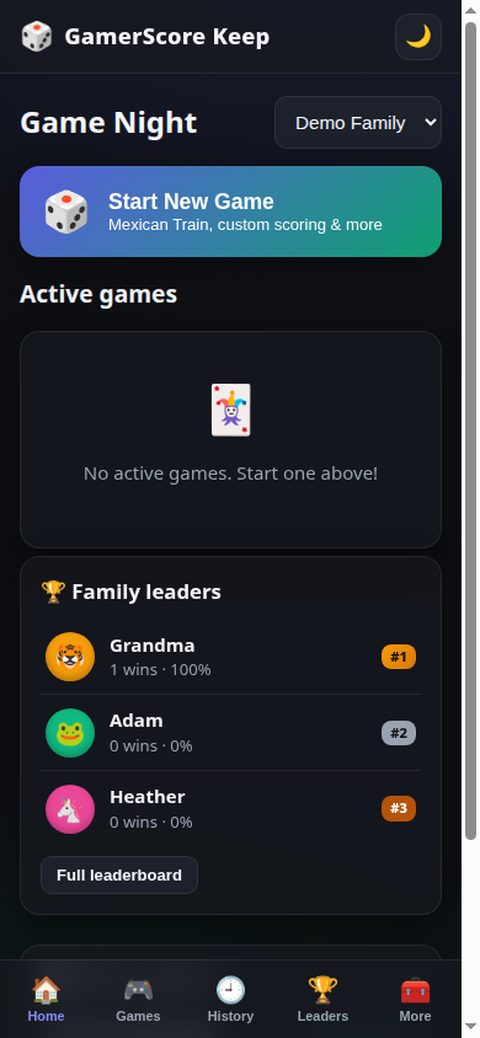 |
| Email + password sign in, then join a family with its 6-digit room code. | Phone layout: stacked cards and a bottom tab bar (Home, Games, History, Leaders, More). |
npm install
npm start        # serves on http://localhost:3000
Or with Docker Compose:
docker compose up -d --build # http://localhost:3000, data persists in ./dataCopy .env.example to .env to change the port (PORT=3000).
On first boot the database seeds a demo workspace:
- Family: Demo Family — room code
482916 - Logins:
maya@demo.local,leo@demo.local,sofia@demo.local,noah@demo.local— passworddemo1234 - One completed Mexican Train game (Friday Night Trains, double-12) with engines played and all four badges earned
- One active custom game (Sunday Showdown) ready for live scoring
- Auth & families — email/password accounts, 6-digit family room codes to join, switch between families, rename families.
Every family member signs in with their own account — joining a family with a room code never creates a shared account.
- Sign up: display name, email, password (8+ characters with a live strength hint), and an optional family room code that joins you to that family immediately. Duplicate emails are rejected with a friendly message; you're signed in right after registering.
- Log in: email + password with Remember me (checked by default — keeps you signed in for 30 days instead of 12 hours). Clean error messages; expired sessions land back on the login screen, never a stuck state.
- Forgot password: enter your email and the app generates a one-time reset link (valid 1 hour). This is a self-hosted family app with no email server, so the link is shown on-screen with a copy button — share it with the family member — and it's also logged server-side. The response message is identical whether or not the email exists.
- My Account (avatar button, top-right): change your display name, pick an avatar emoji + color, change your password (current password required; other devices are signed out), or log out.
- Game presets — Mexican Train Dominoes, Bingo, Uno, Uno No Mercy, Monopoly, Scrabble, Yahtzee, Golf, Hearts, plus fully custom games. Each preset carries its own emoji, accent color, scoring defaults, and scorekeeper hints (all defined in one
GAME_THEMESmap inpublic/js/themes.js, so new presets are styled automatically). - Core scoring — multiple simultaneous games, pause/resume; round-by-round grid with running totals or quick-tap (+1/+5/+10/custom); highest-wins / lowest-wins with optional target score; dealer & turn rotation with one-tap advance; anyone in the family can take over as scorekeeper. Tap any entered round score to correct it (edits are logged and live-synced).
- Mexican Train module — engine checklist of doubles (Double-9/12/15 sets) rendered as CSS domino pip tiles; tap to mark played and link to a round; out-of-order play supported; quick-pip calculator keypad (1–12) that sums a hand and applies it to a player; personal train open/closed (🚂) toggles.
- Monopoly extras — cash amounts formatted as money ($1,500), per-player bankrupt/eliminate (💀) toggle that greys players out and removes them from win contention (standings, badges, leaderboards).
- Uno No Mercy — same scoring as Uno (first to 500) with a NO MERCY badge and warning-styled game cards.
- Bingo flow — round entry includes a one-tap "round winner" picker that awards 1 point.
- Delete games — delete active/paused games from the dashboard or completed games from the History Vault behind a red confirmation; deletion removes the game's badge awards and leaderboard contributions.
- Live sync — Server-Sent Events (
GET /api/games/:id/stream) push every score, engine, train, and turn change to all connected family devices in real time. - History vault — completed games archive filterable by date, game type, and winner, with round-by-round breakdowns and engines played.
- Leaderboards — win rates, head-to-head records, average scores, current win streaks.
- Badges — auto-awarded on completion: Train Conductor (win Mexican Train under 50), Double Trouble (3+ engines in a game), Sniper (win margin under 5), Clean Sweep (0 points in 3 straight rounds). Trophy cabinet per player.
- Victory share card — confetti modal with 1st/2nd/3rd podium, highlights (duration, biggest single round, Comeback Kid), rendered to a 1200×630 PNG for download or native share.
- Utility toolkit — first-player spinner wheel, 2D animated dice roller (multi-frame tumbling with bounce, staggered settle, landing thump), coin flip, round countdown timer with WebAudio buzzer.
- Trajectory chart — canvas line chart of every player's cumulative score across rounds, on the scorekeeper screen and in history detail.
- Desktop shortcuts — in round entry, number keys 1–9 focus player inputs, Enter advances, Ctrl+Enter submits.
Auth uses Bearer tokens (Authorization: Bearer <token>); the SSE stream also accepts ?token=.
| Method | Endpoint | Description |
|---|---|---|
| POST | /api/auth/register |
Create account → {token, user} (min 8-char password, optional remember_me) |
| POST | /api/auth/login |
Sign in → {token, user} (optional remember_me = 30-day session) |
| POST | /api/auth/logout |
Revoke token |
| POST | /api/auth/forgot |
Request password reset → {message, reset_path?} (no email enumeration) |
| GET | /api/auth/reset/:token |
Validate a reset token |
| POST | /api/auth/reset |
Set new password via reset token (single-use, 1h expiry, revokes all sessions) |
| GET | /api/me |
Current user |
| PUT | /api/me |
Update display name / avatar |
| PUT | /api/me/password |
Change password (verifies current, signs out other sessions) |
| POST | /api/families |
Create family (generates room code) |
| POST | /api/families/join |
Join via {room_code} |
| GET | /api/families |
My families |
| GET/PUT | /api/families/:id |
Family detail / rename |
| GET | /api/families/:id/badges |
Earned badges |
| GET | /api/badges |
Badge catalog |
| GET/POST | /api/games |
List / create game |
| GET | /api/games/:id |
Full game state (players, rounds, engines, standings) |
| PUT | /api/games/:id |
Rename, pause/resume, take over scorekeeper, set turn |
| POST | /api/games/:id/rounds |
Submit a round {scores: {playerId: points}} |
| PUT | /api/games/:id/rounds/:round_number |
Edit a submitted round {scores} (logs to score_edits, re-broadcasts) |
| POST | /api/games/:id/tap |
Quick-tap {player_id, points} |
| POST | /api/games/:id/engines |
Toggle engine played {double_value, round_number?} |
| PUT | /api/games/:id/players/:pid |
Train toggle, eliminate toggle, rename, avatar |
| POST | /api/games/:id/turn |
Advance turn |
| POST | /api/games/:id/complete |
Finish game, award badges |
| DELETE | /api/games/:id |
Delete game |
| GET | /api/games/:id/stream |
SSE live updates (event: game_update) |
| GET | /api/history |
Completed games (family_id, game_type, winner_player_id, from, to) |
| GET | /api/leaderboard |
Standings + head-to-head |
All game endpoints verify family membership (403 otherwise); unauthenticated requests return 401.
server.js            Express app, routes, SSE broadcaster
lib/db.js            SQLite schema, migrations, seed data
lib/auth.js          Password hashing, tokens
public/              Vanilla JS SPA (no build step)
  index.html         App shell
  css/styles.css     Themes + responsive layout + domino tiles
  js/                app, dashboard, game, dominoes, charts,
                     victory, history, leaders, family, toolkit
data/                SQLite database (gitignored, Docker volume)
Dockerfile           node:20-alpine
docker-compose.yml   One-command deploy with persistent ./data
GamerScore Keep is a lightweight Node + SQLite app — no separate database or services needed.
| Minimum | Comfortable | |
|---|---|---|
| CPU | 1 vCPU | 2 vCPU |
| RAM | 512 MB | 1 GB |
| Disk | 5 GB | 10 GB |
Any $4–6/month VPS (Hetzner CX11, DigitalOcean Basic, etc.) runs it fine for a family.
Self-host in a few clicks. You need a Coolify instance connected to your server.
Option A — from this Git repo (recommended)
- In Coolify: Projects → your project → Add → Service → Docker Compose, and point it at this repository.
- Environment variables — none required. Optionally set
PORTif you want a different host-side port. - Persistent storage — the compose file already declares the
gsk-datavolume mounted at/app/data(SQLite database). In Coolify's service → Storages, confirm a persistent volume is attached at/app/data. - Click Deploy. The healthcheck hits
/api/health; Coolify shows the service healthy when it responds. - Open the app URL — on first boot it seeds a demo family (room code
482916, loginsmaya@demo.localetc. /demo1234). Delete the demo users or change their passwords before exposing the app publicly.
Option B — plain Docker Compose
docker compose up -d --build # http://localhost:3000, data persists in the gsk-data volume- The SQLite file lives at
data/gamerscore.db(created + seeded on first boot); back it up before upgrades. - Behind a reverse proxy, forward the original client IP (
X-Forwarded-For) if you want accurate request logging. - Change the demo passwords or delete demo users before exposing the app publicly.