TreeX enhances pi's native session tree with sticky-left indentation and a bottom detail pane.
It patches the built-in /tree view.
This extension patches the /tree internals and could break if pi updates in an incompatible way. I chose this approach rather than re-implementing (or copying) the internal tree rendering so that it would automatically update the rendering.
- sticky-left view that auto-shifts deep branches left to reclaim horizontal space
- bottom detail pane with more details for the selected row
- detail metadata shows context usage for the selected point when it can be inferred
- Adds a ◆ marker to the current point in the session tree, plus an ↑/↓ CURRENT hint in the detail pane when you're browsing away from it.
| Before | After |
|---|---|
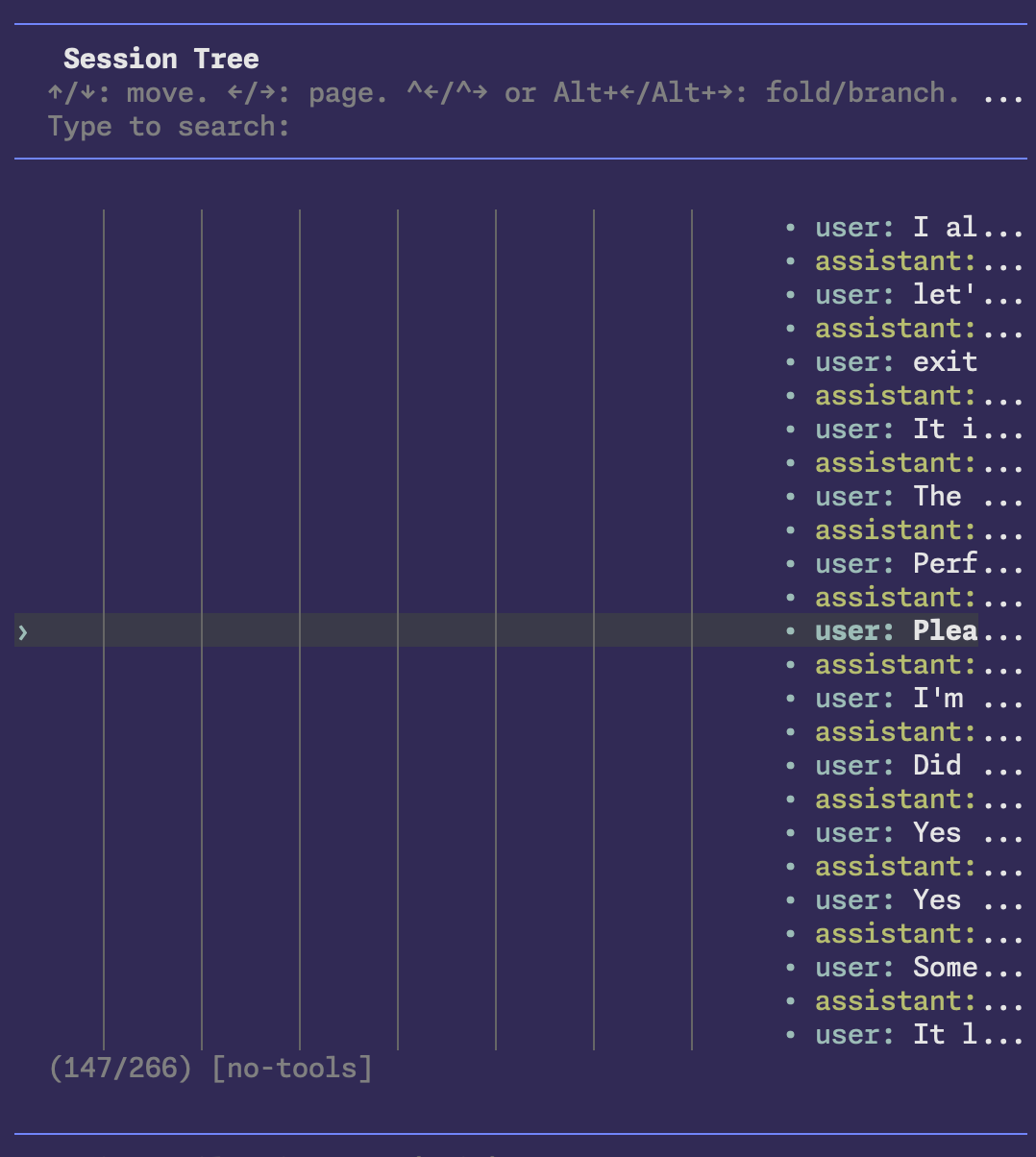 |
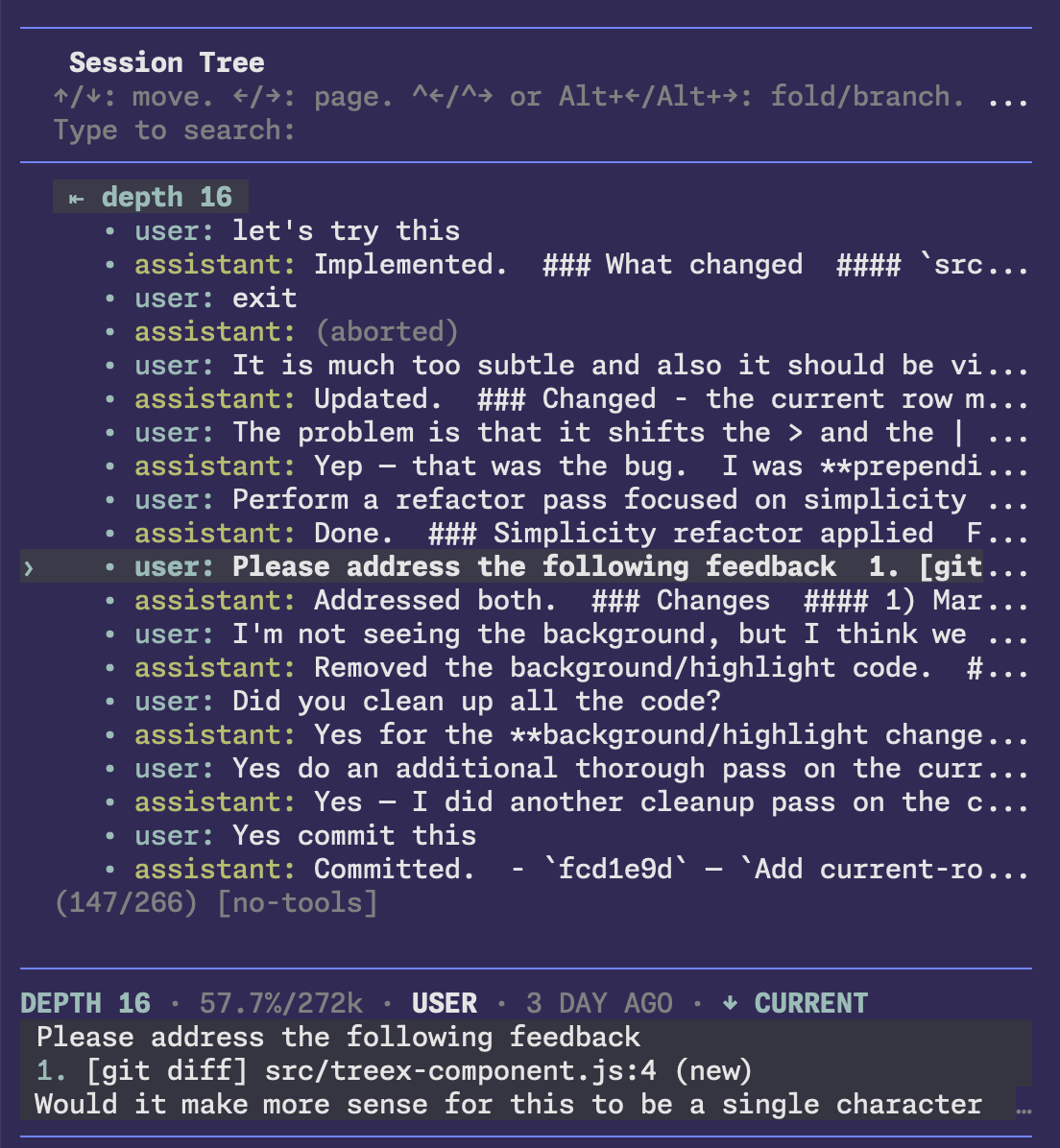 |
| Pi keeps the selected row visible, but deep branch gutters still consume much of a narrow viewport. | TreeX removes shared phone-width indentation while preserving relative branches, native panning, and selected-message detail. |
Captured at 50 columns with a Rose Pine-inspired theme.
The detail view shows the depth of the currently selected item, what type of item it is, how long ago it occurred, and context usage for that point in the conversation when it can be inferred. For a tool, it will display what the tool result was. For a user or assistant message, it will display as much of the message as it can. When the preview is truncated, it shows an inline Ctrl+R full hint; press Ctrl+R to expand the detail drawer into a scrollable full-detail view.
Context usage calculation mirrors pi's own footer behavior: after a trailing user message it may be estimated from the last assistant usage, so it can differ slightly from the following assistant row's provider-reported value.
pi install npm:pi-treexTo try it for one run without adding it to your settings:
pi -e npm:pi-treexpi install git:github.com/travisp/pi-treexAfter installation, use:
/tree
npm run check   # lint + style check + tests
npm run format  # format files
npm test # run the integration test- Tested with pi 0.80.9
- TreeX patches the native
/treepath, so built-in slash command and tree hotkey keep using pi's own navigation and summary flow. - TreeX relies on private interactive-mode internals, so upstream pi changes may require TreeX updates.