


On this temperature laboratory board, two shunt resistors have been added to the transistor, permitting current reading through Ohm's law. A third temperature sensor is incorporated to measure the circuit's external temperature.
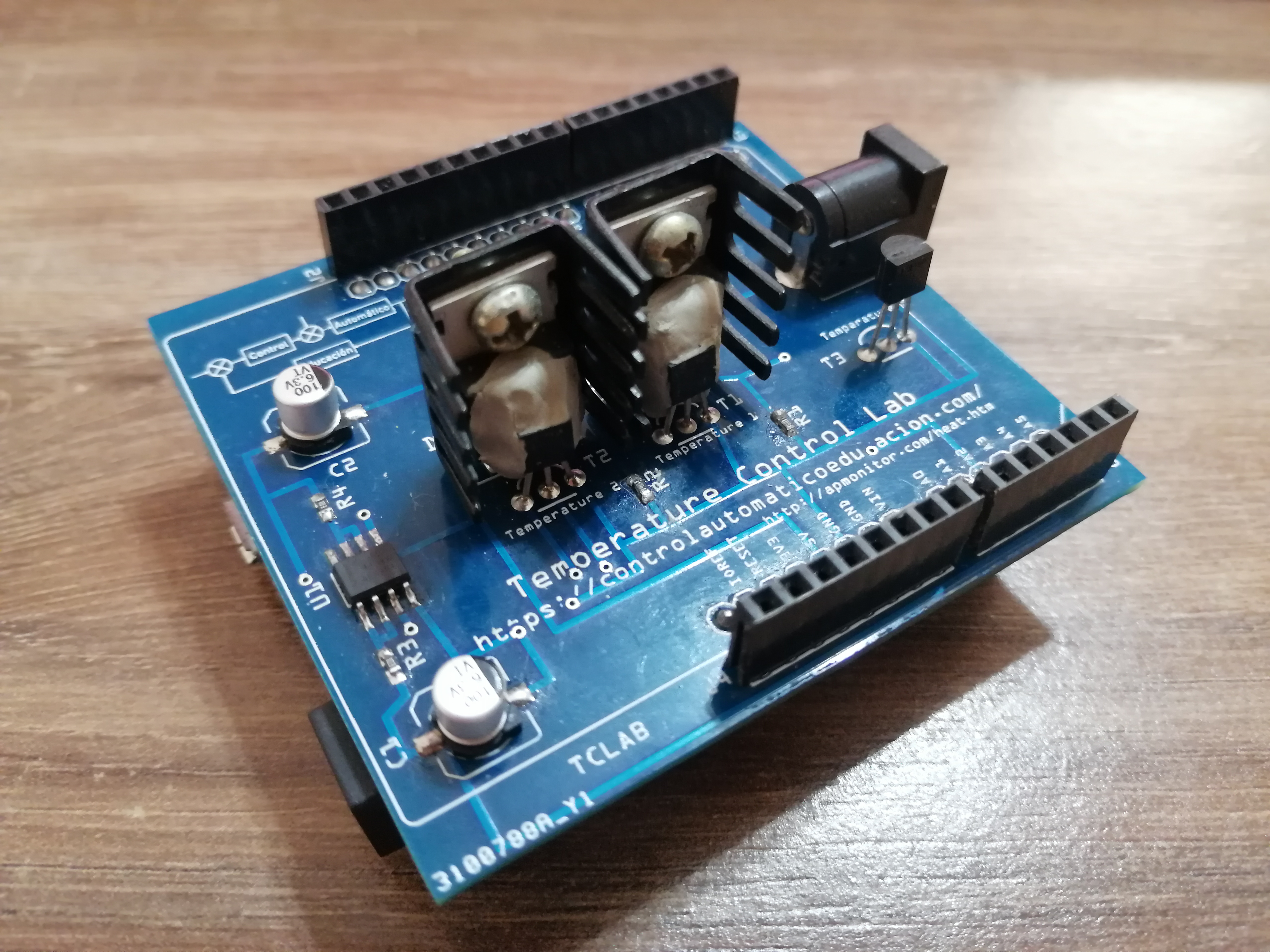
A power supply for the transistors is necessary, ideally connected via a 5.0mm Jack plug that can accommodate 5v / 12v with the positive in the center.

If you are interested in undertaking control courses without the need for Python or Matlab, but wish to learn how to program the controllers directly on the Arduino microcontroller or on a Microchip PIC microcontroller using the PIC C Compiler, you can access the following courses with a Discount Coupon on the Automatic Control Education website:
Implementation of Controllers on Embedded Devices using the TCLAB_CAE https://controlautomaticoeducacion.com/sistemas-de-control-en-dispositivos-embebidos/
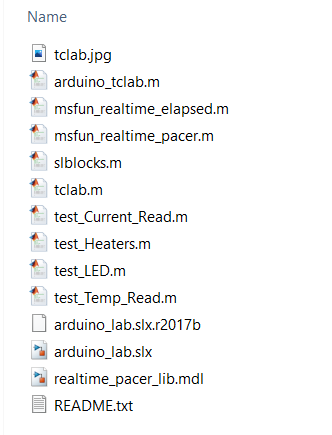
In this repository, we have 2 files:
This is the file that should be loaded onto the Arduino via the Arduino IDE. It allows addressing all the sensors and actuators on the board for a correct reading with Matlab.
Transistor 2 is configured to receive less power than transistor 1. This configuration can be changed within the Arduino file:

The type of temperature sensor with which the TCLab was built can be selected. By default, it is expected that the plant be built with the TMP36 sensor. However, if the LM35 sensor is used, this must be specified in the Arduino code by setting the Boolean variable to TRUE, as shown in the following figure:

In this folder, you will find test files which can be used to test the temperature laboratory.
These files are originally from APMonitor by Professor John Hedengren.
They have been MODIFIED to allow reading of the external temperature and to allow reading of the current flowing through the transistors.
This script allows you to test the LED on the TCLAB board by causing it to blink and verifying that it responds properly.
This script allows you to test the heaters (transistors) on the TCLAB board by switching them on and off to verify if the temperature is indeed rising.
- An external source connected to the transistors is necessary.
- Be cautious to avoid burns if you are going to touch the transistors.
This script allows you to test the 3 temperature sensors on the TCLAB_CAE board. It displays the current temperature of the 3 sensors, switches on both heaters for a preset time, and finally shows the reading from the sensors again.
This script allows you to test the 2 current sensors on the TCLAB_CAE board. It gradually switches on the heaters and displays the current reading from each transistor every second.
Since Arduino is configured for transistor 1 to have more power than transistor 2, depending on the PWM percentage set in the transistors, it is normal for more current to flow through transistor 1 under the same PWM setting.
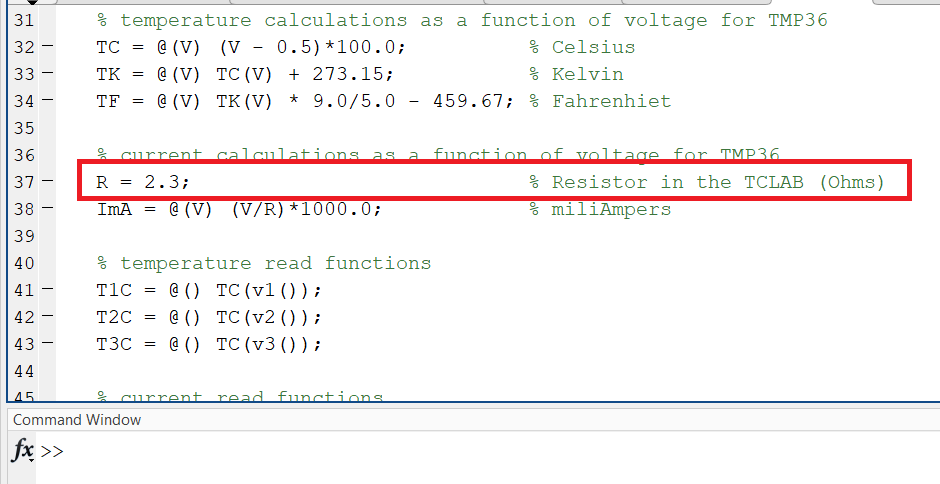
Also, verify with a multimeter the real value of resistors R1 and R2, which can be modified in the tclab and arduino_tclab files.
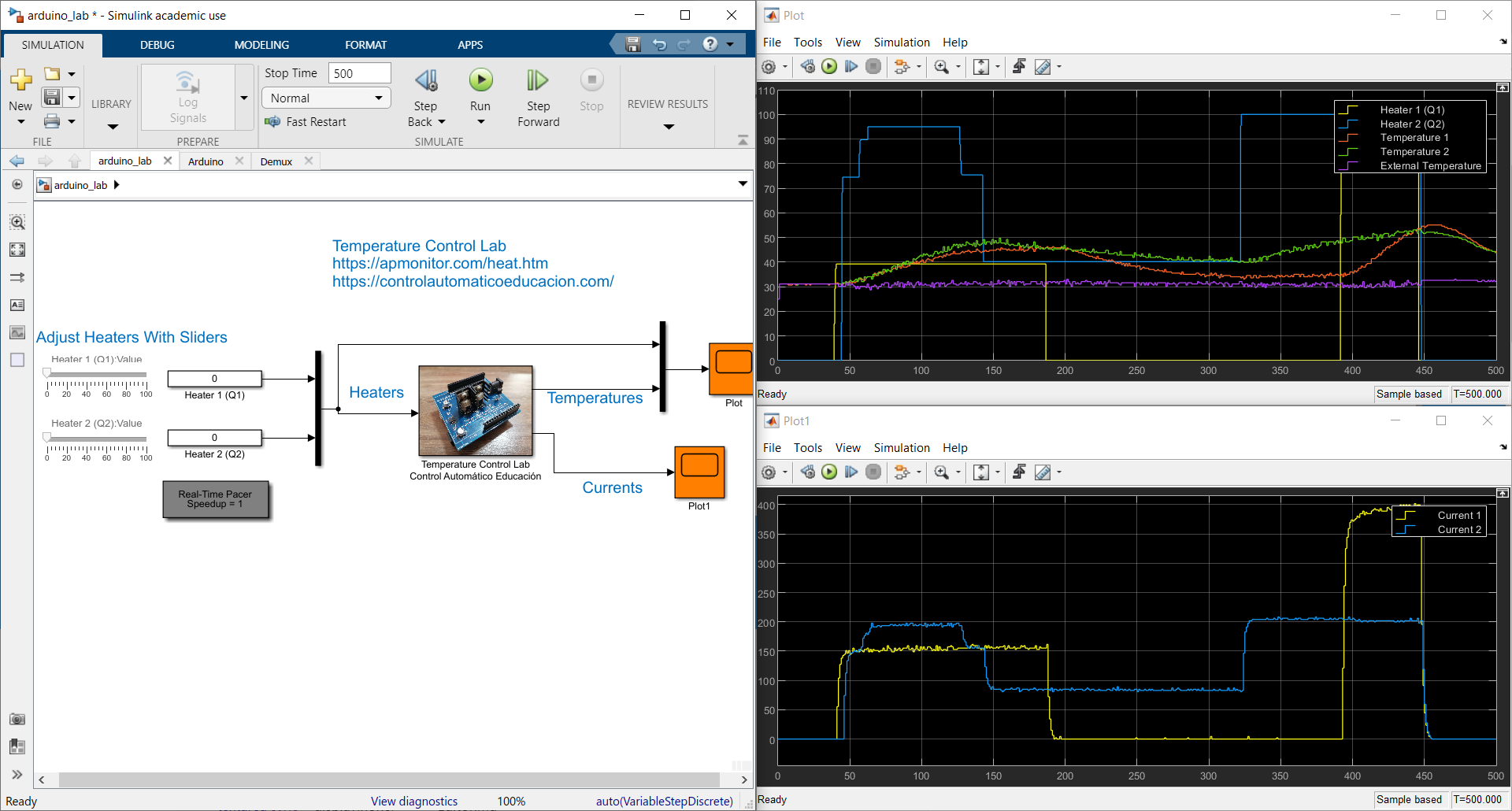
A Simulink file that allows you to vary the heaters on the board and observe the variation of the 5 sensors that the TCLAB_CAE possesses.
Again, this file is a modification of the original file which can be found on APMonitor by Professor John Hedengren.
For Matlab to directly support an Arduino board connection, you can download the driver at the following link: Arduino-Matlab Driver
The TCLab_CAE library repository is available at the following repository: https://github.com/sergioacg/TCLAB_PYTHON_CAE
The TCLAB installation is done in the terminal using the pip package manager (for Anaconda, open the program as an administrator on Windows for a correct installation of the packages):
pip install tclab-cae
If there are issues with permissions, you can try the command:
pip install tclab-cae --user
Subsequently, you should install the pyserial communication library:
pip install pyserial
conda install pyserial