32-bit Arm v8M, up to 500MHz, 768KB ROM, 512KB RAM, 16MB Flash (MCM embedded DDR2/DDR3L up to 128MB)
802.11 a/b/g/n WiFi 2.4GHz/5GHz, BLE 5.1, NN Engine 0.4 TOPS, Crypto Engine, Audio Codec, ...

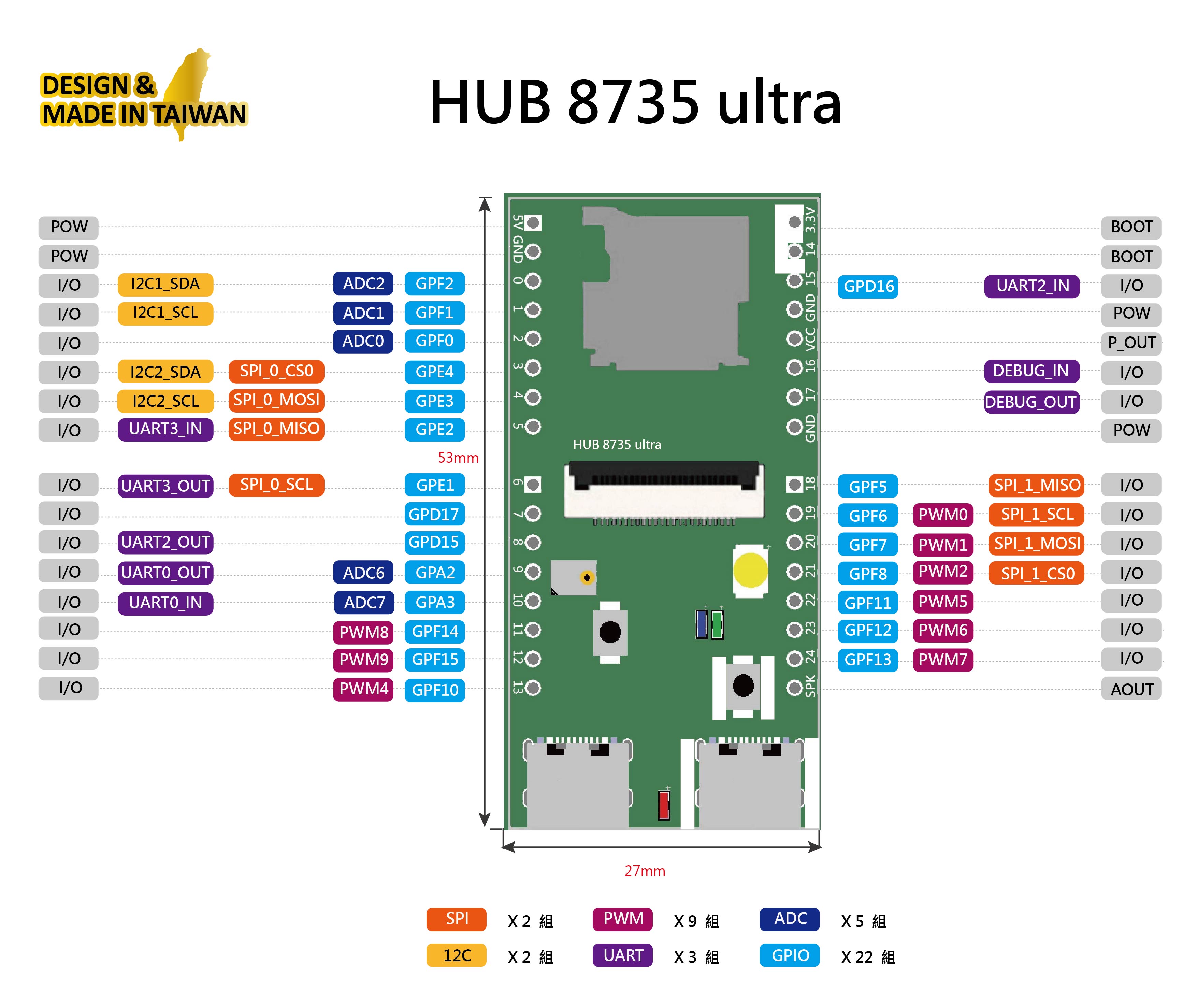


Arduino IDE 2.3.10 下載安裝

Hub8735 ultra
https://raw.githubusercontent.com/ideashatch/HUB-8735/main/amebapro2_arduino/Arduino_package/ideasHatch.json
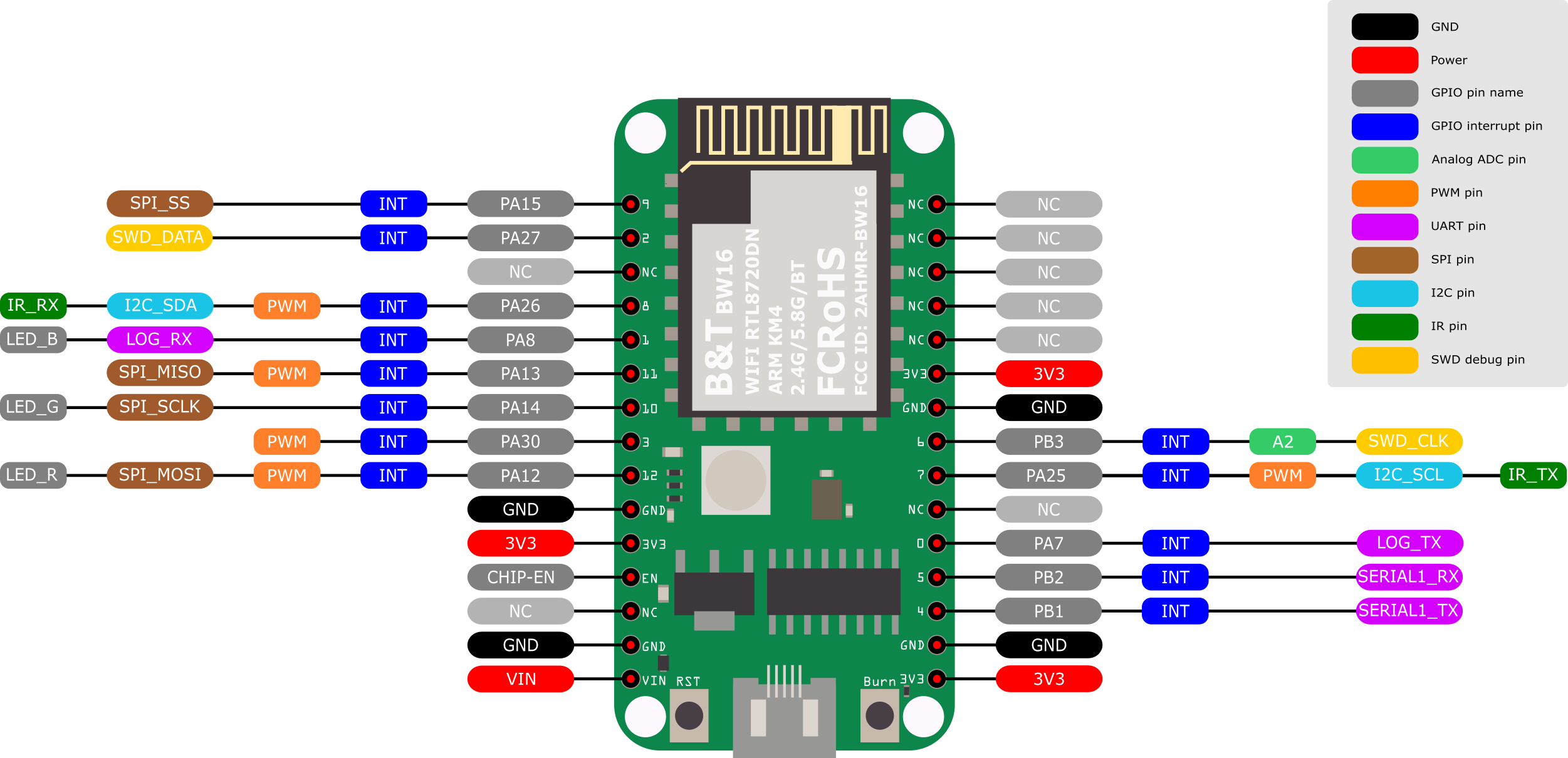
AMB82-mini
main https://github.com/Ameba-AIoT/ameba-arduino-pro2/raw/main/Arduino_package/package_realtek_amebapro2_index.json
dev https://github.com/Ameba-AIoT/ameba-arduino-pro2/raw/dev/Arduino_package/package_realtek_amebapro2_early_index.json

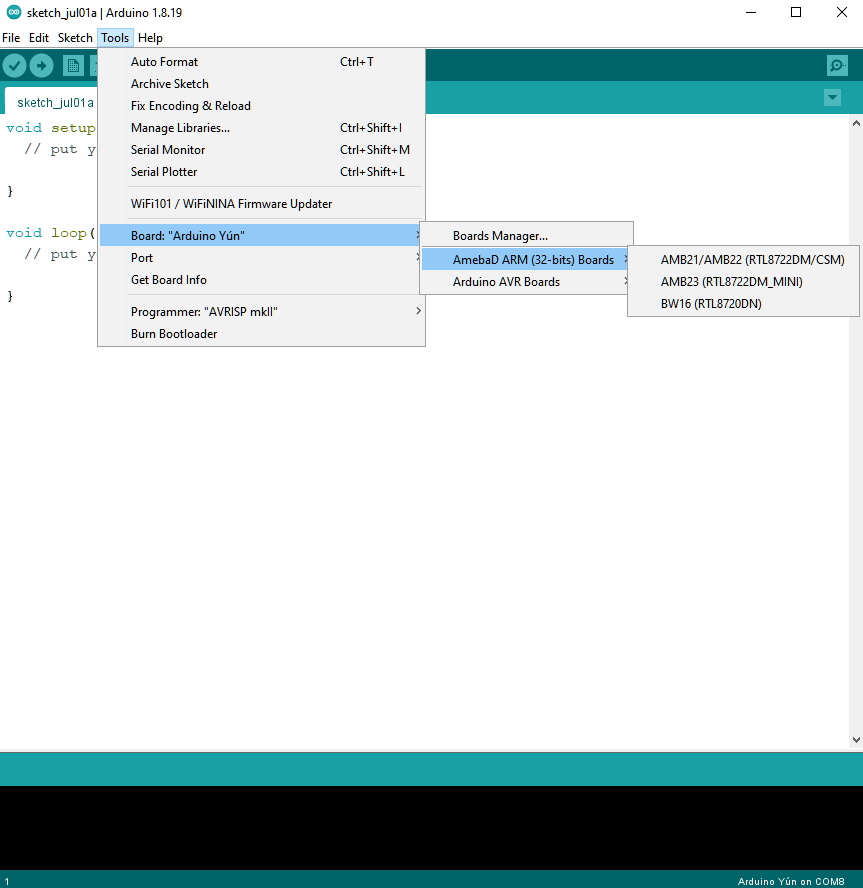
Tools > Board Manager > Search AMB82 : Realtek Ameba Boards 4.1.1-build20260603

Serial-monitor = 115200 baud
首先將AMB82-mini板子用MicroUSB線 連接至電腦的USB port
確認UART com port (Ubuntu OS需 sudo chown usrname /dev/ttyUSB0)
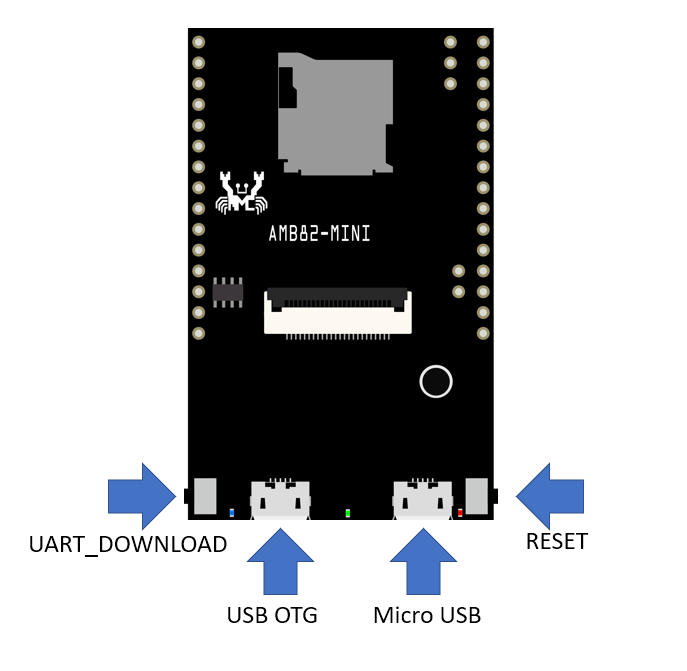
燒錄程式碼:
- 按下UART_DOWNLOAD按鈕, 再按下RESET按鈕, 放開RESET按鈕, 再放開UART_DOWNLOAD按鈕,板子就進入燒錄模式.
- 然後于Arduino IDE上按下燒錄按鍵
Upload
C:\Users\user\AppData\Local\Arduino15\packages\realtek\hardware\AmebaPro2\4.1.0-build20260213\libraries
C:\Users\user\AppData\Local\Arduino15\packages\realtek\hardware\AmebaPro2\4.1.0-build20260213\libraries\NeuralNetwork\src
GenAI.h
GenAI.cpp
- 瀏覽器打開 EdgeAI-AMB82mini, 點[Code]並選 [Download ZIP]
- 解壓縮.zip, 並將 Arduino/AMB82-mini 複製到 文件/Arduino下, 成為
文件/Arduino/AMB82-mini

Examples> 02.Digitial > GPIO > Button

程式碼修改:
const int buttonPin = 1; // the number of the pushbutton pin
const int ledPin = LED_BUILTIN; // the number of the LED pin

程式碼修改:Serial.begin(115200);
- Google Play Store: https://play.google.com/store/apps/details?id=com.rtk.btconfig
- Apple App Store: https://apps.apple.com/sg/app/easy-wifi-config/id1194919510
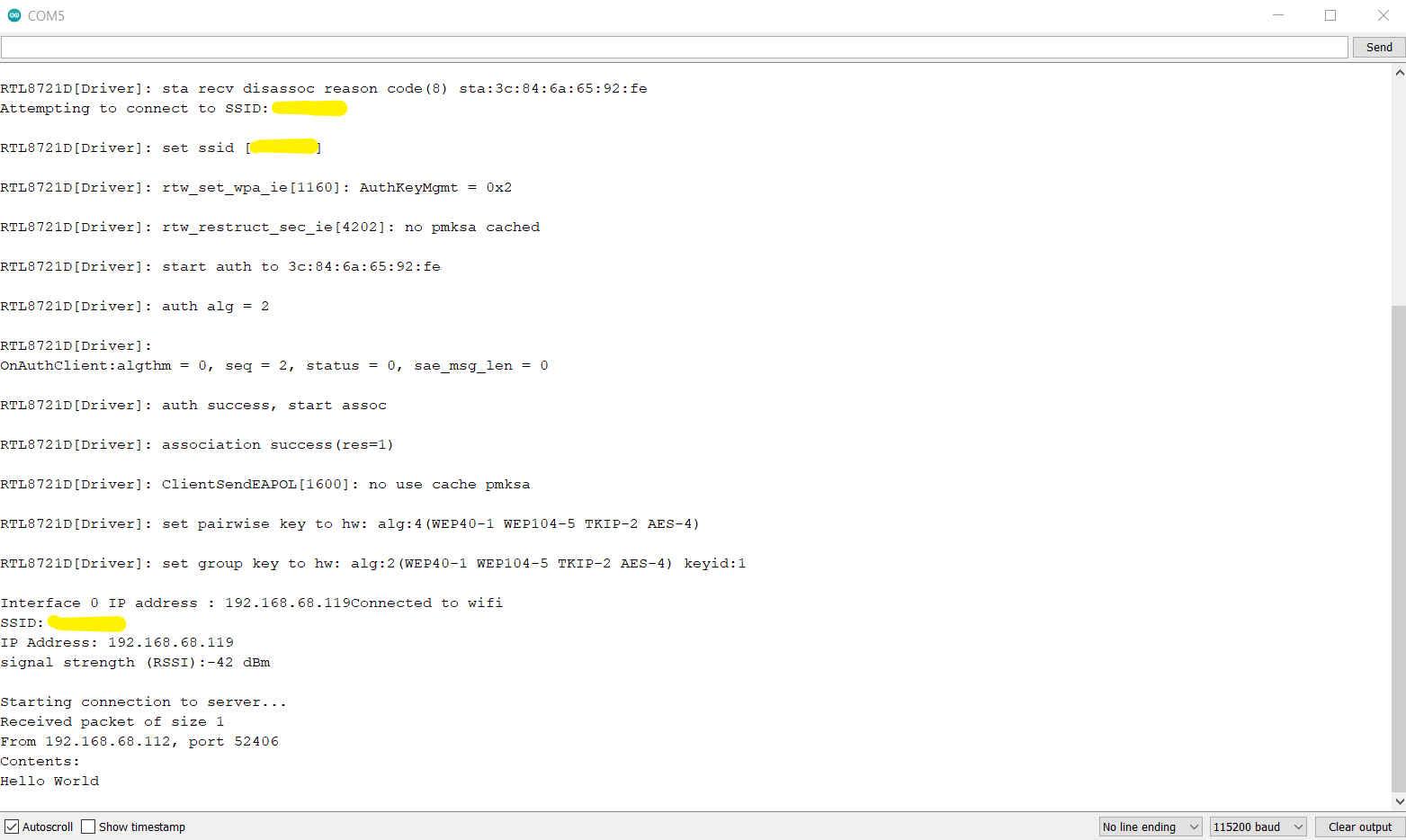
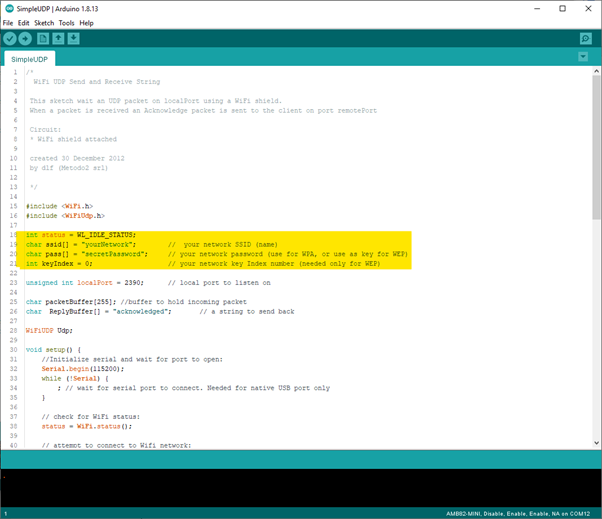
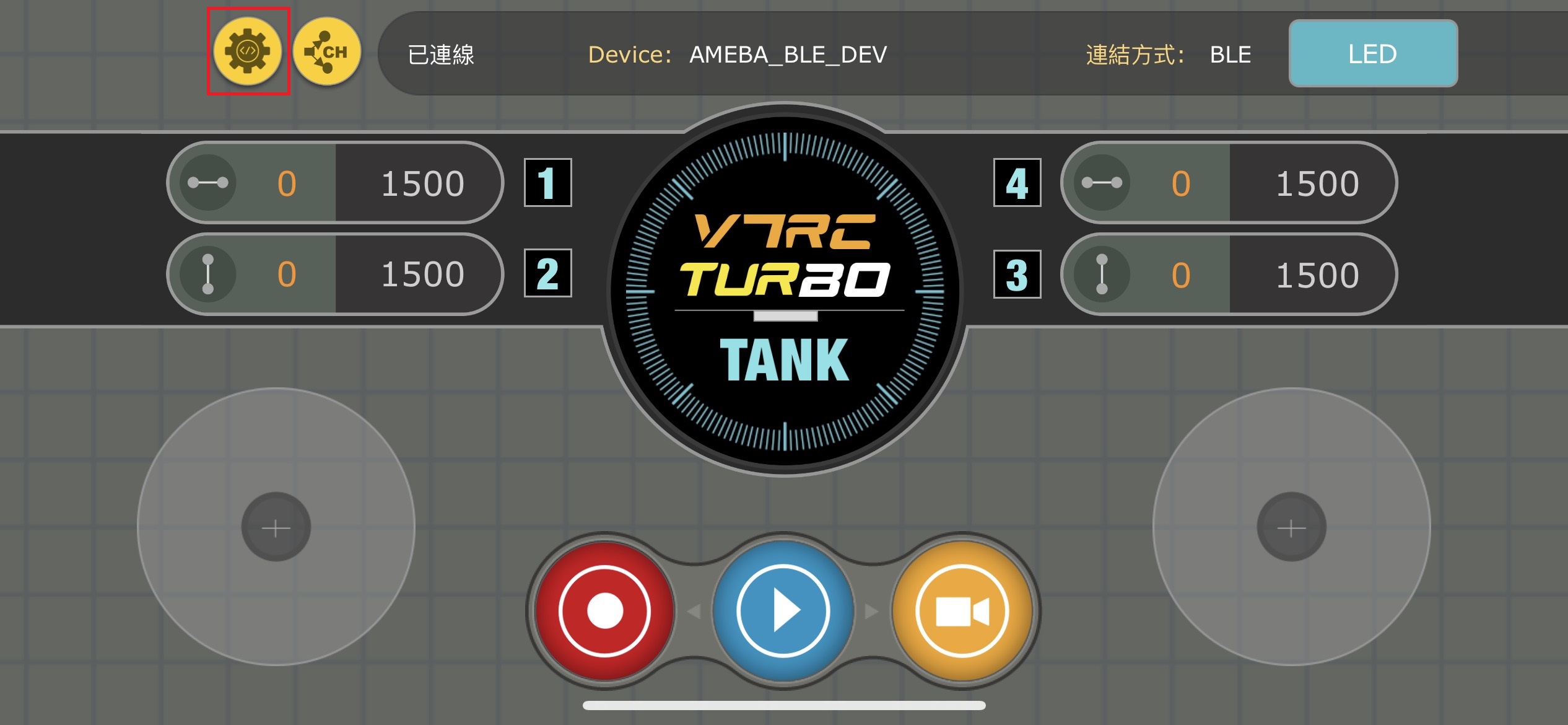
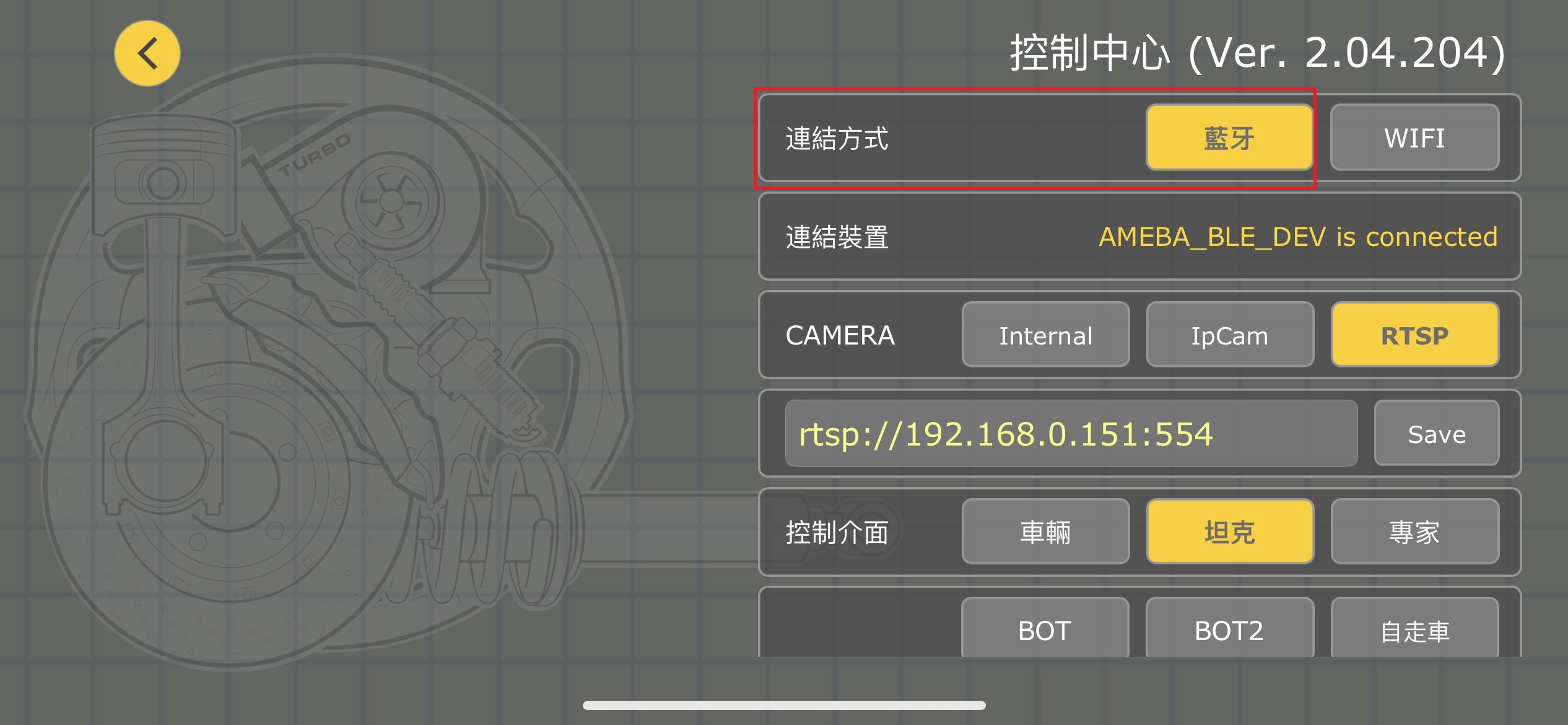
WiFi - Simple Http Server to Receive Data
Sketchbook> WebServer_ControlLED

Sketchbook> BLEConfig_WebServer_ControlLED
Read and display HTML file from SD card
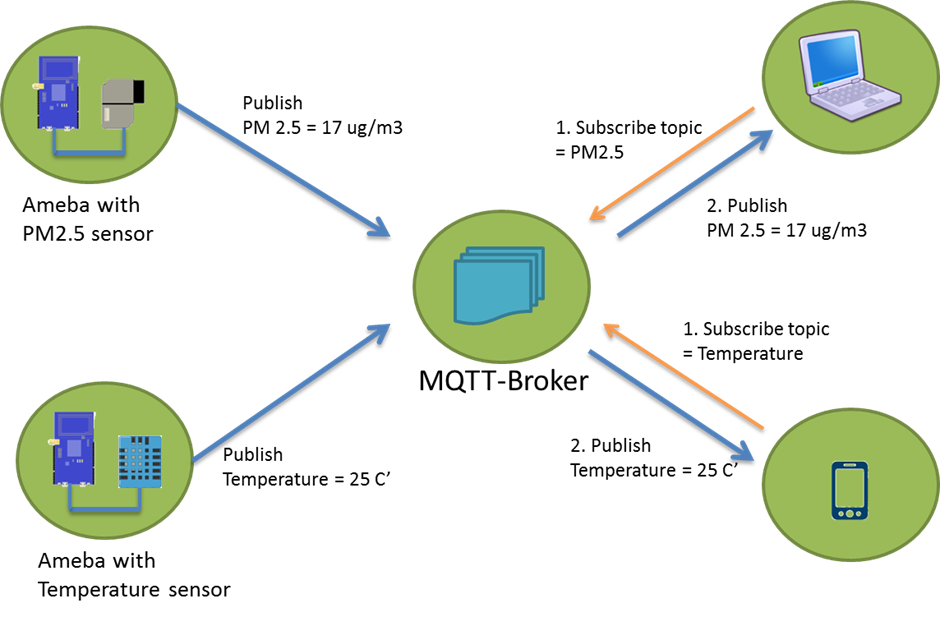
MQTT is an OASIS standard messaging protocol for the Internet of Things (IoT)
How MQTT Works -Beginners Guide
MQTT - Set up MQTT Client to Communicate with Broker
Prompt: make a HTTP Server html to input MQTT topic and text to publish through Paho-MQTT test.mosquitto.org

To install Ameba-OTA-UI, read https://github.com/Ameba-AioT/ameba-OTA-UI
Ameba Over-the-Air Firmware Update
Ameba SDCard OTA Firmware Update


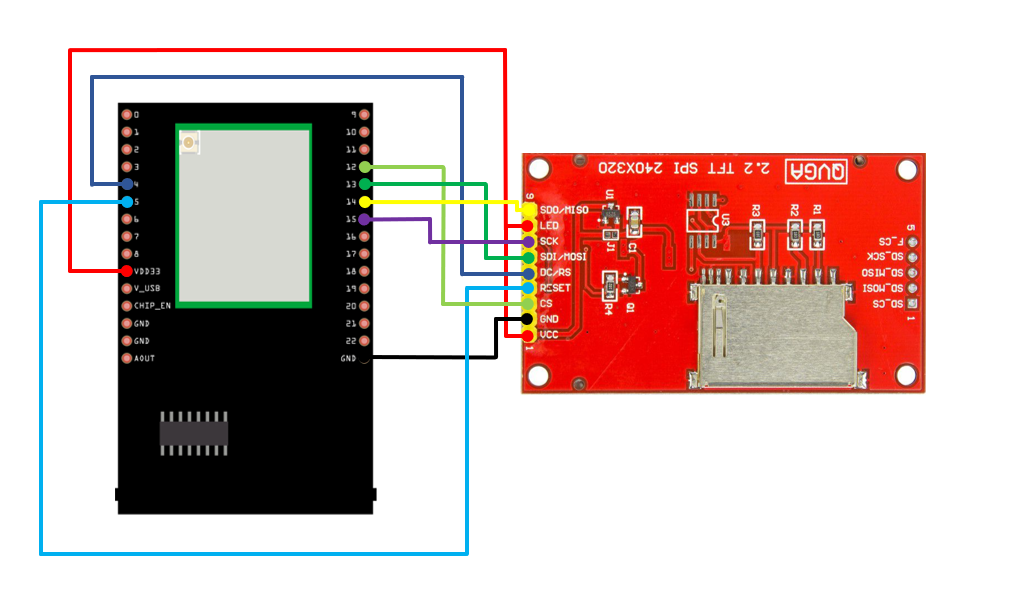
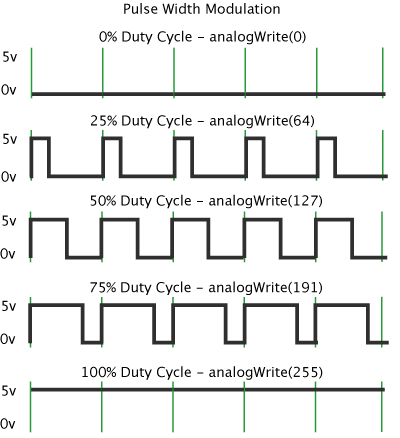
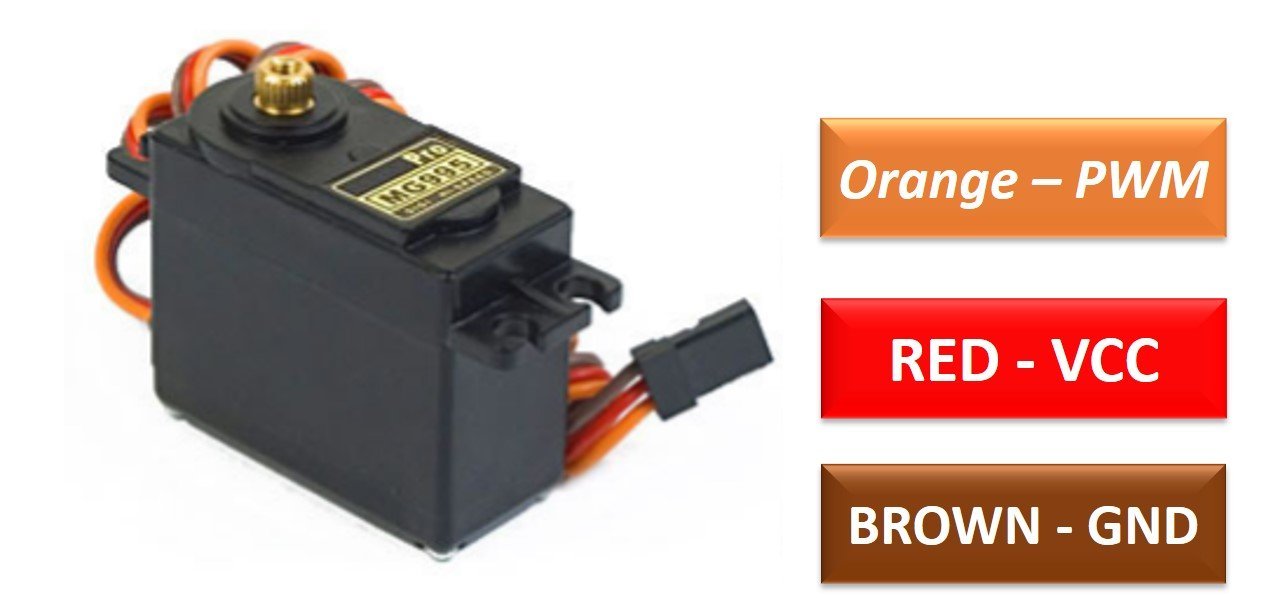
myservo.attach(8);
myservo.write(pos);

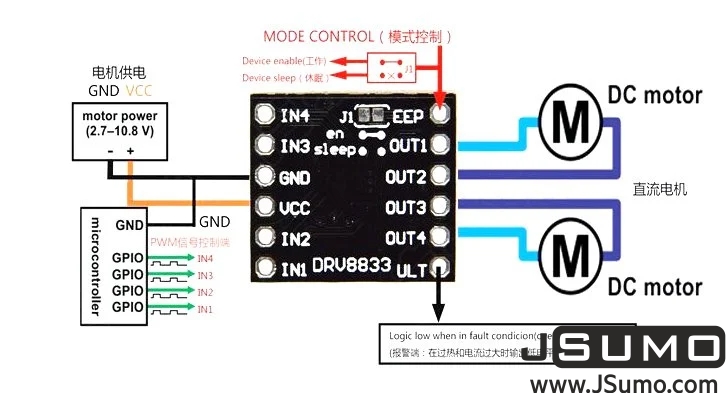
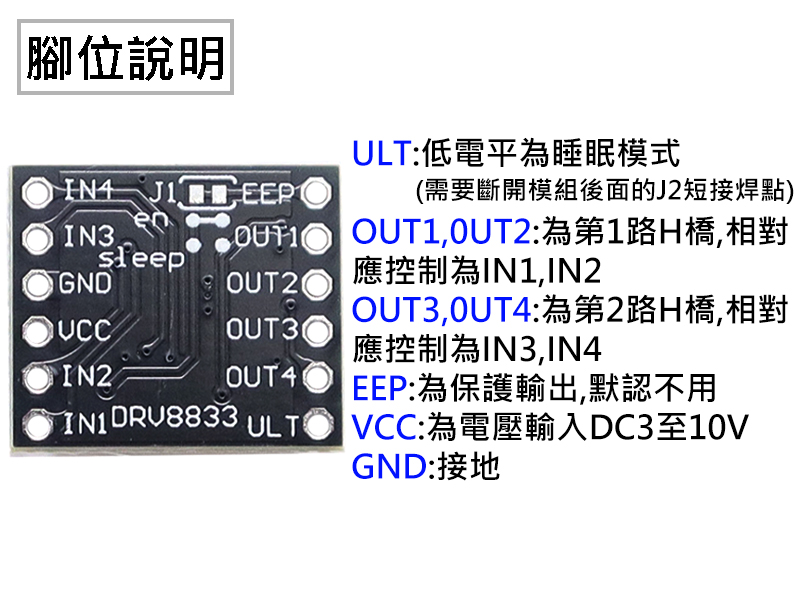
Sketchbook > AMB82-mini > RoboCar_DRV8833

Examples> AmebaAnalog > PWM_ServoControl
AMB82-mini + PAM8403 + 4ohm 3W speaker

Examples > AmebaMultimedia > SDCardPlayMP3
Sketchbook> AMB82-mini > SDCardPlayMP_All
.mp3 files stored under mp3 directory
Examples > AmebaMultimedia > Audio > RTSPAudioStream
Examples> AmebaNN > AudioClassification
The default pretrained model can recognise 521 different types of audios in total.
- Examples > AmebaMultimedia > SDCardPlayMP3
- Sketchbook> AMB82-mini > SDCardPlayMP_All
Sketchbook> RTSP_VideoOnly
Examples > AmebaMultimedia > WebSocketViewer
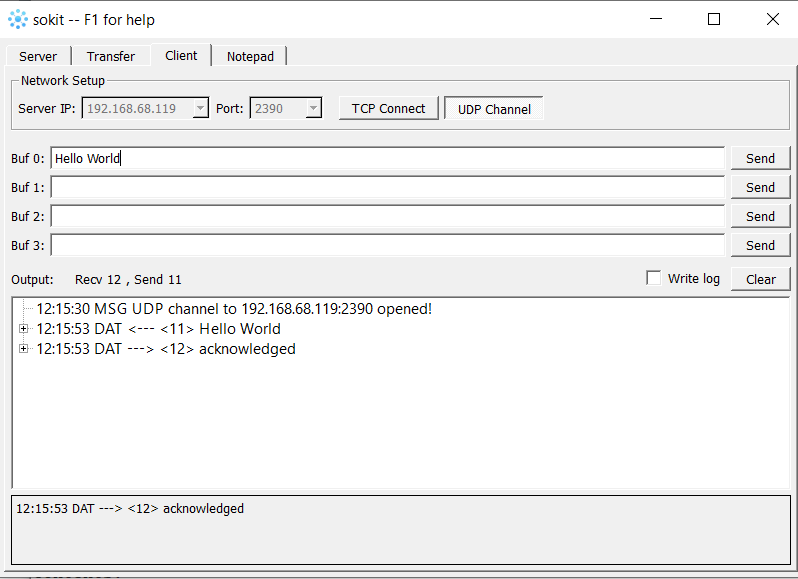
- 修改ssid, passwd, 後燒錄到AMB82-mini,
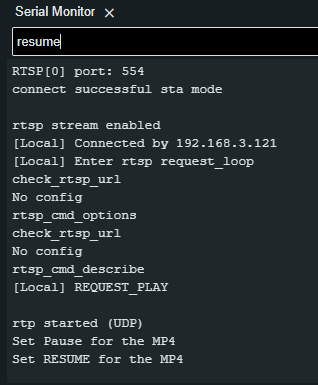
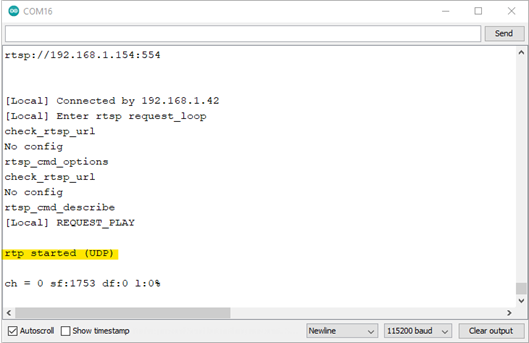
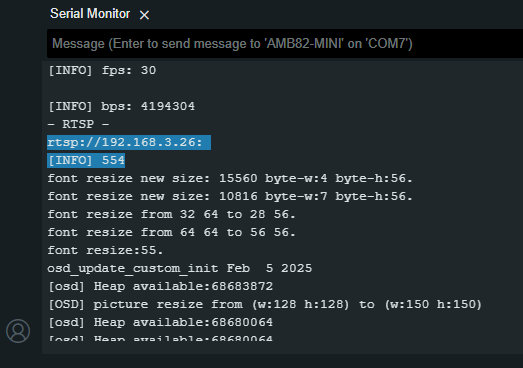
- 按reset後程式即開始運行, 用serial-monitor 查看顯示串流網址
- 啟動手機或電腦上之VLC player, 設定RTSP串流網址
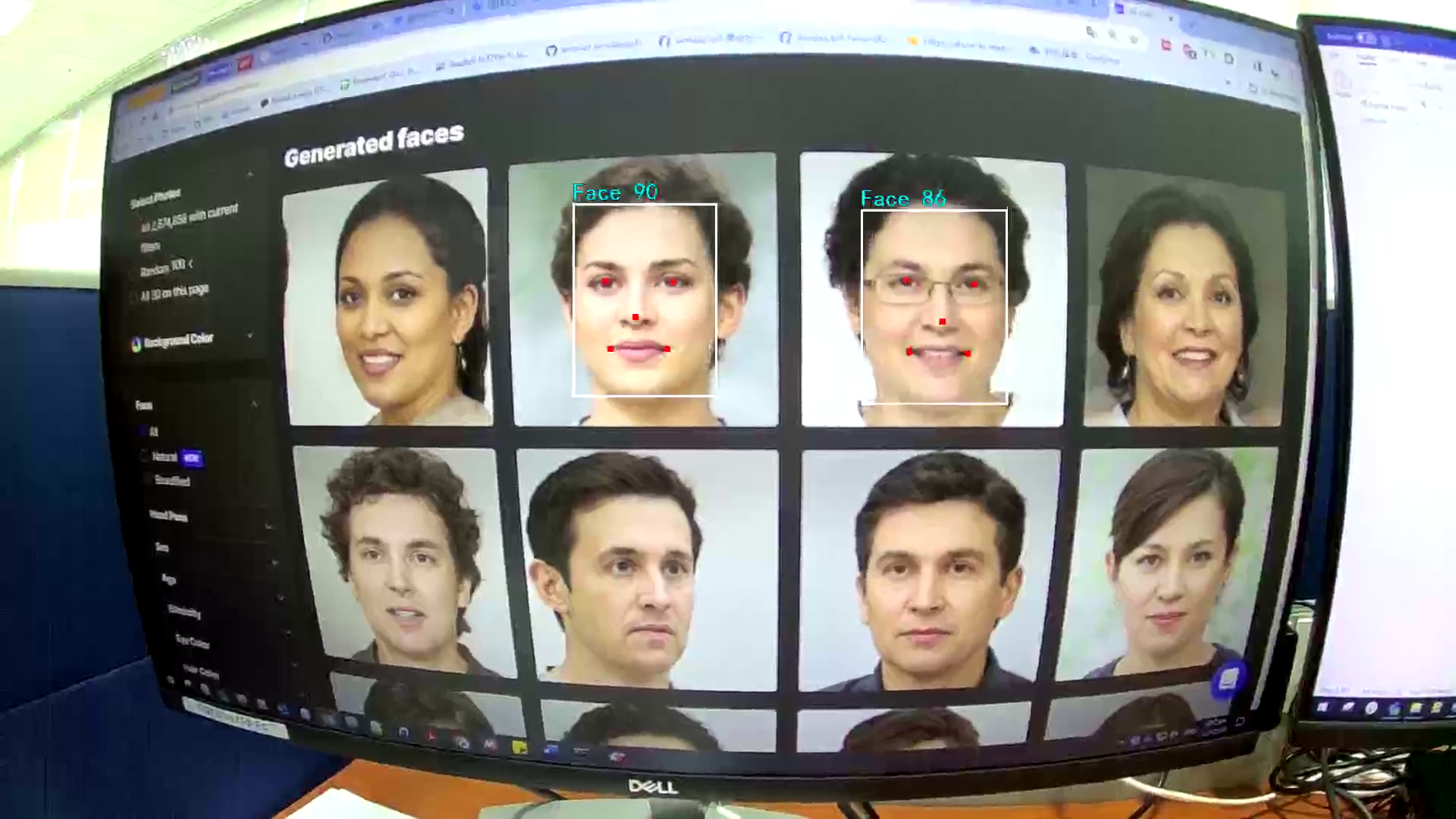
Serial_monitor: REG=RKUO

- Enter the command REG=Name to give the targeted face a name.
- Enter the command DEL=Name to delete a certain registered face. For example,
DEL=SAM - Enter the command BACKUP to save a copy of registered faces to flash.
- If a backup exists, enter the command RESTORE to load registered faces from flash.
- Enter the command RESET to forget all previously registered faces.
Examples > AmebaNN > RTSPImageClassification
required in kaggle for AmebaPro2
- pip install tensorflow==2.14.1
- model.save('garbage_cnn.h5', include_optimizer=False)
- Download garbage_cnn.h5 from kaggle.com/rkuo2000/garbage-cnn
Output - Compress garbage_cnn.h5 to garbage_cnn.zip
- Go to Amebapro2 AI convert model, fill up your E-mail
- Upload garbage_cnn.zip
- Upload one (.jpg) test picture (EX. glass100.jpg from Garbage dataset)
- Email will be sent to you for the link of
network_binary.nb
- click the recieved Email link to download
network_binary.nb - create NN_MDL folder in SDcard, save network_binary.nb under NN_MDL folder, and rename it to
imgclassification.nb - plugin SDcard back to AMB82-MINI
- modify Sketch RTSP_GarbageClassification.ino
- modify SSID and PASSWD
- modify imgclass.modelSelect (change DEFAULT_IMGCLASS to CUSTOMIZED_IMGCLASS)
- burn code into board AMB82-MINI, and run it with VLC player streaming


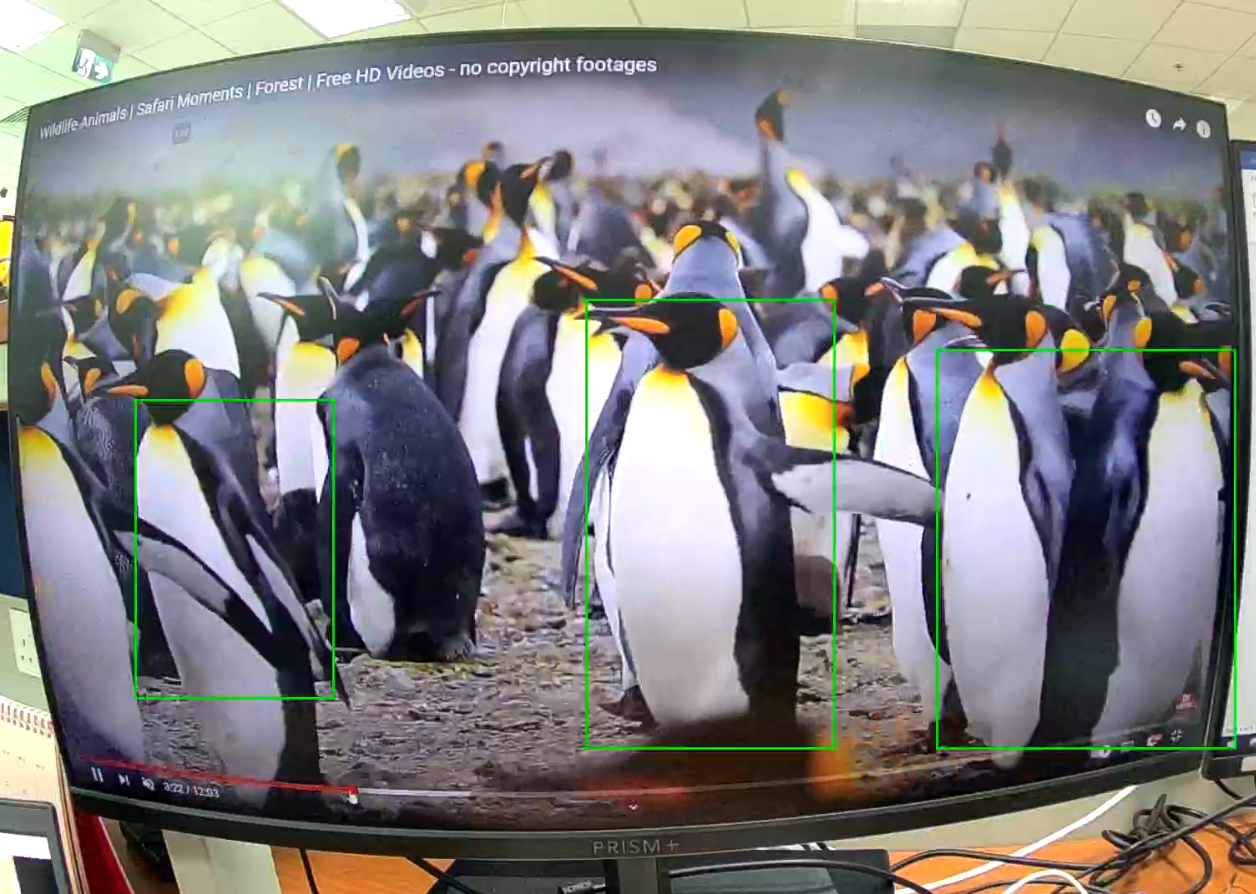
Examples > AmebaNN > ObjectDetectionLoop
- YOLOv7 FaceMask
- YOLOv7 Pothole
- YOLOv7 Sushi
- YOLOv7 RefrigFood
- YOLOv7 TrafficSign
- YOLOv7 Tanks
- YOLOv7 reparm
- repro https://github.com/WongKinYiu/yolov7
- create pothole.yaml
%%writefile data/pothole.yaml
train: ./Datasets/pothole/train/images
val:  ./Datasets/pothole/valid/images
test: ./Datasets/pothole/test/images

# Classes
nc: 1  # number of classes
names: ['pothole']  # class names
- YOLOv7-Tiny Fixed Resolution Training
!sed -i "s/nc: 80/nc: 1/" cfg/training/yolov7-tiny.yaml
!sed -i "s/IDetect/Detect/" cfg/training/yolov7-tiny.yaml
- Download
best.ptfrom kaggle.com/rkuo2000/yolov7-pothole - Compress best.pt to
best.zip - Go to Amebapro2 AI convert model, fill up your E-mail
- Upload best.zip
- Upload one (.jpg) test picture (EX. pothole_test.jpg from Pothole dataset)
- Email will be sent to you for the link of
network_binary.nb
- click the recieved Email link to download
network_binary.nb - create NN_MDL folder in SDcard, save network_binary.nb under NN_MDL folder, and rename it to
yolov7_tiny.nb - plugin SDcard back to AMB82-MINI
- modify Sketch RTSP_YOLOv7_Pothole_Detection.ino
- modify SSID and PASSWD
- modify ObjDet.modelSelect(OBJECT_DETECTION, CUSTOMIZED_YOLOV7TINY, NA_MODEL, NA_MODEL);
- burn code into board AMB82-MINI, and run it with VLC player streaming


RTSP_YOLOv7_Pothole
RTSP_YOLOv7_Sushi
RTPS_ObjectDetection_AudioClassification.ino
ffmpeg.exe is needed for Windows to run Whisper
- Examples -> AmebaHttp > HTTP_Post_MP4_Whisper_server
- Examples -> AmbeaHttp > HTTP_Post_MP4_Whisper_server_FastAPI
PC-RTX5060OC-8/16GB running Ollama-server with Gemma-4 model
ollama run gemma4:e2b
Sketchbook > AMB82-mini > Ollama_sendText
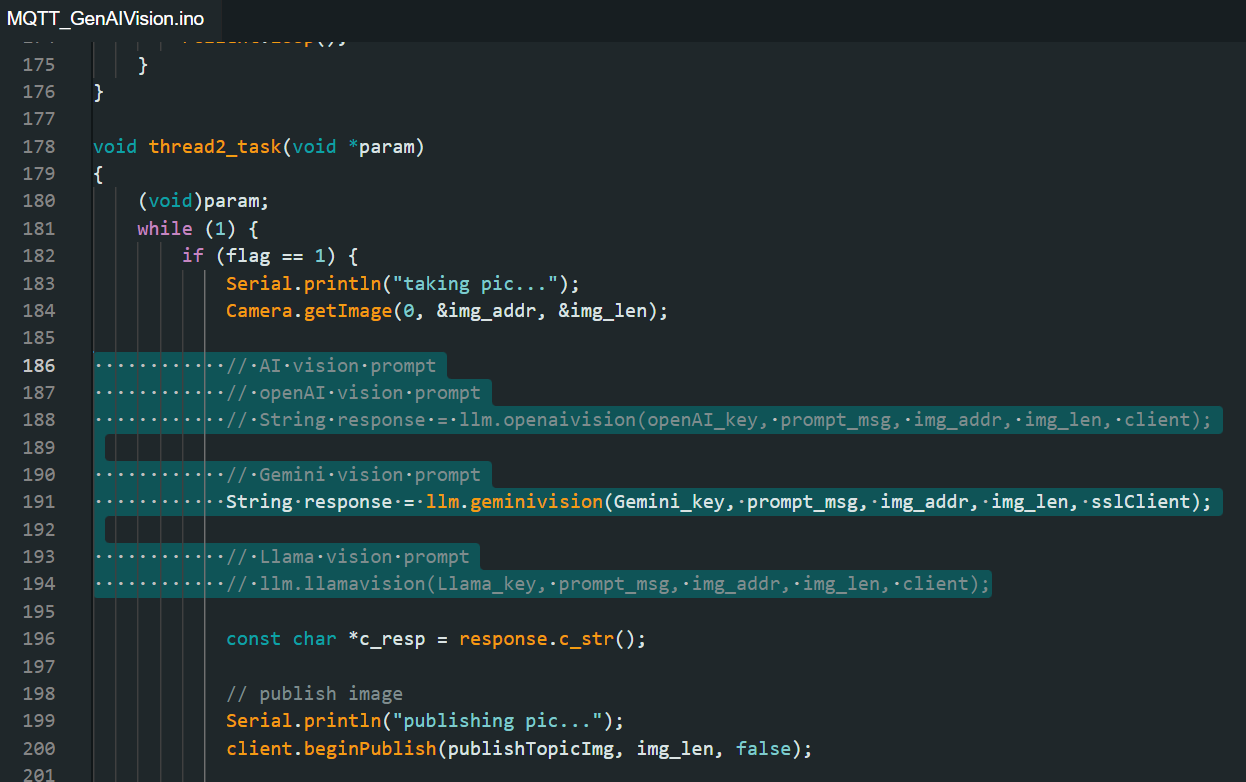
Sketchbook > AMB82-mini > Ollama_sendImage
AMB82 mini MCP Server for FreeRTOS SDK
- Dual-mode development:
- Arduino — arduino-cli compile & upload
- FreeRTOS SDK — cmake + arm-none-eabi-gcc compile, uartfwburn upload
- Semantic search with ONNX Runtime — pre-built index covers 3,500+ documents from:
amb82-mini-docs— official tutorials and API docsameba-arduino-pro2— Arduino SDK libraries and examplesameba-rtos-pro2— FreeRTOS SDK components

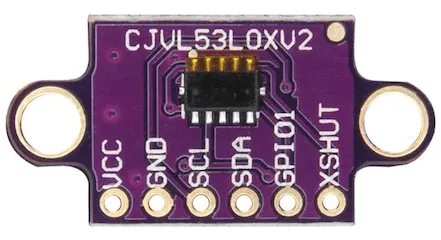
- 防撞 - 需讀取紅外線測距 (VL53L0X)
- 朝向 - 需讀取慣性感測元件偵測角度 (MPU6050)
- 行進 - 需讀取行進命令,執行馬達控制 (DRV8833)
- 導航 - 需拍照送VLM 識別 (Gemma4:E2B)
- 命令 - 提問LLM/Agent控制 (Gemma4:E2B)