
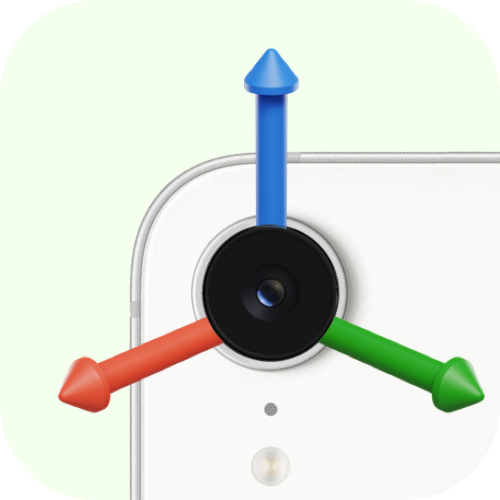



teledex lets you control robot frames and hands using your iOS device's AR data.


You can install teledex package using pip:
pip install teledexYou can download the app from the App Store.
You can use Teledex in phone-only mode (streams only the device pose) or with an optional 3D-printed holder to track finger motion while teleoperating. All printable parts are available in printables folder.
See ASSEMBLY_GUIDE for assembly notes and SETUP_GUIDE to get started with your phone and robot setup.
import teledex

session = teledex.Session()
session.start()

# Retrieve AR data
data = session.get_latest_data()
# Returns: {"position": (3,), "rotation": (3, 3), "button": bool, "button_secondary": bool, # "toggle": bool}Control MuJoCo frames (body, geom, or site) with Teledex:
import teledex

session = teledex.Session()

mujoco_handler = teledex.MujocoHandler(model=my_model, data=my_data)
session.add_handler(mujoco_handler)

mujoco_handler.link_body(name="eef_target")

session.start()TeleDex ships a MuJoCo Studio plugin that drives a mocap body and adds a TeleDex panel (QR code, status, live pose). It needs the MuJoCo nightly (pip install --pre mujoco -f https://py.mujoco.org/):
python -m mujoco.studio.viewer --model=demos/scene0.xml --gfx=web --plugins=demos/studio_plugin.pydemos/scene0.xml is a gripper and a table of objects (put the marker in the mug), demos/scene1.xml is a slowly turning lazy Susan carrying plates of treats, and demos/scene2.xml has no robot at all. The plugin drives a mocap body named target if there is one and an actuator named gripper with the app's Toggle; in any scene you can also double-click a body and press Drive selected to move it with the phone.
Android phones need no app: with remote=True, the same QR code opens a web page that tracks the phone with WebXR (Chrome, with Google Play Services for AR) and streams its pose over WebRTC. Install the web support on the computer:
pip install "teledex[web]"By default the phone and computer must be on the same Wi-Fi. With remote=True the phone can connect from any network:
session = teledex.Session(remote=True)The phone still tries the local connection first. If that fails, the two sides connect directly over signed UDP. A small rendezvous server (signal/) only exchanges their addresses, and your poses never pass through it. To run your own server, pass signal_url= or set TELEDEX_SIGNAL_URL.
session.vibrate(sharpness=0.8, intensity=0.4, duration=0.01)
session.pause_updates()
session.resume_updates()
session.reset_position()The CAD is based on the models from ACE Teleop.
If you use Teledex in your research, please cite:
@article{rayyan2026teledex,
  title={TeleDex: Accessible Dexterous Teleoperation},
  author={Rayyan, Omar and Gilles, Maximilian and Cui, Yuchen},
  journal={arXiv preprint arXiv:2603.17065},
  year={2026}
}