Repository navigation
RM3.4
I hope this tutorial clears everything up! (get it?)
There is a function in ReMapper that allows us to change the fog of the environment in Beat Saber, it is called adjustFog().
rm.adjustFog(x => {
    x.attenuation = 0.001 // adjusts attenuation of the fog
    x.offset = 1 // adjusts offset of the fog
    x.startY = -10 // adjusts startY of the fog
    x.height = 5 // adjusts height of the fog
})
If you want to change the fog at a certain point in your map or animate it, you can do that like this:
rm.adjustFog(x => {
    x.attenuation = [[0.001, 0], [0.1, 1]] // animation of attenuation
}, 16, 4) // 16 - beat at the start of the animation. 4 - duration of the animation in beats
And if you want to change the lightMultiplier of the environment, you can do something like this:
rm.adjustFog(x => {
    x.attenuation = 0.0001
}, 0, 0, x => {
    x.lightMultiplier.bloomFogIntensityMultiplier = [2] // sets BFIM to 2
    x.lightMultiplier.colorAlphaMultiplier = [0.5] // sets CAM to 0.5
})Fog is split into two parts, Atmospheric density (attenuation & offset) and Height Fog (startY & height). Atmospheric density deals with the fog that follows and is always around the player. Height Fog is fog that fades out all objects from a certain height onwards, this is why you can't change its density, since it will always have a point where the fog dissolves everything.
Attenuation is basically the intensity of the atmospheric density of the fog (basically how dense it is) between -1 and 1 (0 and 1 for Quest). It's scaling is logarithmic, which means there's for example, a big change between 0.01 and 0.02, but barely any change between 0.1 and 0.2. This is most often used for adding depth to an environment and making it feel more dynamic and alive.

rm.adjustFog(x => {
    x.attenuation = 0.00001
}
The Red Text is the number of the attenuation. The White Text is how far away a geometry cube is from the player (in Blender Units)
Offset is how far away the fog attenuation starts from the player. The bigger the number, the further away the fog will start. For the sake of simplicity these diagrams are 2D instead of 3D, in game this is not a circle, but a sphere around the player.

rm.adjustFog(x => {
    x.attenuation = 0.01
    x.offset = 0
}
These diagrams are not 1:1 what they are in game, but they give you a good visualization on how they work
More Examples:
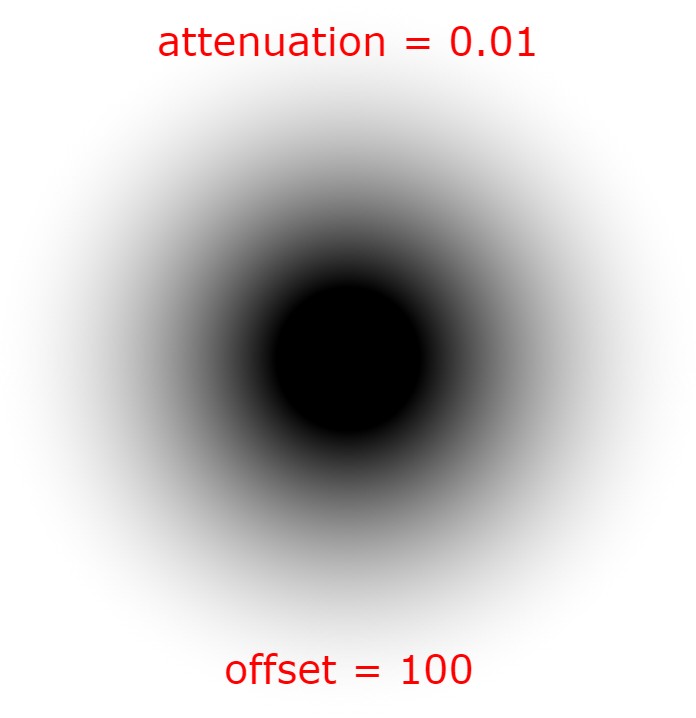
rm.adjustFog(x => {
    x.attenuation = 0.01
    x.offset = 100
}
rm.adjustFog(x => {
    x.attenuation = 0.01
    x.offset = 10000
}The Height and Start Y of fog is the intensity of the fog up and down. startY is where all objects will be dissolved into the fog (or the Y axis; up and down), (Blender/Unity units). height is how big the fade out/gradient of the fog is (also on the Y axis; up and down), (Noodle units; 0.6 of Blender/Unity units).
Examples:

rm.adjustFog(x => {
    x.startY = -4
    x.height = 4
}
The height number is the number relative to the startY number. For example if startY was -4 and height was 4, the gradient would be like above and end at 0, but if startY were 0 and height was still 4, the gradient would end at 4 instead.
Here are some more examples:

rm.adjustFog(x => {
    x.startY = -1
    x.height = 2
}
rm.adjustFog(x => {
    x.startY = 2
    x.height = -3
}
You can even invert fog! You would usually use this for environments with full ground and caves.
The Bloom Fog Intensity Multiplier (BFIM) increases the amount of bloom that comes off of all original environment light sources. The Color Alpha Multiplier (CAM) increases the brightness of the light source itself, for lasers it would be their box light. These settings are usually used for tweaking a maps lighting at the end of its development, you could think of it as post-processing for lights/lasers.
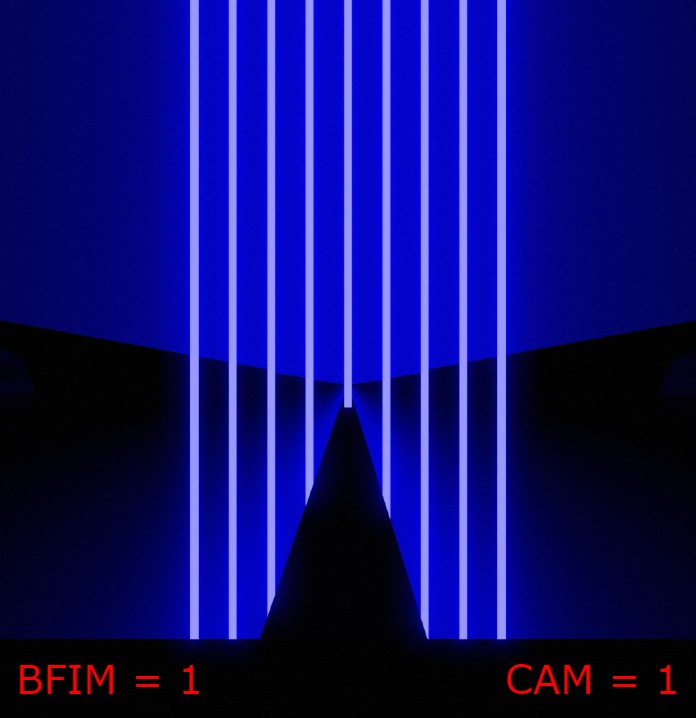
rm.adjustFog(x => {
    x
}, 0, 0, x => {
    x.lightMultiplier.bloomFogIntensityMultiplier = [1]
    x.lightMultiplier.colorAlphaMultiplier = [1]
})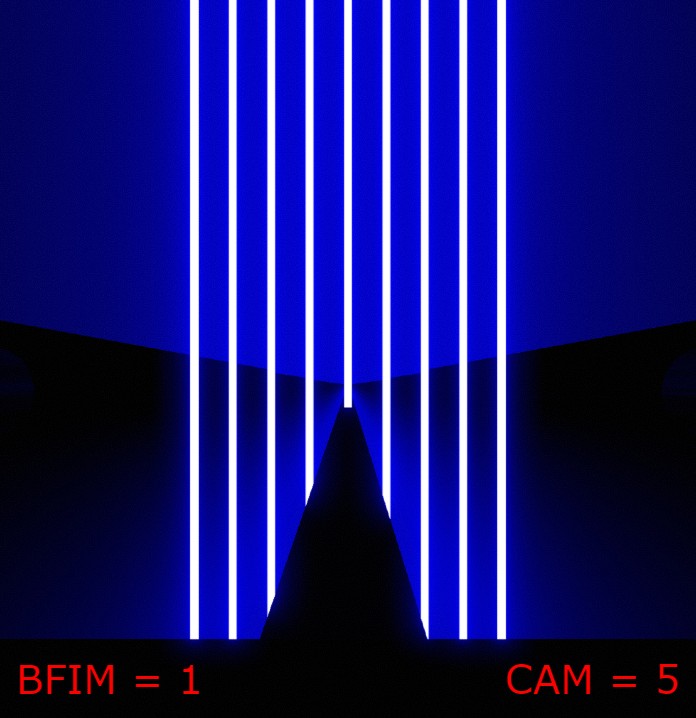
rm.adjustFog(x => {
    x
}, 0, 0, x => {
    x.lightMultiplier.bloomFogIntensityMultiplier = [1]
    x.lightMultiplier.colorAlphaMultiplier = [5]
})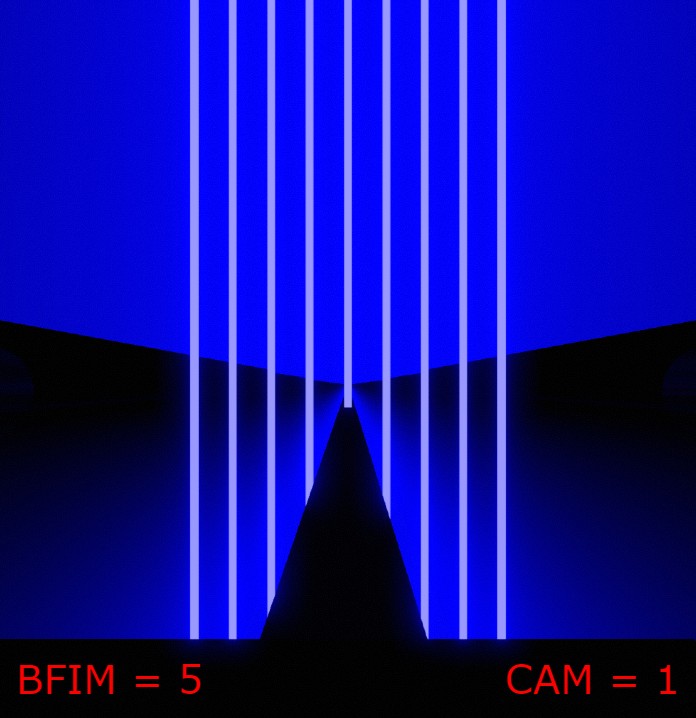
rm.adjustFog(x => {
    x
}, 0, 0, x => {
    x.lightMultiplier.bloomFogIntensityMultiplier = [5]
    x.lightMultiplier.colorAlphaMultiplier = [1]
})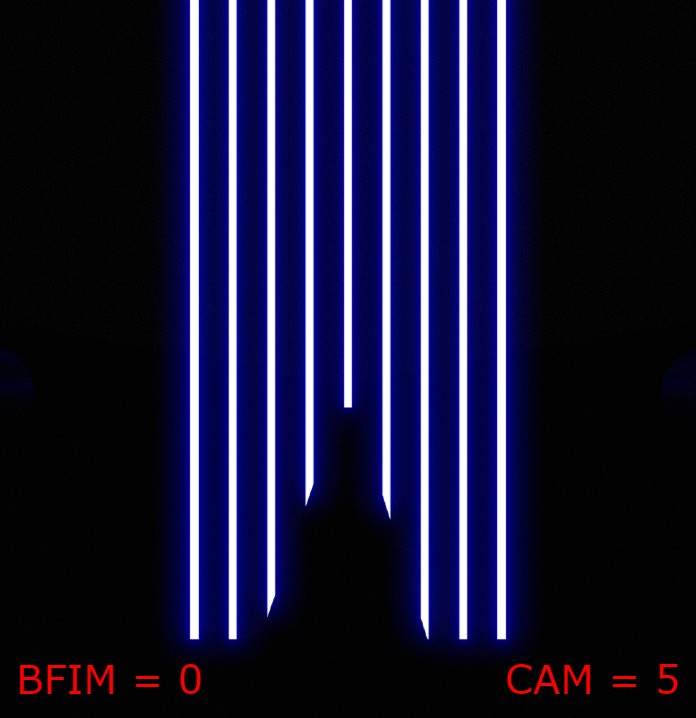
rm.adjustFog(x => {
    x
}, 0, 0, x => {
    x.lightMultiplier.bloomFogIntensityMultiplier = [0]
    x.lightMultiplier.colorAlphaMultiplier = [5]
})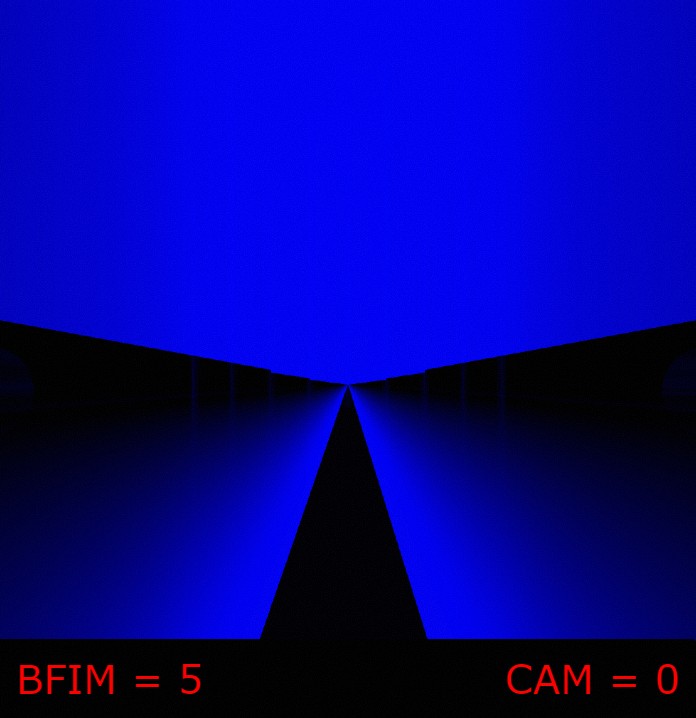
rm.adjustFog(x => {
    x
}, 0, 0, x => {
    x.lightMultiplier.bloomFogIntensityMultiplier = [5]
    x.lightMultiplier.colorAlphaMultiplier = [0]
})