
A flight log visualiser for RC aircraft. Drop a log from your transmitter or flight controller and replay the entire flight in 3D — satellite map, live attitude, synced charts.
Supported formats:
- EdgeTX CSV (
.csv) — exported from any EdgeTX / OpenTX transmitter SD card. - iNAV / Betaflight blackbox (
.bbl,.bfl,.txt) — binary flight controller logs, parsed in-browser via WASM.
Repo name still reads
edgetx-log-parser— that was the name when the project shipped EdgeTX-only. Format support has grown; the user-facing brand is now "RC Log Viewer". The repo will be renamed once the URL break is worth it.
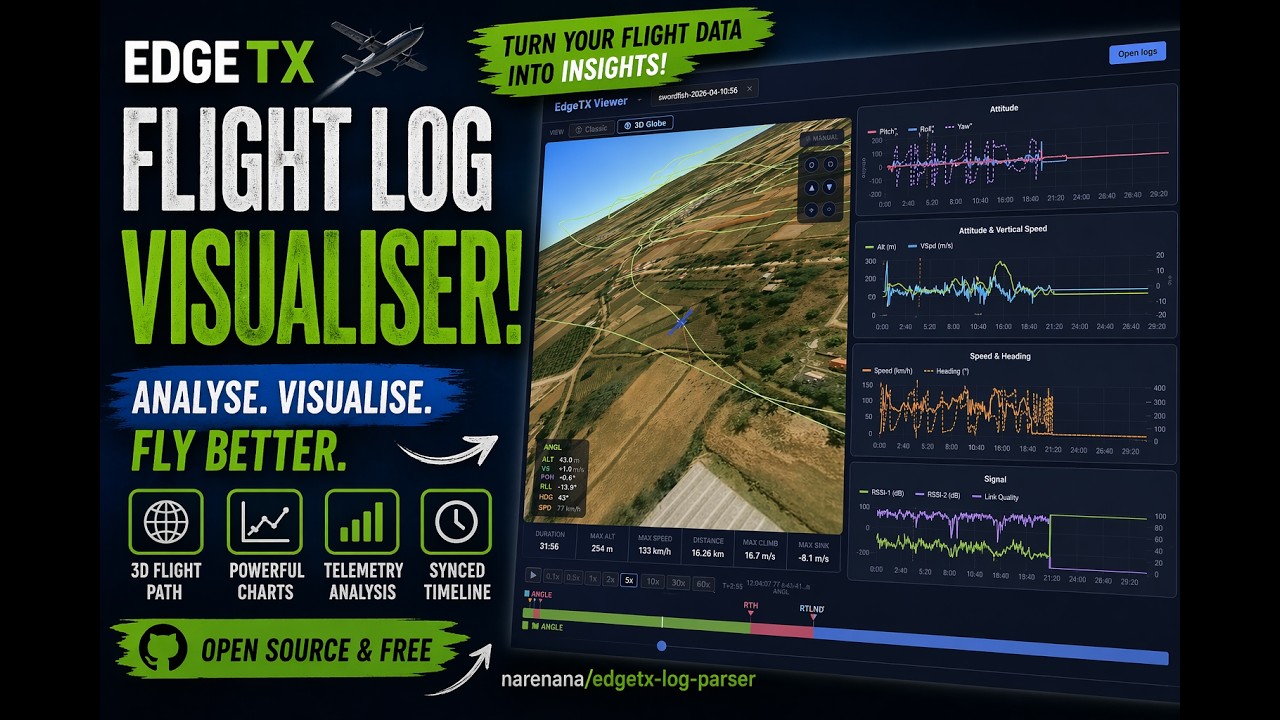
Click the thumbnail above to watch a quick walkthrough on YouTube.
🌐 Web app — open in any modern browser, drop a log, done. Logs never leave your machine; parsing and rendering all happen client-side. Best for one-off viewing or sharing a quick look on someone else's computer.
💻 Desktop app (Mac / Windows / Linux) — full Electron shell. Same UI, file-association support, and works offline. Best for regular use.
Open it at https://www.narenana.com/log-viewer/. No install, no upload — CSVs are parsed in-browser with PapaParse, blackbox files via a Web Worker running the blackbox-log Rust crate compiled to WASM. Everything is drawn with Cesium / Three.js / Leaflet and discarded when you close the tab.
The web build is a PWA — on supported browsers (Chrome, Edge, modern Safari) the address bar shows an install icon. Once installed, the app shell and Cesium runtime are cached, so the viewer works fully offline thereafter. Updates show a small "Refresh / Later" prompt — they never reload mid-session.
Grab the latest build from Releases:
| File | Platform |
|---|---|
RC Log Viewer Setup x.x.x.exe |
Windows NSIS installer (x64) — installs to Program Files with shortcuts |
RC Log Viewer x.x.x.exe |
Windows portable (x64) — run directly, no install needed |
RC.Log.Viewer-x.x.x-universal.dmg |
macOS Universal (Intel + Apple Silicon) |
rc-log-viewer-x.x.x.tar.gz |
Linux x64 tarball |
First launch on macOS shows the unidentified-developer warning (the app is ad-hoc signed but not notarized). Right-click → Open → Open. One-time, then it launches normally.
- 3D Globe view — CesiumJS globe with satellite imagery, flight path drawn at real altitude coloured by flight mode, auto-follow camera with smooth cinematic tracking
- Classic view — 2D map (Leaflet/OpenStreetMap) + Three.js attitude/altitude panel showing a 3D aircraft model responding to pitch, roll and yaw
- 5 synced chart panels — attitude, altitude & vertical speed, speed & heading, battery, signal — all linked to the same timeline cursor
- Flight animation — 0.1× to 60× playback with 60 fps interpolation between 1 Hz data points for smooth movement
- Smart event markers — auto-detected takeoff, RTH on/off and landing shown on the timeline
- Flight mode bar — full-flight colour bar with live active-mode highlight
- Multi-file tabs — open several logs at once and switch between them
- Drag-and-drop log files onto the window to open them
The drop zone accepts both formats — the viewer auto-detects which parser to use.
- iNAV / Betaflight blackbox (
.bbl,.bfl,.txt): typically already enabled on the FC. Pull the log from your FC's onboard storage or SD card and drop it on the page. - EdgeTX CSV (
.csv): not recorded by default. Steps to enable on the transmitter follow below.
Logs are not recorded by default on EdgeTX. You need to add a Special Function to your model that tells the transmitter to write to the SD card.
On your transmitter:
MDL → (scroll to) Special Functions
Or on newer EdgeTX versions: Model Settings → Special Functions
Press [+] to add a new special function and configure it:
| Field | Value |
|---|---|
| Switch | ON (logs always) or any switch you prefer, e.g. SA↑ |
| Function | SD Logs |
| Interval | 1.0 s (recommended — one data point per second) |
| Active | ✓ enabled |
Interval options:
0.1 sgives 10 Hz logs (very detailed, large files).1.0 sis a good balance. Values above2.0 smay produce jerky replays.
If you want logging to start only when the aircraft is armed, set Switch to the same switch you use for arming. This keeps log files short and avoids recording bench time.
Press [Save] / [Enter] to confirm. The setting persists per-model.
- Power on your transmitter with the model loaded.
- The log starts as soon as the configured switch activates.
- After the flight, connect the transmitter to your PC via USB and choose USB Storage mode.
- Navigate to
SD card → LOGS →your model folder. - Log files are named
ModelName-YYYY-MM-DD-HHMMSS.csv— copy them to your PC.
Note: If you don't see a
LOGSfolder, make sure your SD card is formatted correctly and has free space. EdgeTX creates the folder automatically on first log write.
- Launch the app (web or desktop).
- Drag log files onto the window — or click Open log files to browse. CSV and blackbox both work; the viewer auto-detects from the file's magic header.
- Each file opens as a tab. Click a tab to switch between flights.
Use the ① Classic / ② 3D Globe toggle at the top of the left panel to switch views.
3D Globe (default)
- The flight path is drawn on a satellite map at the actual altitude recorded in the log.
- The path is colour-coded by flight mode (see legend on the timeline bar).
- An aircraft icon tracks the current playback position and rotates to match heading.
- The camera automatically follows the aircraft with a slight top-side angle.
- Click ⊙ AUTO in the top-right of the globe to toggle ✥ MANUAL mode — this releases the camera so you can orbit, pan and zoom freely with the mouse. Click again to re-engage auto-follow.
Classic
- 2D map with GPS track, colour-coded by flight mode.
- 3D attitude panel below: a model aircraft reflects actual pitch, roll and yaw from the iNAV/Betaflight attitude data. The plane rises and falls on an altitude scale.
| Control | Action |
|---|---|
| ▶ / ⏸ | Play / pause (also Space bar) |
| 0.1× … 60× | Playback speed |
| Timeline scrubber | Drag to jump to any point |
| Flight mode bar | Click any segment to jump there |
| Event markers (▲ ⚑ ⚐ ▼) | Click to jump to takeoff, RTH events, landing |
All five chart panels share a single cursor. Hover over any chart to move it; drag the scrubber to set it. Charts scroll vertically — battery and signal panels only appear if that data is present in the log.
| Firmware | GPS | Attitude (pitch/roll/yaw) | Notes |
|---|---|---|---|
| iNAV | ✓ | ✓ | Full support. Tested with fixed-wing. |
| Betaflight | ✓ | ✓ | Attitude columns may vary by version |
| ExpressLRS / receiver-only | — | — | Speed, RSSI and battery only; no GPS or attitude |
The CSV parser reads standard EdgeTX column names; the blackbox parser reads field names from each log's header. Either way, if a column is absent, the corresponding panel is hidden automatically.
The viewer pulls together a few major pieces of OSS and a handful of public mapping services. Listed by what they do for the app:
- CesiumJS renders the 3D globe, the auto-following camera, and the flight-path primitive at real altitude.
- Esri ArcGIS World Imagery is the primary satellite-tile source. Free, no token required, used directly via Cesium's
ArcGisMapServerImageryProvider. - OpenStreetMap tiles are added as a fallback layer (and also power the 2D map below).
- Cesium Ion provides terrain heights when a token is configured (
VITE_CESIUM_TOKEN); without one, Cesium falls back to its bundled ellipsoid and to Bing-imagery default tiles.
- Leaflet with react-leaflet for the classic-view map and ground track. Tiles come from OpenStreetMap with the standard attribution.
- Three.js drives the attitude/altitude panel — a 3D aircraft model that responds to pitch, roll, and yaw alongside an altitude tape.
- Chart.js (via react-chartjs-2) for the five synced chart panels (attitude, altitude/V-speed, speed/heading, battery, signal). All panels share a single timeline cursor managed imperatively against the chart instances.
- PapaParse for the EdgeTX/OpenTX CSV path.
blackbox-log(Rust crate, Apache-2.0/MIT) compiled to WASM via wasm-pack is the default blackbox parser. Vendored atvendor/blackbox-parser/.iNavFlight/blackbox-tools(the canonical C parser, GPL-3.0) compiled to WASM via Emscripten is the fallback blackbox parser, lazy-loaded only when the Rust path rejects a file. Vendored atvendor/blackbox-parser-c/.
- React 18 for the UI, Vite 5 as the bundler.
- Electron 31 + electron-builder package the desktop app (Mac/Windows/Linux).
- Workbox (via Vite's PWA plugin) caches the app shell + Cesium runtime so the web build works offline after first visit.
- Google Analytics 4 (gtag.js) for anonymous usage stats. Loaded on every page in Consent Mode v2 cookieless-ping mode — anonymous aggregate hits, no
_gacookie. The consent banner asks permission to upgrade to full collection (cookied analytics). Decline = stay cookieless. No log content ever leaves the browser. - Sentry (
@sentry/react) for crash reporting. Boots on every page in always-anonymous mode: no PII, IPs scrubbed, URL query strings stripped. Default-disabled breadcrumbs upgrade to enabled when consent is granted, so post-accept errors carry click/console context. Parse failures attach privacy-safe metadata (file size, firmware revision, schema field names) — never log content. Full disclosure inSENTRY.md.
# Prerequisites: Node.js 18+, Git

git clone https://github.com/narenana/edgetx-log-parser.git
cd edgetx-log-parser
npm install

# Optional: copy .env.example to .env.local and fill in tokens
cp .env.example .env.local
The codebase builds two targets from one source. VITE_BUILD_TARGET (set via cross-env in the npm scripts) is exposed at runtime as import.meta.env.VITE_BUILD_TARGET so web-only features (analytics, install prompts) can be gated cleanly.
# ── Web target (browser, hosted on Cloudflare Pages) ─────────────────────
npm run dev:web        # Vite dev server only — http://localhost:5173
npm run build          # cross-env VITE_BUILD_TARGET=web vite build

# ── Desktop target (Electron) ────────────────────────────────────────────
npm run dev            # Vite + Electron with hot reload
npm run build:desktop  # cross-env VITE_BUILD_TARGET=desktop vite build
npm run dist           # build:desktop + electron-builder (NSIS + portable)
Both targets share base: './', so the same dist/ works for file:// (Electron) and for path-prefix hosting (a Cloudflare Worker on the customer site strips /log-viewer/ and forwards to Pages).
Env vars — .env.example lists them. All VITE_* vars are inlined into the client bundle at build time:
VITE_CESIUM_TOKEN— Cesium Ion access token (optional; falls back to ephemeral key)VITE_GA_ID— GA4 measurement ID (web build only; empty disables analytics)VITE_SENTRY_DSN— Sentry DSN (web build only; empty disables crash reporting)VITE_RELEASE— release tag for Sentry events (commit SHA; empty → "dev")SENTRY_AUTH_TOKEN,SENTRY_ORG,SENTRY_PROJECT— build-time only (NOT prefixedVITE_, never sent to clients); enable source-map upload
For the full list of pieces we lean on (with their external partners), see Built with above.
GPL-3.0-or-later. See LICENSE at the repo root.
The project incorporates iNavFlight/blackbox-tools (GPL-3.0) as a vendored fallback parser, which is the strong-copyleft trigger; everything else we depend on (Cesium, Three.js, Leaflet, Chart.js, PapaParse, the blackbox-log Rust crate, etc.) ships under permissive licenses (Apache-2.0 / MIT / BSD) that compose into a GPL-3.0 work.