
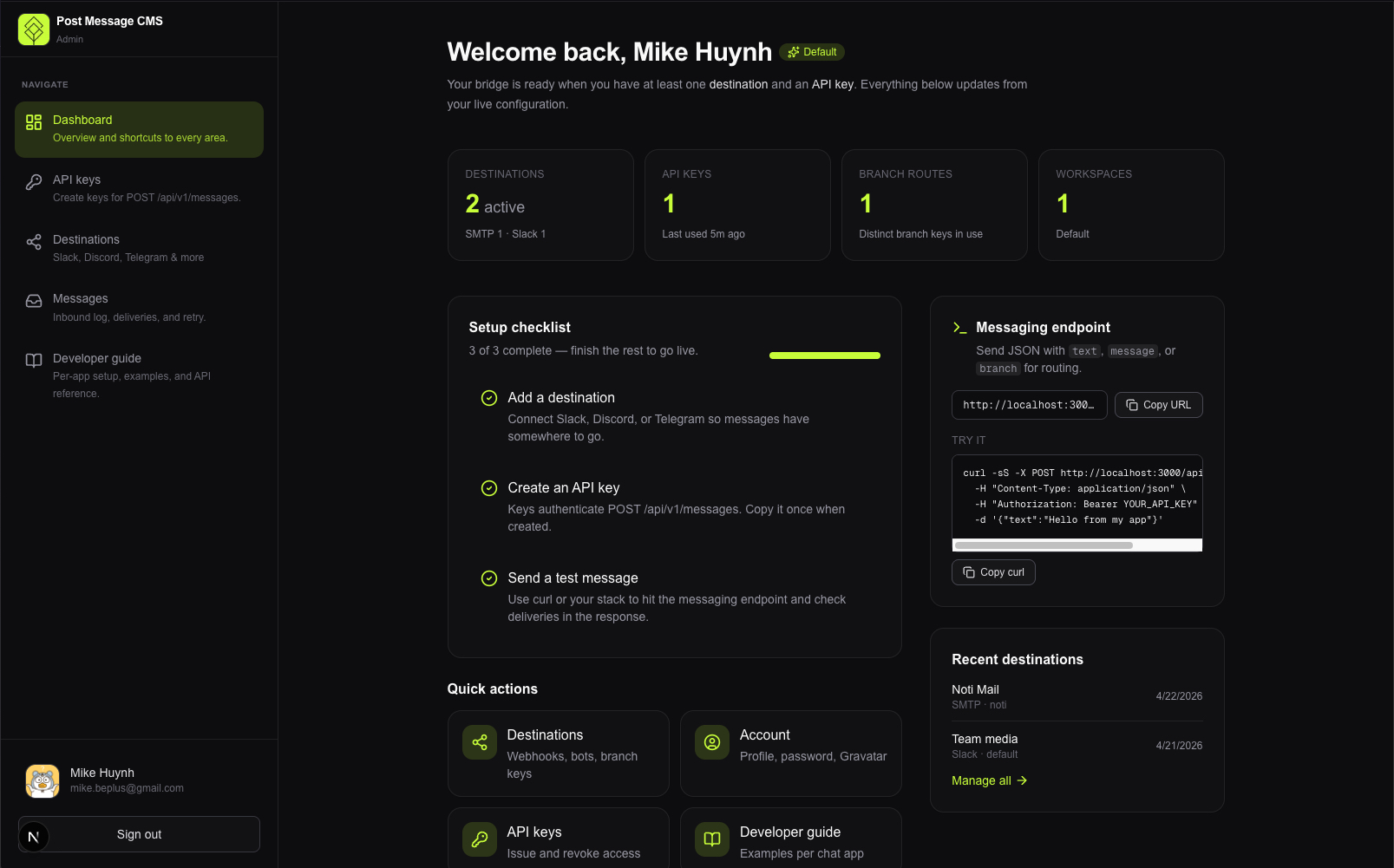
HTTP API and admin UI to forward messages into chat apps. Supported destinations today:
- Slack — Incoming Webhooks
- Microsoft Teams — Incoming Webhook (or Power Automate / Workflows “post to channel” URL); see Microsoft Teams (developer guide) below
- Google Chat — space incoming webhook on
chat.googleapis.com; see Google Chat developer guide below - Discord — Create Message (bot token + channel ID)
- Telegram — sendMessage (bot token +
chat_id) - SMTP (email) — plain-text message sent through a mail server you configure on the destination (host, port, optional auth, from, to); stored encrypted in the database and not tied to
SMTP_*in.env(those are only for the app’s own account / password emails)
The same POST /api/v1/messages integration delivers to default destinations (no branch key) for the API key’s workspace, or to destinations that match an optional branch (JSON body or query). Each accepted request is logged in the database (request body, resolved text, per-destination results) so you can debug deliveries and retry failures from the admin UI—without changing the public API response shape.
Deeper product and architecture notes live in PROJECT.md.
Switching from an older SQLite checkout: pull the new migrations, point DATABASE_URL at MySQL, run npx prisma migrate deploy (or migrate dev). SQLite file:… URLs are no longer supported—export data yourself if you need to move rows from an old dev.db.
- Next.js (App Router), React, TypeScript, Tailwind CSS
- Prisma ORM 7 + MySQL 8+ (
DATABASE_URLconnection string; utf8mb4) - Admin auth: email/password, JWT session cookie (
AUTH_SECRET) - Public API: API keys (
messages:write) scoped to a workspace - Secrets: Webhook URLs and bot credentials stored encrypted at rest (key derived from
AUTH_SECRET) - Message log:
Message+Deliveryrows, workspacemessageRetentionDays(default 30) for old-row cleanup
- Node.js (LTS recommended)
- MySQL 8+ (or compatible server) reachable from the app, with an empty database created for this project (
utf8mb4/utf8mb4_unicode_cirecommended)
npm install
cp .env.example .env
# Edit .env: set DATABASE_URL (MySQL), AUTH_SECRET (min 32 characters), e.g. openssl rand -base64 32
npx prisma migrate dev
npm run dev
Open http://localhost:3000.
- Register an admin account (creates a default workspace).
- Admin → Destinations — add Slack, Microsoft Teams, Google Chat, Discord, Telegram, and/or SMTP (see sections below). Use an optional branch key per destination to route API calls to specific channels; leave it empty for default destinations that receive unscoped messages.
- Admin → API keys — create a key (shown once).
- Send a test message (below). Then open Admin → Messages to see the log, per-destination status, and retry if something failed.
curl -sS -X POST http://localhost:3000/api/v1/messages \
  -H "Content-Type: application/json" \
  -H "Authorization: Bearer YOUR_API_KEY" \
  -d '{"text":"Hello from Post Message CMS"}'
Branch routing: send only to destinations with that branch key (e.g. alerts):
curl -sS -X POST 'http://localhost:3000/api/v1/messages?branch=alerts' \
  -H "Content-Type: application/json" \
  -H "Authorization: Bearer YOUR_API_KEY" \
  -d '{"text":"Alerts only"}'
Or include "branch":"alerts" in the JSON body (body wins if both are set). The branch field is stripped before message text is computed, so it does not appear in the chat line.
Headers: you can use X-Api-Key: YOUR_API_KEY instead of Authorization. Optional: Idempotency-Key — stored on the message log when present; duplicate suppression (skip second send) is not implemented yet, so do not rely on it for safety-critical deduplication.
What the app does: destinations use provider string teams_incoming_webhook. The stored secret is the full https webhook URL (encrypted at rest, same pattern as Slack). On each API message, the server POSTs JSON {"text":"<plain text>"} to that URL—the format expected by classic Incoming Webhook and many Power Platform / Logic Apps endpoints that post to a channel.
Code locations: lib/providers/types.ts (PROVIDER_TEAMS_INCOMING_WEBHOOK), URL validation in lib/providers/teams/validate.ts, send in lib/providers/teams/incoming-webhook.ts, fan-out in lib/messages/dispatch.ts, admin create/patch in lib/admin/destination-from-body.ts.
Getting a URL (operators):
- In Teams, open the target channel → ··· (More options) → Connectors (or Workflows / automate from the channel, depending on your tenant).
- Add Incoming Webhook (or create a Power Automate flow with “Post to a channel” / similar), name it, and copy the HTTPS URL.
- The URL’s hostname should be a Microsoft-recognized host (e.g.
outlook.office.com, a…webhook.office.comhost, Power Platform, or Logic Apps). The admin UI and API reject URLs that do not look like valid Microsoft / Power Platform webhook hosts.
API create example (same webhookUrl field as Slack; do not omit provider for Teams):
{
  "provider": "teams_incoming_webhook",
  "label": "Incidents",
  "webhookUrl": "https://outlook.office.com/webhook/...",
  "branchKey": "incidents"
}
Curl (after you have a destination id): test send matches other providers — POST /api/admin/destinations/:id/test with { "text": "..." } (session auth).
Limits / behavior: very long text may hit Microsoft’s connector limits; the app does not truncate for Teams (unlike Discord/Telegram in dispatch). If a tenant’s endpoint expects Adaptive Cards or a different JSON shape, delivery may fail until the payload format is extended—open an issue or adapt postTeamsIncomingWebhook for your endpoint.
What the app does: provider string google_chat_incoming_webhook. The stored secret is the full HTTPS webhook URL from Google Chat (encrypted at rest). Each send POSTs JSON {"text":"<plain text>"} to that URL, per Google Chat incoming webhooks.
Code locations: lib/providers/types.ts (PROVIDER_GOOGLE_CHAT_INCOMING_WEBHOOK), URL validation in lib/providers/google-chat/validate.ts, send in lib/providers/google-chat/incoming-webhook.ts, fan-out in lib/messages/dispatch.ts, admin create/patch in lib/admin/destination-from-body.ts.
Getting a URL (operators): in a Google Chat space, add an Incoming webhook and copy the URL. It must be https://chat.googleapis.com/v1/spaces/.../messages?... (the app rejects other hosts or paths).
API create example:
{
  "provider": "google_chat_incoming_webhook",
  "label": "Builds",
  "webhookUrl": "https://chat.googleapis.com/v1/spaces/SPACE/messages?key=KEY&token=TOKEN",
  "branchKey": "builds"
}- Discord Developer Portal → your application → Bot → reset/copy the token.
- OAuth2 → URL Generator (or install link): grant
botscope and Send Messages (and View Channel) for your guild; invite the bot. - In Discord: User Settings → Advanced → Developer Mode on → right‑click the target channel → Copy channel ID.
- Paste token + channel ID in Admin → Destinations (Discord). The token is stored encrypted and cannot be viewed again in the UI.
- Open @BotFather →
/newbot(or use an existing bot) → copy the API token (123456789:AA…). - Start a chat with the bot, or add it to a group/supergroup and send a message (groups may need privacy mode / admin rights depending on your use case).
- Obtain chat_id: numeric ID from
getUpdates(or helper bots), or use@channelusernamefor public channels where the API allows it. - In Admin → Destinations, choose Telegram — Bot and paste token + chat ID. The token is stored encrypted and is not shown again in the UI.
| Variable | Required | Description |
|---|---|---|
DATABASE_URL |
Yes | MySQL connection URL, e.g. mysql://USER:PASSWORD@HOST:3306/DATABASE. Special characters in the password must be URL-encoded. The database must exist before prisma migrate deploy. |
AUTH_SECRET |
Yes | At least 32 characters. Signs admin session JWTs and derives encryption for stored destination secrets. |
CRON_SECRET |
No | If set, enables POST /api/admin/cleanup via Authorization: Bearer <CRON_SECRET> (no browser session). Generate a long random value (e.g. openssl rand -base64 32). |
Copy from .env.example and fill in values. Do not commit .env.
Important: Rotating AUTH_SECRET invalidates existing encrypted destination secrets in the database; re-add destinations if you change it.
Optional (email for password reset, etc.): if your .env.example lists SMTP variables, set them so forgot-password emails can send in production.
JSON health check; includes a trivial database query when the app can connect.
Authenticates with an API key, then delivers to enabled destinations for that key’s workspace:
- No
branch: destinations with an empty branch key only (default fan-out). branchset (JSON property and/or?branch=query): destinations whose branch key matches only. JSONbranchtakes precedence over the query string when both are present.
Request body: JSON. The service maps common shapes to plain text:
text(string)- or
message(string) - or
title+body(strings, formatted with a title line) - optional
branch(string, slug: letter/digit start, then letters, digits,_,-, max 63 chars) - otherwise a compact
JSON.stringifyof the body (routing keys likebranchare omitted from this stringify path when other fields remain)
Side effect (non-blocking): after delivery, the app persists a Message row and one Delivery row per target (status, HTTP code, error, duration). If the database write fails, the HTTP response to the client is still normal (errors are logged server-side only).
Responses:
- 200 — Delivery attempted; see
deliveries(per destinationok/error). Response includesbranch(nullif default routing). If there are no matching destinations,deliveriesis empty and anoticeexplains that. - 401 / 403 — Missing/invalid API key or missing
messages:writescope. - 400 — Non-JSON body.
- 502 — At least one destination was configured and every delivery failed (details in
deliveries).
Length limits when sending: Discord truncates to 2000 characters; Telegram to 4096; Slack, Microsoft Teams, and Google Chat follow each provider’s webhook / connector payload limits.
All of these require a logged-in admin; pass cookies from the browser or the same session you use for /admin/*.
| Method | Path | Purpose |
|---|---|---|
GET |
/api/admin/messages |
Paginated list with filters (workspaceId, page, limit, branch, status, from, to ISO dates). List omits rawBody for size. |
GET |
/api/admin/messages/:id |
Full message + deliveries (includes rawBody—admin only). |
POST |
/api/admin/messages/:id/retry |
Re-sends to destinations whose latest attempt failed (enabled targets only). Returns a shape similar to POST /api/v1/messages for the retry batch. |
POST |
/api/admin/cleanup |
Deletes old Message rows (and cascade Delivery rows) per workspace messageRetentionDays. Session (browser) or Authorization: Bearer + CRON_SECRET. See Scheduled cleanup (you configure this). |
GET / POST |
/api/admin/destinations |
List / create destinations (see below). |
GET / PATCH / DELETE |
/api/admin/destinations/:id |
Get (decrypted details for the admin form), update label / branch / enabled / connection fields, or remove a destination. |
POST |
/api/admin/destinations/:id/test |
Test send a string to a single destination. |
Session cookie required. JSON body examples:
Slack (default if provider omitted):
{
  "label": "#alerts",
  "webhookUrl": "https://hooks.slack.com/services/...",
  "branchKey": "alerts"
}(branchKey optional; omit for a default destination.)
Microsoft Teams:
{
  "provider": "teams_incoming_webhook",
  "label": "Incidents",
  "webhookUrl": "https://outlook.office.com/webhook/...",
  "branchKey": "incidents"
}
Google Chat:
{
  "provider": "google_chat_incoming_webhook",
  "label": "Builds",
  "webhookUrl": "https://chat.googleapis.com/v1/spaces/.../messages?key=...&token=...",
  "branchKey": "builds"
}
Discord:
{
  "provider": "discord_bot",
  "label": "Announcements",
  "botToken": "your.bot.token",
  "channelId": "1234567890123456789",
  "branchKey": "announcements"
}
Telegram:
{
  "provider": "telegram_bot",
  "label": "Ops chat",
  "botToken": "123456789:AA...",
  "chatId": "-1001234567890",
  "branchKey": "ops"
}(chatId may also be a public channel username such as @mychannel.)
SMTP (email):
{
  "provider": "smtp_mail",
  "label": "On-call email",
  "smtpHost": "smtp.example.com",
  "smtpPort": 587,
  "smtpSecure": false,
  "smtpUser": "mailer",
  "smtpPass": "secret",
  "smtpFrom": "notifications@example.com",
  "toEmail": "oncall@example.com",
  "branchKey": "oncall"
}
Omit smtpUser / smtpPass if your server allows unauthenticated relay (rare in production). This is independent of SMTP_* in .env.
- UI: Admin → Messages lists recent requests; open a row for full text, raw JSON, and per-destination results. Retry failed destinations when the last attempt for that destination is failed.
- Retention window: each workspace has
messageRetentionDays(default 30 in the Prisma schema). The app only stores that number—it does not delete data on a timer by itself. - Runtime: use a Node.js server (not Edge) for routes that use Prisma and the SQLite driver—same as the rest of the app (see Deployment notes).
The app does not run cleanup automatically. There is no background job inside the process that prunes old messages on a schedule.
What you do in production: configure something outside the app to call POST /api/admin/cleanup when you want (e.g. once per day). Examples: cron on a server, Vercel Cron, GitHub Actions schedule, Kubernetes CronJob, a hosted scheduler, etc.
What the endpoint does when called: for each affected workspace, it deletes Message rows (and their Delivery rows via CASCADE) with createdAt older than that workspace’s messageRetentionDays.
Auth — two options:
-
Browser / admin session (same as other admin APIs). Optional JSON:
{ "workspaceId": "..." }. If you omitworkspaceId, the same “default workspace for this user” rule applies as for other admin routes. -
Automation — set
CRON_SECRETin the environment and call with
Authorization: Bearer <value-matching-CRON_SECRET>.- JSON
{ "workspaceId": "..." }— clean only that workspace (no user ownership check; use only in trusted environments). - Empty body
{}or noworkspaceId— clean all workspaces in the database, each using its own retention day count.
A wrong or missingBearertoken whenCRON_SECRETis set returns 401 (it does not fall back to session).
- JSON
Example (cron, all workspaces):
curl -sS -X POST "https://your-host.example.com/api/admin/cleanup" \
  -H "Authorization: Bearer $CRON_SECRET" \
  -H "Content-Type: application/json" \
  -d '{}'
Example (single workspace): same headers, body { "workspaceId": "clx..." }.
| Command | Purpose |
|---|---|
npm run dev |
Development server (Turbopack) |
npm run build |
prisma generate + production build |
npm run start |
Run production server |
npm run lint |
ESLint |
npm run db:migrate |
Create/apply migrations (dev) |
npm run db:deploy |
Apply migrations (CI/production) |
npm run db:studio |
Prisma Studio |
- Set
DATABASE_URL,AUTH_SECRET, and runnpx prisma migrate deploy(ornpm run db:deploy) beforenpm run start. postinstallrunsprisma generate; the generated client is written underapp/generated/prisma(see.gitignore).- Use a Node runtime for routes that use Prisma (not Edge).
- Message retention in production is not automatic; see Scheduled cleanup (you configure this).
Private / unlicensed unless you add a LICENSE file.