GUI Library for LÖVE


Import the urutora folder in your project and do:
urutora = require 'urutora'
local u = urutora:new()
Pass love events to urutora:
function love.mousepressed(x, y, button) u:pressed(x, y, button) end
function love.mousemoved(x, y, dx, dy) u:moved(x, y, dx, dy) end
function love.mousereleased(x, y, button) u:released(x, y) end
function love.textinput(text) u:textinput(text) end
function love.keypressed(k, scancode, isrepeat) u:keypressed(k, scancode, isrepeat) end
function love.wheelmoved(x, y) u:wheelmoved(x, y) end
In your update and draw functions, call urutora's respective functions:
function love.update(dt)
  u:update(dt)
end
function love.draw()
  u:draw()
end
Then, to set up your UI, call any of the component functions with its parameters during initialization.
function love.load()
  local clickMe = u.button({
    text = 'Click me!',
    x = 10, y = 10,
    w = 200,
  })

  local num = 0
  clickMe:action(function(e)
    num = num + 1
    e.target.text = 'You clicked me ' .. num .. ' times!'
  end)

  u:add(clickMe)
end- One
urutoramanager holds root nodes and forwards love input. - Widgets extend
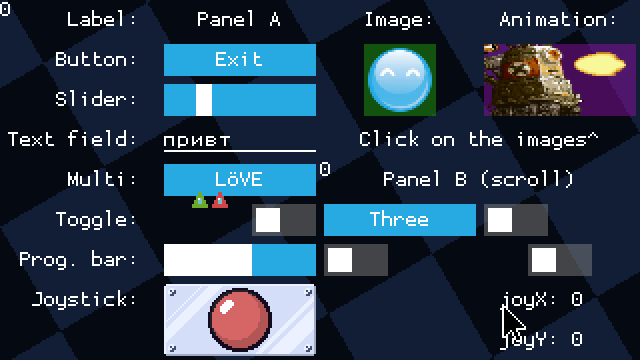
baseNode(bounds, style, draw text, enable/disable). panelis a grid container; children are placed withaddAt(row, col).- Global defaults live on
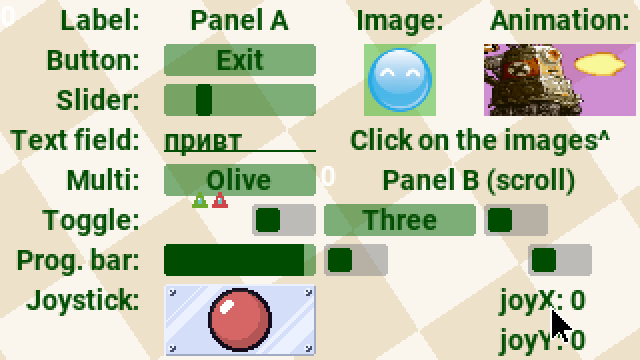
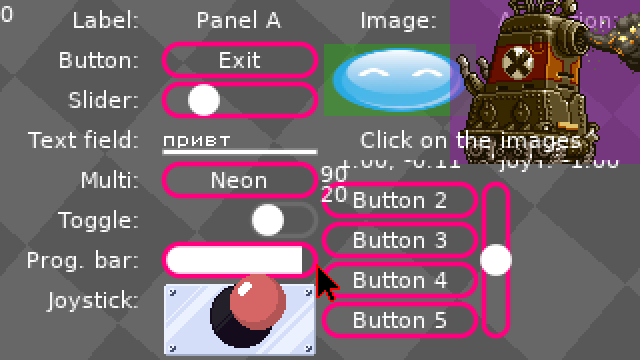
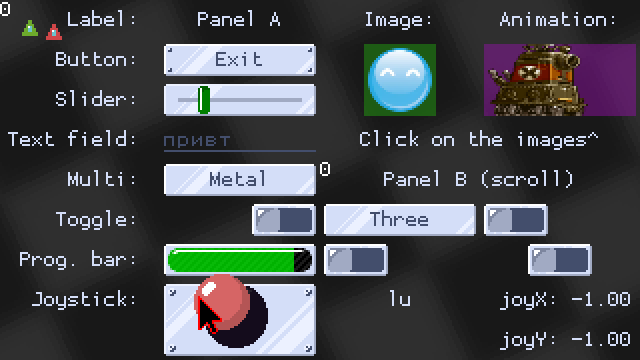
u.utils.style; override per node with:setStyle. - Tags and groups support batch activate/deactivate and lookup (
getByTag, etc.).
-- returns a panel with a Rows x Cols grid
u.panel({ text, x, y, w, h, rows, cols })
-- returns a label with centered text
u.label({ text, x, y, w, h })-- returns a button with centered text
u.button({ text, x, y, w, h })-- returns an image component
u.image({ image, x, y, w, h, keepAspectRatio })-- returns an animation component
u.animation({
image,
frames,
frameWidth,
frameHeight,
frameDelay,
keepAspectRatio,
keepOriginalSize
})-- returns a slider with a given value (0.5 by default)
u.slider({ value, x, y, w, h, minValue, maxValue })-- returns a toggle button, turned off by default
u.toggle({ text, value, x, y, w, h })-- returns a multi option selector
u.multi({ items, x, y, w, h })-- returns a text field component
u.text({ text, x, y, w, h })-- returns a progress bar (value 0..1); fires 'full' / 'empty' on edges
u.progressBar({ value, x, y, w, h, speed, direction })-- returns a joystick component
u.joy({
x,
y,
w,
h,
layer1,
layer2,
layer3,
activateOn
})- This version does not support multitouch yet and has not been tested on mobile.
- See
main.luaat the repo root for a fuller example (themes, nested panels, joystick). - Install only the
urutora/package folder into your game; demo assets stay at the repo root.