Dialove, Dialog library for LÖVE


local Dialove = require('Dialove')

function love.load()
  dialogManager = Dialove.init({
    font = love.graphics.newFont('your-font', 16)
  })
  dialogManager:push('Dialog content') -- stores a dialog into memory
  dialogManager:pop() -- requests the first pushed dialog to be shown on screen

  -- show() does both things, but don't do this:
  dialogManager:show('Dialog content')
  dialogManager:show('Dialog content')
  dialogManager:show('Dialog content') -- only this one will be shown

  -- use this approach instead:
  dialogManager:show('Dialog content')
  dialogManager:push('Dialog content')
  dialogManager:push('Dialog content')
end

function love.update(dt)
  dialogManager:update(dt)
end

function love.draw()
  dialogManager:draw()
end

function love.keypressed(k)
  if k == 'return' then
    dialogManager:pop()
  elseif k == 'c' then
    dialogManager:complete()
  elseif k == 'f' then
    dialogManager:faster()
  elseif k == 'down' then
    dialogManager:changeOption(1) -- next one
  elseif k == 'up' then
    dialogManager:changeOption(-1) -- previous one
  end
end

function love.keyreleased(k)
  if k == 'space' then
    dialogManager:slower()
  end
endSome of these require custom parameters in Dialove.init()
dialogManager:show(randomText())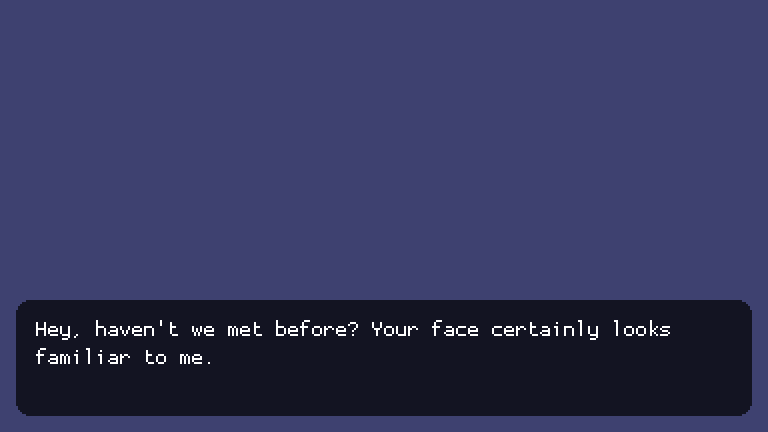
dialogManager:show({text = randomText(), title = 'The title'})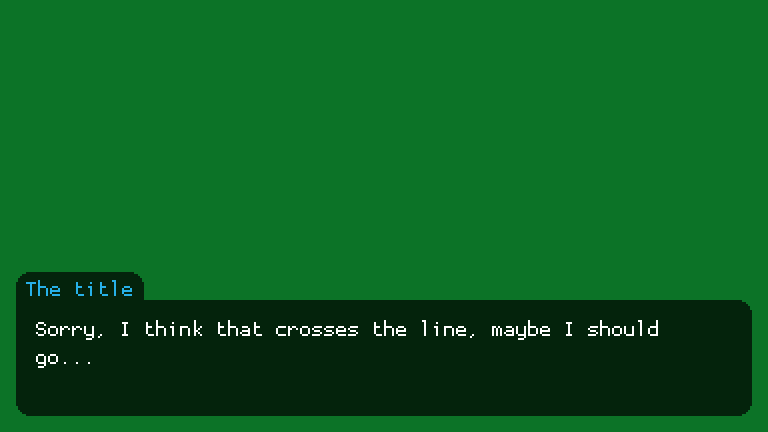
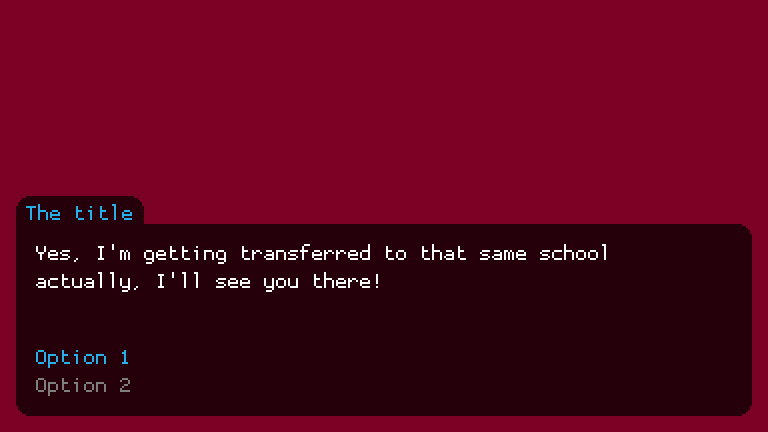
dialogManager:show({
  text = randomText(),
  title = 'The title',
  options = {
    {'Option 1', function () --[[ do stuff ]] end},
    {'Option 2', function () --[[ do stuff ]] end},
  }
})
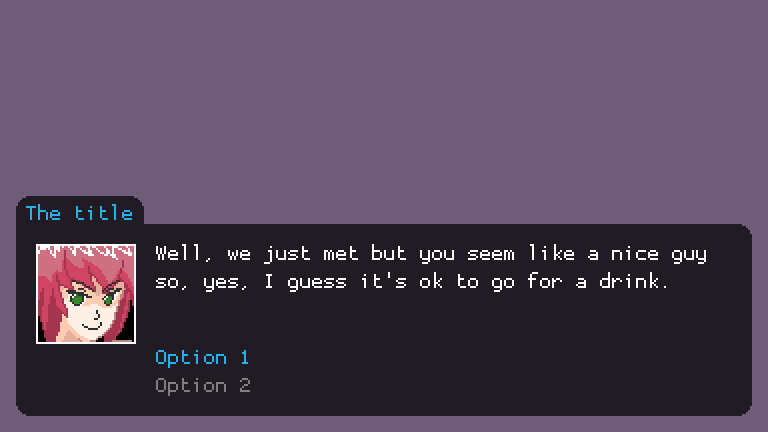
dialogManager:show({
  text = randomText(),
  title = 'The title',
  image = love.graphics.newImage('face.png')
  options = {
    {'Option 1', function () --[[ do stuff ]] end},
    {'Option 2', function () --[[ do stuff ]] end},
  }
})
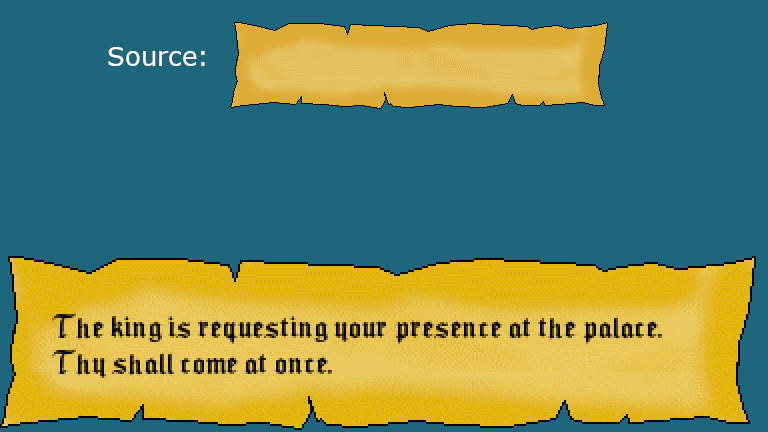
dialogManager:show({
  text = randomText(),
  background = {
    image = love.graphics.newImage('old-paper.png')
  }
})
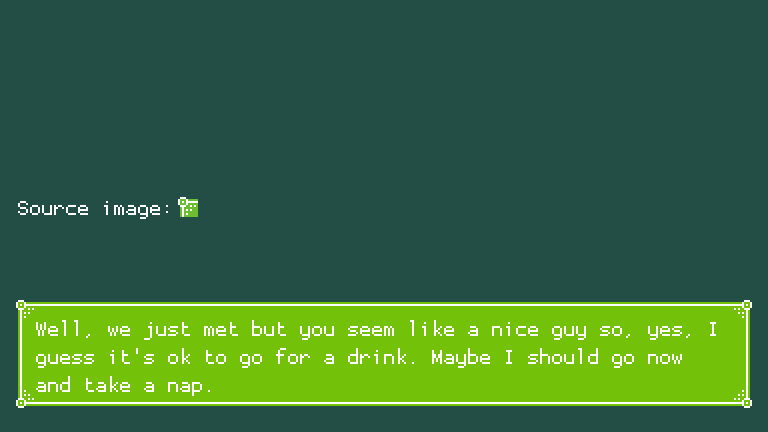
dialogManager:show({
  text = randomText(),
  background = {
    image = love.graphics.newImage('corner.png'),
    type = Dialove.backgroundTypes.clamped
  }
})
Dialove supports a Tree/List-like structure for dialog flows. Consider this:
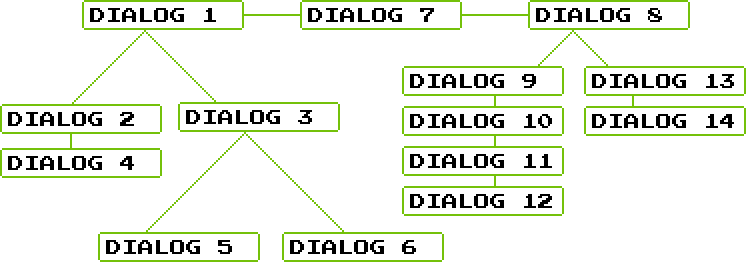


Dialogs 1, 3 and 8 will give you a choice, the rest will be shown in the given order. That said, these are the possible paths:
- 1, 2, 4, 7, 8, 9, 10, 11, 12
- 1, 3, 5, 7, 8, 9, 10, 11, 12
- 1, 3, 6, 7, 8, 9, 10, 11, 12
- 1, 2, 4, 7, 8, 13, 14
- 1, 3, 5, 7, 8, 13, 14
- 1, 3, 6, 7, 8, 13, 14
This may be specially useful for RPG games where the story can have many of different paths. For this example, the code would be something like:
dialogManager:show({text = 'Dialog 1', options = {
  {
    'Choose Dialog 2', function ()
      dialogManager:show('Dialog 2')
      dialogManager:push('Dialog 4')
    end
  },
  {
    'Choose Dialog 3', function ()
      dialogManager:show({text = 'Dialog 3', options = {
        {
          'Choose Dialog 5', function ()
            dialogManager:show('Dialog 5')
          end
        },
        {
          'Choose Dialog 6', function ()
            dialogManager:show('Dialog 6')
          end
        }
      }})
    end
  }
}})

dialogManager:push('Dialog 7')

dialogManager:push({text = 'Dialog 8', options = {
  {
    'Choose Dialog 9', function ()
      dialogManager:show('Dialog 9')
      dialogManager:push('Dialog 10')
      dialogManager:push('Dialog 11')
      dialogManager:push('Dialog 12')
    end
  },
  {
    'Choose Dialog 13', function ()
      dialogManager:show('Dialog 13')
      dialogManager:push({
        text = 'Dialog 14',
        image = love.graphics.newImage('face.png')
      })
    end
  }
}})Dialove.init([table])
table supports the properties:
font: LÖVE Font- The font to use
viewportW: number- Will normally be your canvas width
viewportH: number- Will normally be your canvas height
margin: number- Space between the screen edge and the dialog background
padding: number- Space between text and the edge of the dialog background
verticalPadding: number- Top and bottom paddings
horizontalPadding: number- Left and right paddings
cornerRadius: number- The radius of corners for color/texture backgrounds
lineSpacing: number- Defaults to 1.4
optionsSeparation: number- Force the space between the last line of text and the options (pixels)
numberOfLines: number- Number of lines used for all dialogs (not including the line(s) for the options)
typingSound: LÖVE Source- Typing sound, ignored for punctuation (. , ; : ? !)
dialogManager.[push|show]([text|table])
table supports the properties:
text: string- The content of the dialog that will be spelled
title: string- Usually the character name
background: table- May contain the following properties:
color: tableimage: LÖVE Imagetype:Dialove.backgroundTypes.normal(default)Dialove.backgroundTypes.tiled(not yet implemented)Dialove.backgroundTypes.clamped
- May contain the following properties:
titleColor: table- Color for the title text, if any
textColor: table- Color for the content text
selectedOptionColor: table- Color for the selected option text
unselectedOptionColor: table- Color for the unselected option text
numberOfLines: number- Same as in
defaultNumberOfLinesinDialog.init(), just at dialog level
- Same as in
autoHeight: boolean- When true, the dialog height will fit all the text and or the image
position: stringtopormiddle(defaults to a bottom position)
options: table- A list of tables where each one is a
stringat index 1 and afunctionat index 2, as shown in the examples
- A list of tables where each one is a
image: LÖVE Image- Usually the character face or an item