
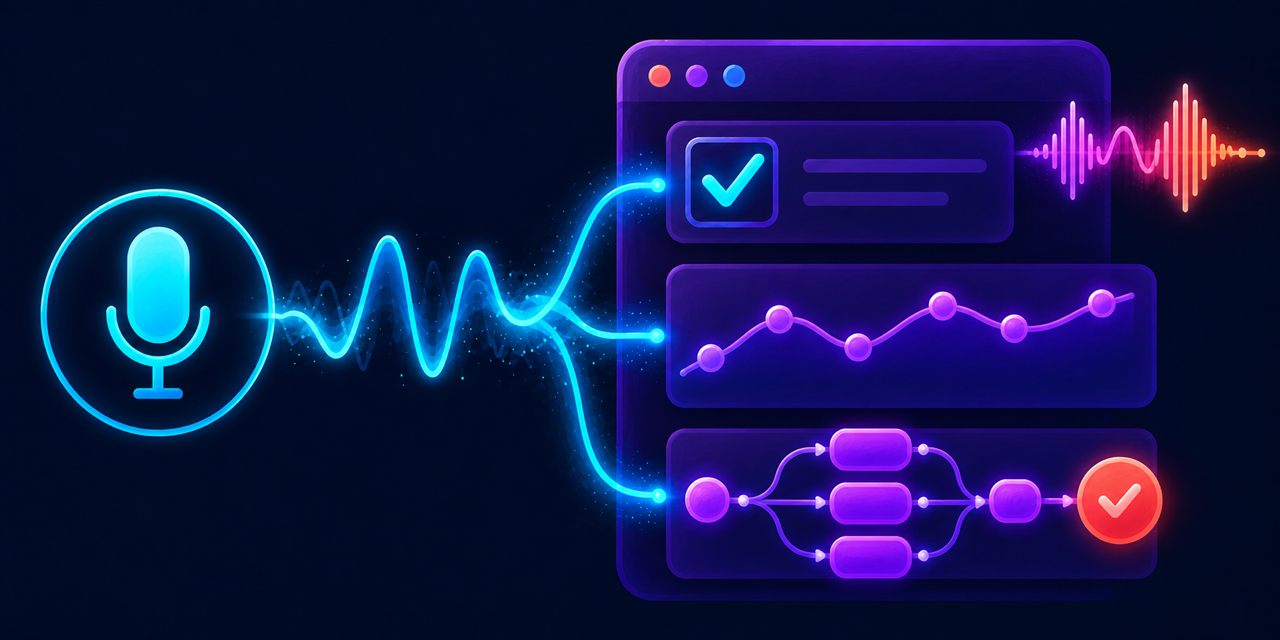
Build local-first, interactive voice and multimodal applications in Python.
Mulive is a lightweight real-time substrate that connects microphone, camera, models, application state, and web UI. Build a tiny voice interaction first, then grow it into a full product without replacing the runtime underneath.
Voice is an interface to your application—not the application itself.
- Build applications, not just chatbots. Voice can operate a game, tutor, workflow, dashboard, or custom web UI.
- Keep product logic explicit. Voice, video, UI actions, and model responses can be handled with deterministic state transitions.
- Run close to the product. Use direct WebRTC and local-capable STT/TTS; choose cloud models only where they add value.
- Make interactions testable. Test a single utterance or a complete interaction, including interruption, cancellation, and application outcomes.
- Browser quickstart: Run a complete WebRTC voice interaction in the bundled browser client. Start with Quickstart.
- Embedded FastAPI: Add Mulive's browser client and voice transport to an existing application. See Embed in FastAPI.
- Local microphone: Run speech recognition and speech output without a browser. See Local microphone.
A Mulive voice interaction has five parts:
microphone → utterance detection → speech recognition → response → speech output
The response can be a direct stream transformation, normal application code,
or a model-backed ConversationHarness. Start with the direct path so each boundary is
visible.
This guide uses five terms consistently. An utterance is one piece of user speech. A transcript is its recognized text. A response is the text the application returns. A client event is structured data sent to the browser. Speech output is the generated audio the user hears.
pip install mulive

# Browser audio + local voice stack
python -m mulive.quickstart.web --http --tts-browser
Open http://localhost:9000 and start streaming. localhost is trusted by
modern browsers, so microphone access works without a certificate.
The browser sends real-time media to Python. It receives transcripts and speech
output. Without GROQ_API_KEY, the quickstart echoes each recognized utterance.
The core flow is:
from mulive.core.stt import STTConfig

audio = Stream.source(session.audio_input, name="audio")
turn = audio | turn_detector()
transcripts = turn.value | stt(STTConfig(provider="faster_whisper", variant="small"))
final_transcripts = transcripts | filter_items(lambda event: event.is_final)
user_text = final_transcripts | non_empty_text()

user_text | to_user(session=session, role="user", subs=subs)
user_text | to_user(
    session=session, role="assistant", subs=subs,
    tts=tts_config, tts_provider=tts_provider, interrupts=turn.started,
)
turn_detector() groups microphone audio into utterances. stt() converts each
utterance into a transcript. The two to_user() connections show the transcript,
then return the same text as the response through the display and speech output.
Use ConversationHarness when responses need conversation history and a language model. The
audio, utterance detection, speech recognition, and speech output stay the same.
Only the response step changes:
from mulive.apps.conversation_harness import ConversationHarness

async def lookup_order(order_id: str) -> dict:
    """Return order data without changing it."""
    return {"order_id": order_id, "status": "shipped"}

final_transcripts = transcripts | filter_items(lambda event: event.is_final)
user_text = final_transcripts | non_empty_text()

conversation = ConversationHarness(
    system_prompt="You are a helpful voice assistant.",
    llm_timeout_s=30,
    tools=(lookup_order,),
)
# Connect the transcript stream and turn started signal to the conversation harness
conversation.connect(final_transcripts, turn.started)

user_text | to_user(session=session, role="user", subs=subs)
conversation.assistant_text | to_user(
    session=session, role="assistant", subs=subs,
    tts=tts_config, tts_provider=tts_provider, interrupts=turn.started,
)
conversation.client_events.to(client_message_sink(session), subs=subs)
conversation.start()
Install Pydantic AI Slim with its Groq provider, then set its key before running the same browser quickstart:
pip install "mulive[groq]"
export GROQ_API_KEY="your-key"
python -m mulive.quickstart.web --http --tts-browser
ConversationHarness owns conversation history and runs one model call at a time. A new
utterance stops current speech output but does not cancel model work. If the
user asks another question while a call is running, the harness acknowledges it
and waits for the call or its 30-second timeout before answering the newer
utterance.
The harness delegates each request to a ModelRunner. The default
PydanticAIModelRunner supports registered synchronous and asynchronous Python
tool calls. Pass allowed functions through tools. The model can request a
tool, receive its return value, and then produce the response. The tool function
still defines what data it can read or change.
If that optional package is unavailable when LLM control is requested, Mulive emits a runtime warning and continues with transcript echo.
The web quickstart uses Faster-Whisper small for recognition and sends speech output to browser. Add
--tts-local to send speech output to the server's speakers.
Override the recognition model with --model-variant, use
--stt-provider mlx --model-variant turbo on Apple Silicon, and change LLM model with
--llm-model. Change the model timeout with --llm-timeout-s.
Mount voice into an application you already own:
pip install "mulive[fastapi]"from fastapi import FastAPI
from mulive import mount_voice
app = FastAPI()
mount_voice(app)Mulive serves its browser client and voice WebSocket transport from the same application.
Mulive includes portable local defaults: Faster-Whisper for speech recognition
and Piper for speech output. They run on CPU and download their selected model
weights on first use. pip install mulive is enough for the browser quickstart
without Groq.
| Option | Install | Use |
|---|---|---|
| MLX Whisper (Apple Silicon) | pip install "mulive[mlx]" |
--stt-provider mlx |
| Groq responses | pip install "mulive[groq]" |
Set GROQ_API_KEY for the web quickstart |
| In-process Kokoro ONNX | pip install "mulive[kokoro]" |
Use --tts-provider kokoro_onnx in the web quickstart or select it in an app's TTS configuration |
| External Kokoro-FastAPI | pip install "mulive[kokoro-fastapi]" |
Run Kokoro-FastAPI separately at localhost:8880 (or set KOKORO_FASTAPI_URL) |
| Gemini models | pip install "mulive[gemini]" |
Select Gemini in an app that supports it; the web quickstart uses Groq only |
Extras can be combined, for example pip install "mulive[mlx,groq]".
Install mulive[kokoro] when using kokoro_onnx. The browser quickstart defaults to piper.
Plugins let separately installed packages add model implementations without
changing Mulive core. The shared registry finds and loads plugin factories by
category and name, using Python entry-point groups named mulive.<category>.
The calling flow defines how to create and use the provider.
The TTS flow already uses this registry. Installing a TTS plugin registers its provider name; selecting that name connects it to the same speech flow and audio output used by built-in providers. Other flows can use the same loader when they add plugin support.
For example, from this repository's root, install Phonon and select it in the browser quickstart:
python -m pip install -e . -e ./plugins/phonon
python -m mulive.quickstart.web --http --tts-browser --tts-provider phonon
Phonon generates speech locally on the server and sends the audio to the browser. Its default English 31m model is downloaded and cached on first use.
The local microphone example uses WebRTC acoustic echo cancellation (AEC) by
default. With --tts --allow-interruptions, it uses the speech output as the
echo reference. You can speak while the assistant is speaking.
pip install "mulive[local-audio]"
python -m mulive.quickstart.mic --stt-provider faster_whisper --model-variant small --tts --allow-interruptions
For MLX on Apple Silicon, add the mlx extra and use --stt-provider mlx.
Use --no-aec only if you need to disable echo cancellation.
Use HTTP only when the browser and Mulive run on the same machine. For a phone,
LAN host, public hostname, or an HTTPS app embedding Mulive, serve it over
HTTPS. For local device testing, create a trusted development certificate with
mkcert:
mkcert -install
mkdir -p ~/.config/mulive/certs
mkcert -key-file ~/.config/mulive/certs/key.pem \
  -cert-file ~/.config/mulive/certs/cert.pem \
  localhost 127.0.0.1 ::1 <your-lan-hostname-or-ip>

python -m mulive.quickstart.web --tts-browser
For production, terminate TLS with the deployment platform or reverse proxy and
set MULIVE_SSL_KEYFILE and MULIVE_SSL_CERTFILE when Mulive should serve TLS
itself.
| Example | What it demonstrates | Status |
|---|---|---|
| Microphone loop | Local microphone, echo cancellation, utterance detection, speech recognition, and optional speech output | Available |
| Browser audio | WebRTC audio, transcript echo or Groq response, and browser speech output | Available |
| Math helper | Browser audio/video, latest-frame vision, and spoken responses | Experimental |
| Audio todo app | Voice-driven UI state and actions | Planned |
| Market voice dashboard | Voice control plus live visual data | Planned |
| Card-cancellation flow | Guarded voice workflow with explicit confirmation | Planned |
Mulive separates the parts that benefit from models from the parts your product must control:
mic / camera / browser UI
            ↓
  transcripts + client events
            ↓
  model calls + explicit app state
            ↓
 speech, UI updates, and safe effects
Use models for perception and conversation. Keep scoring, workflow state, permissions, retries, and external effects in normal application code. That is especially useful for tutoring, games, customer workflows, and any interaction where an answer must be checked before the app moves on.
Today, Mulive's examples use a cascaded pipeline:
audio → utterance detection → speech recognition → model → speech output
The same application model is intended to support direct streaming speech-to-speech models as they are added. The product state and UI should not need to change just because the voice model does.
| Capability | Direction |
|---|---|
| Embeddable web voice | A small browser client and stable server integration for existing web apps |
| Backend speech output | Stream generated speech from a Python service without the browser UI |
| Systematic evaluation | Utterance-level assertions and end-to-end interaction scenarios |
| Latency explorer | Per-utterance timing from speech end through playback |
| Streaming voice models | Direct speech-to-speech and hybrid model adapters |
mulive/      Runtime, browser assets, and runnable quickstarts
mulive/core/ Real-time transport, streams, and media helpers
mulive/apps/ Application helpers
mulive/client/ Browser WebRTC client and UI
mulive/quickstart/ Small runnable applications
tests/       Pipeline, controller, transport, and application tests
docs/        Architecture and design notes
Mulive is actively evolving. The available quickstarts are useful foundations; the embed API, latency explorer, streaming-model adapters, and polished product demos are intentionally marked as planned rather than presented as shipped.