

Examples for the modern Datalayer platform: managed agents for data analysis with governed execution, durable runtimes, and reproducible outputs.
Use this repository to explore:
- Notebook-based AI and ML workflows on CPU/GPU
- CLI-first remote execution and Ray job orchestration
- Agent-oriented prompt workflows (MCP, Skills, Guardrails...)
Read more on datalayer.ai and in the documentation.
pip install datalayer
git clone https://github.com/datalayer/examples.git datalayer-examples
cd datalayer-examples
jupyter lab
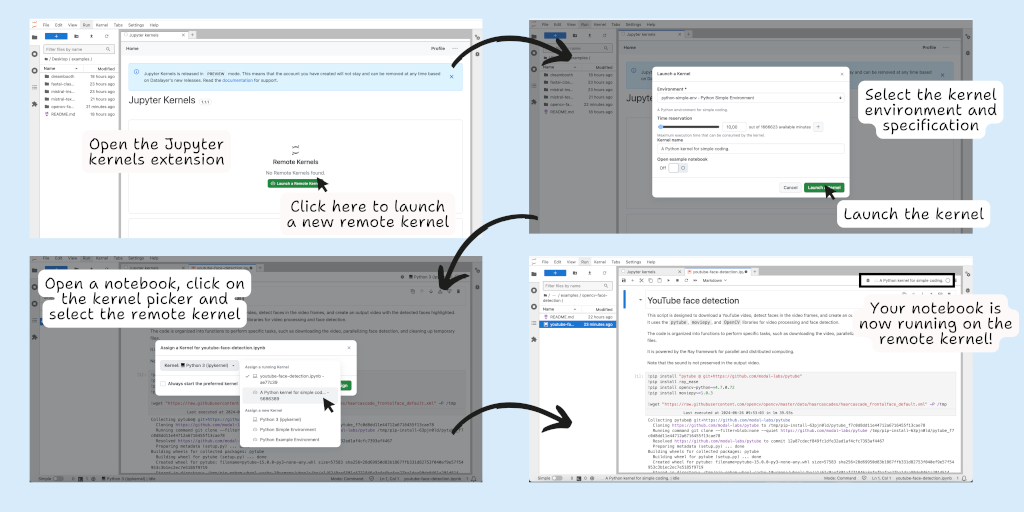
You can run existing notebooks as-is, then attach local or remote runtimes from JupyterLab.
- GPU checks
- PyTorch examples
- LLM with CPU vs GPU performance comparison
- GPU/CPU execution performance comparison
- OpenCV Face Detection
- Image Classifier with fast.ai
- Dreambooth
- Text Generation with Transformers
- Sentiment Analysis with Gemma
- Mistral Instruction Tuning
- LLM Inference with llama.cpp + LangChain
- Prompt examples for Jupyter MCP
- Ray CLI examples (
datalayer ray) - Evals SDK examples (batch + interactive)
The pytorch folder includes practical PyTorch baselines, starting with matrix multiplication for CPU/GPU throughput analysis.
It is useful to:
- validate runtime and CUDA readiness
- compare CPU and GPU execution characteristics on your setup
- establish reproducible performance baselines before model training or inference experiments
The ray folder contains Python scripts designed to be submitted with the Datalayer Ray CLI (datalayer ray jobs submit --py @...).
Included examples:
hello_ray.py: basic distributed map (square) with Ray taskspi_monte_carlo.py: distributed Monte Carlo estimation of piactor_counter.py: stateful actor pattern with multiple counters
The evals folder contains SDK examples for both run modes:
evals_batch_example.py: deterministic case-set execution (run_mode=batch)evals_interactive_example.py: event/live-window evaluation (run_mode=interactive)
Run them with the packaged make targets:
cd evals
make help
make evals-batch-local
make evals-batch-cloud
make evals-interactive-local
make evals-interactive-cloud
make evals-batch-local-proxy
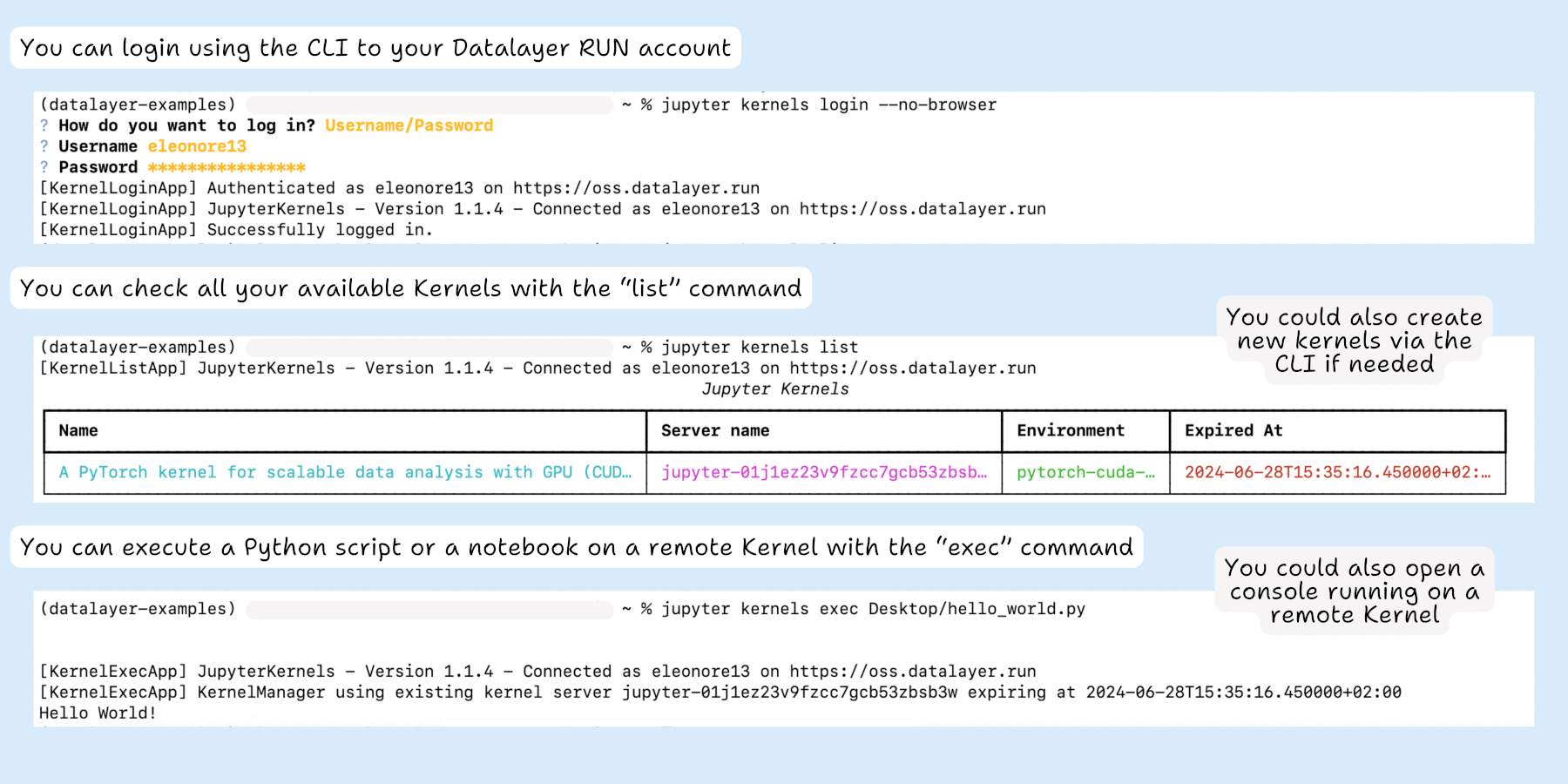
make evals-interactive-local-proxyDatalayer supports remote code execution through the CLI and integrates with managed runtimes and Ray workflows.
See CLI docs and the Ray examples for end-to-end commands.
CLI Remote Execution
Sharing State between Notebook and CLI
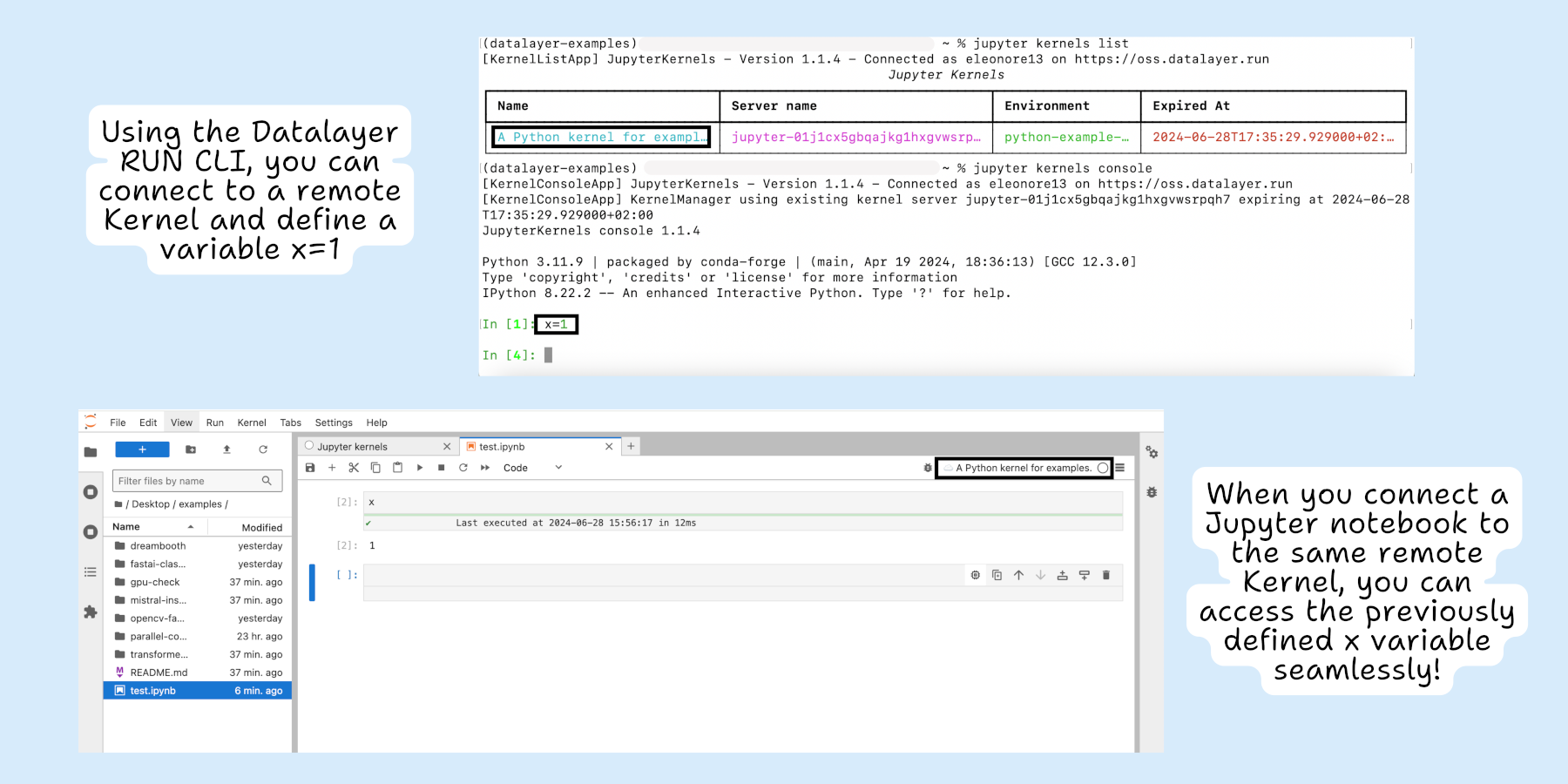
When using the same Kernel, variables defined in a notebook can be reused in the CLI and vice versa.
Datalayer supports cell-specific runtimes so you can run specific cells on different compute targets.
This lets you optimize cost and performance, for example by using local CPU for data prep and remote GPU for intensive cells.
Cell runtime execution
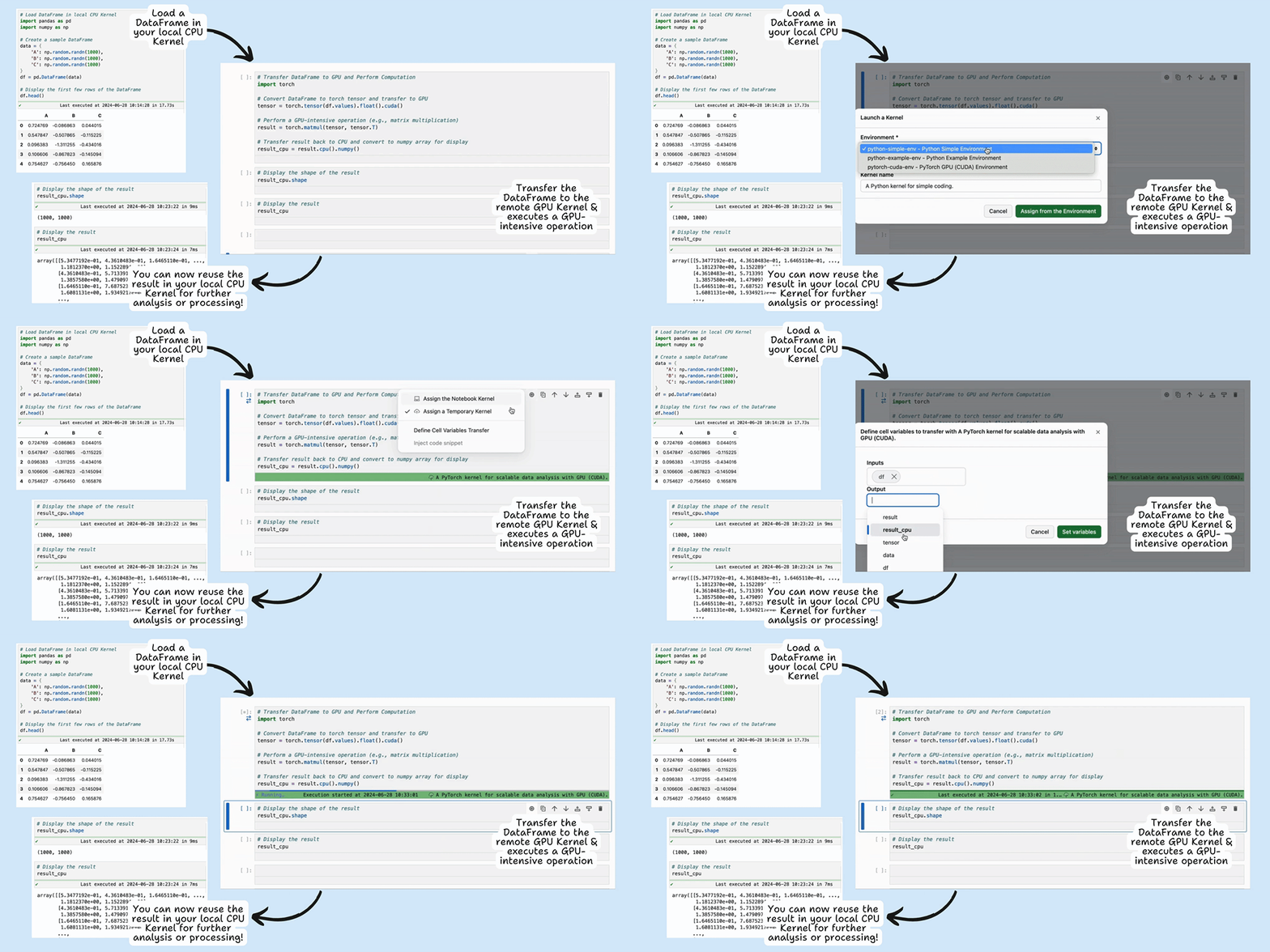
The remote GPU runtime is used only for the duration of selected cell computation.