The module to end all modules!
Basically just the same idea behind Eluna/ALE, but for JavaScript (Node.js, specifically) instead of Lua.
There are some specific configuration settings you'll need to have in order to run scripts with this, so I've made a "skeleton" project that you can copy from in order to get started:
https://github.com/airbreather/mod-nodejs-skeleton
That project has:
package.json/package.lock.json/tsconfig.jsonso you can get right into it.- an
index.tsfile with a (more) commented example showing some of what you can do. - some scripts (in
package.json) to help make the singleindex.jsyou need for this module to work. UNLICENSE. Do whatever with that one: the base module is all I wanted to AGPL-3.0 license.
Declarations are built from the ./typescript directory in this project. Install them with:
npm install -D @airbreather/mod-nodejs-types
Highly recommended: add @airbreather/mod-nodejs-types to your tsconfig.json's "types" array.
I recorded my screen for a demo that includes building it all from scratch after checking out the code, then using the VSCode debugger to set breakpoints and step through the random ad-hoc script file from the examples/ directory here:
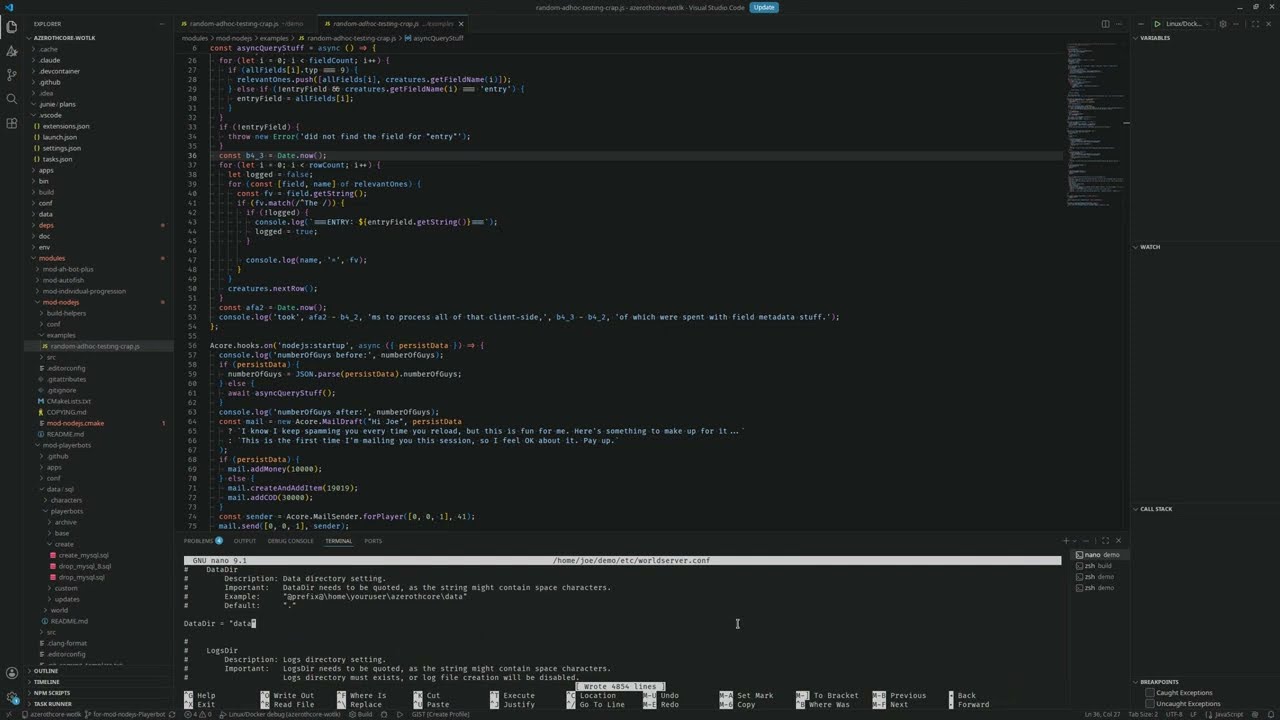
This particular demo was recorded with several other modules and a Playerbot fork because that's what I happen to be working with in my local environment right now, but mod-nodejs can be used as the only module on a Playerbot-free setup as well.
The usual process of mod_nodejs.conf.dist --> mod_nodejs.conf. Set NodeJs.Script to the path to your script file that will be loaded at world startup. It can import other script files as well (or it can be a single-file bundle), there just needs to be exactly one.
Published documentation for all the APIs will come later, though the TypeScript declarations exist now for you to get going. See the config file for the flags you can turn on, and Node.js docs for the different ways you can connect to the debugger once it's running.
See also the files under /examples.
The only thing I can promise to support is what I run with, which is Linux. Here, there should be no extra steps required for this module. The normal process should work.
Windows has its own section below. On everything else, I can't test it myself, so you're mostly on your own.
Requires core patches:
- azerothcore/azerothcore-wotlk#26648 for API tweaks
- azerothcore/azerothcore-wotlk#27003 to fix issues with doubly linked zlib
- This is only NEEDED on Windows, but it's harmless elsewhere.
If it's easier for you to just start from one branch, and you don't mind some Git-related turmoil due to my regular force-pushes to recreate these, my azerothcore-wotlk fork should have ready-made branches named for-mod-nodejs-* that I occasionally rebuild using the build-helpers script in this repo. There are two main "flavors" (plus some variations based on whatever other project(s) I'm working on in secret):
- ("master") Starts from the latest version of the upstream
masterbranch and adds the above patches plus a fix for azerothcore/azerothcore-wotlk#23528 - ("sprinkles") Starts from the latest version of the
mod-playerbotsfork'sPlayerbotbranch, adds the same patches as the previous line, and also adds patches from Grimfeather's fork'smasterbranch on top of it so it can run alongside bothmod-playerbotsandmod-individual-progression, both of which I happen to be interested in using myself.- Most of the time, Grimfeather's
masterbranch is strictly ahead ofmod-playerbots'sPlayerbotbranch (or very nearly so), but that's not always the case, so I do this in a way that will get everything from either one of them.
- Most of the time, Grimfeather's
It took months, but it is now (at the time of writing) finally possible to build and run this on Windows:
- After building, assuming everything was done following the official guide, you need to copy the corresponding version of
libnode.dllto yourC:\Build\bin\RelWithDebInfoorC:\Build\bin\Debugfolder, just like you did with the other DLLs.- You should be able to find the correct DLL at
C:\Build\_deps\nodejs_win-src\bin\Debug\libnode.dllfor Debug builds orC:\Build\_deps\nodejs_win-src\bin\Release\libnode.dllfor RelWithDebInfo and everything else. - If you have a hard time finding this file, you can always re-download the zip from whichever release it came from. It'll be in there.
- You should be able to find the correct DLL at
- (Optional) Looking for
libnode.pdbfiles to put next to yourlibnode.dllfiles? There are-pdbs.7zarchives right next to the main archives from the main release that the CMake process downloads automatically.
Support for Windows is provided on a best-effort basis. It's intended to work there. At the time of writing, I've confirmed that a simple script can run correctly. I even found some bugs during the process of testing it on that platform because some different compiler behavior forced me to look harder at my code! However, I expect this to break on Windows more often than on Linux, simply because I do not test over there very frequently at all. Open an issue if something's broken, and I'll try to get to it at some point.
At this time, the ONLY commitment to script compatibility is this: if it's possible for a script to do something useful and well-defined with AC objects (hooks and methods both), then any future changes that make it impossible shall be considered bugs that should be fixed with reasonably high priority. Otherwise, there are NO commitments to script compatibility; in particular, it is very likely that several APIs will change in the future. I've even been on the fence about keeping Acore.* vs. putting lots of things in the global scope.
I expect there to be a time in the future when all APIs available to scripts are considered stable and reliable for the sake of making bigger projects more palatable - nobody wants to sink hundreds of hours into an interesting module project where every interaction with AC can change dramatically. We are not there yet.
To rephrase: there should only be two reasons why you would intentionally want to NOT update to a newer version of mod-nodejs:
- You don't have time to fix scripts to accommodate breaking changes yet, OR
- The latest version has a regression bug that you can expect to be fixed soon.