
Web UI for the daeuniverse engines: manage nodes, groups, rules and configuration in a browser.
Install / Pages / Page tour / On a phone / Development
doona is a static web UI for the native API shared by daeuniverse engines. It supports honk; dae can use it once it implements the same contract. The engine or any web server can serve it. It displays engine state and manages nodes, groups, routing rules and configuration files.
Try the demo with sample data. To see the error states, open it with ?scenario=faults; ?scenario= returns to the healthy demo.
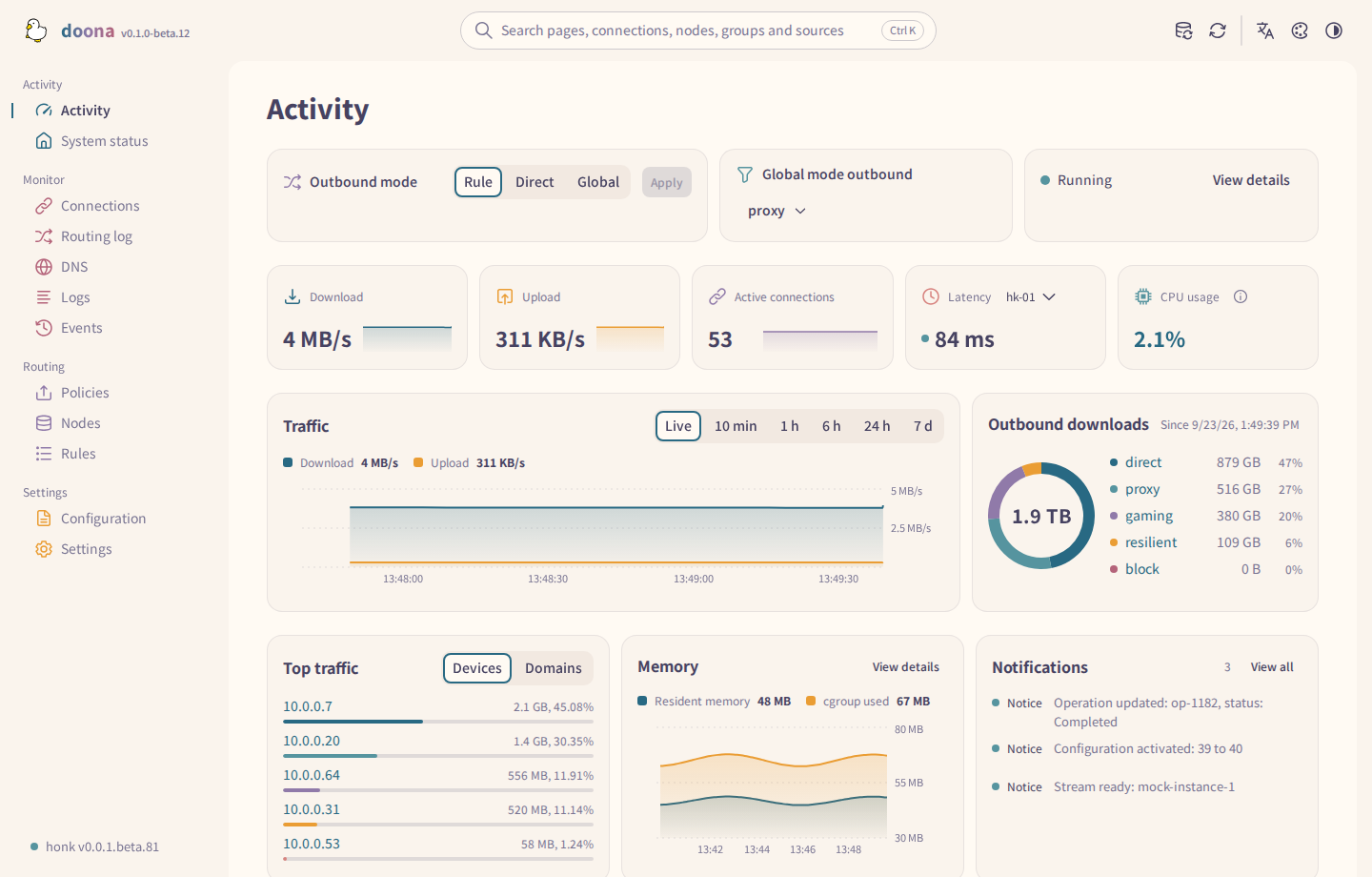
Every palette
Twelve palettes support light and dark modes: Rosé Pine (two flavours), Catppuccin (three), Nord, Kary Pro Colors, Ant Design, Arco Design, Semi Design, Glass and China (Day shift / Night shift). In the China palette, a healthy or running state reads Improving and an unavailable or degraded one Severe test. Use the palette picker in the top bar, or open Settings > Appearance from the sign-in page's appearance button.
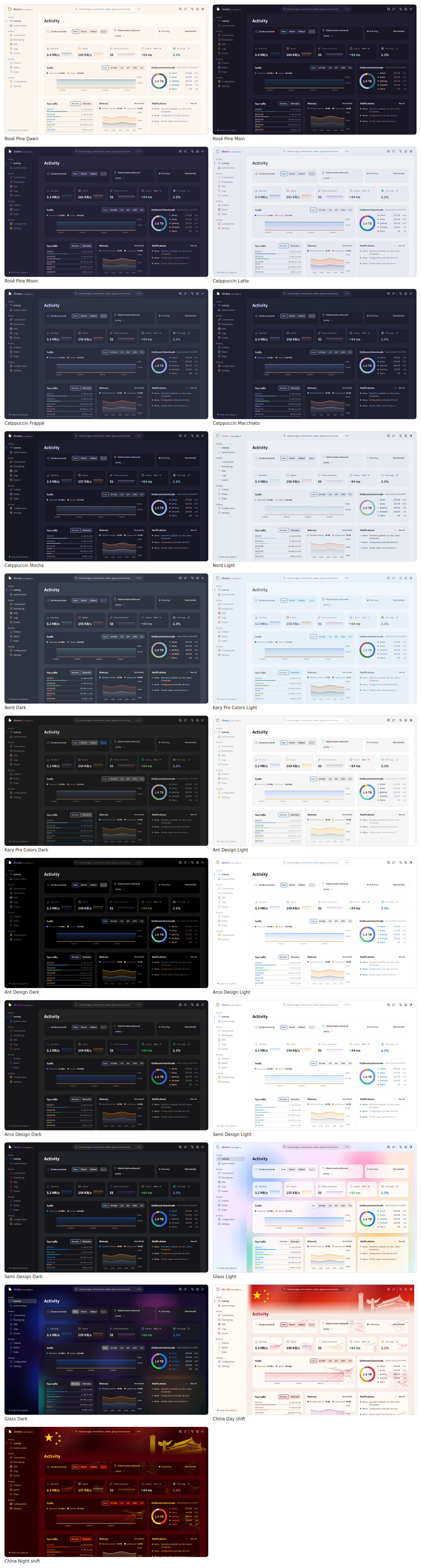
The activity page in five palettes. Select a palette and mode from the top bar.
| Theme gallery | Light | Dark |
|---|---|---|
| Rosé Pine | 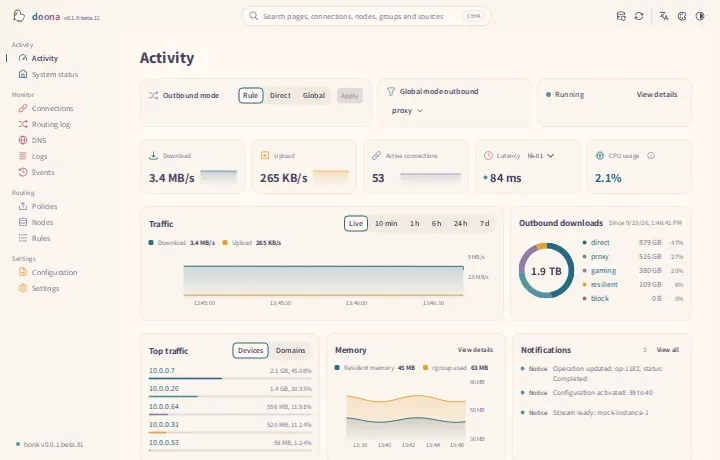 |
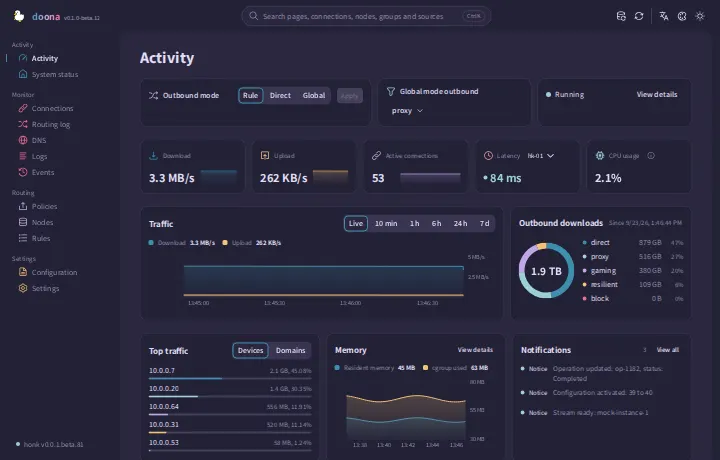 |
| Catppuccin | 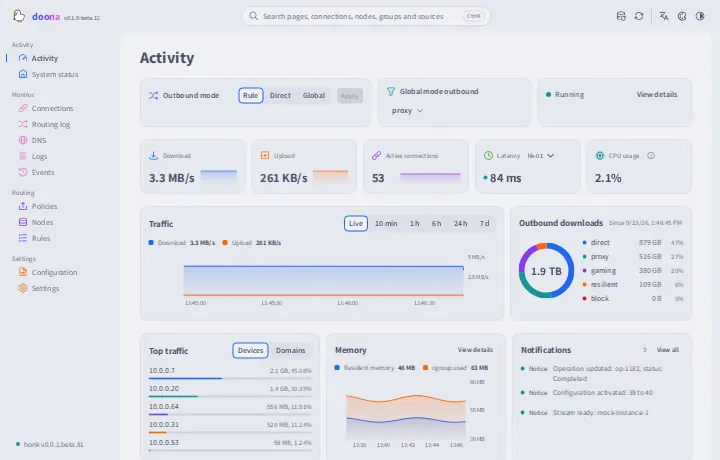 |
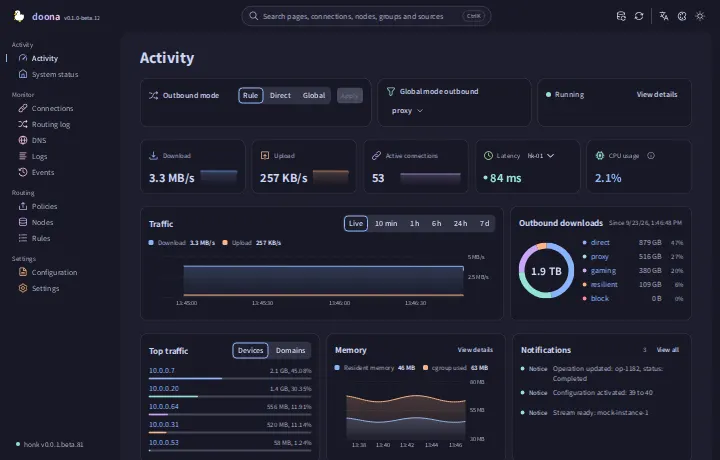 |
| Nord | 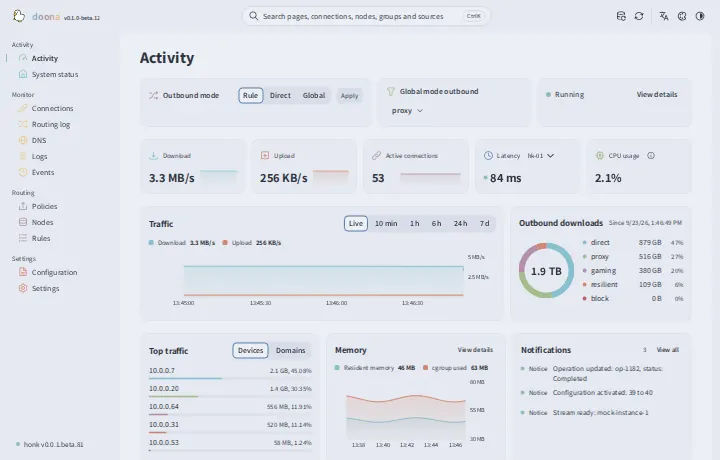 |
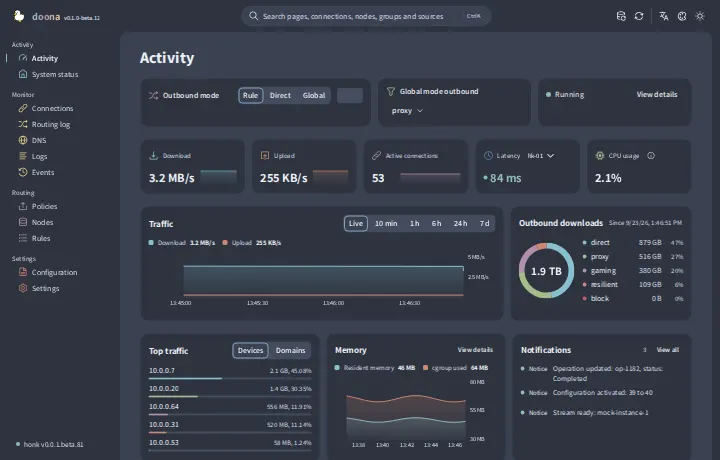 |
| Glass | 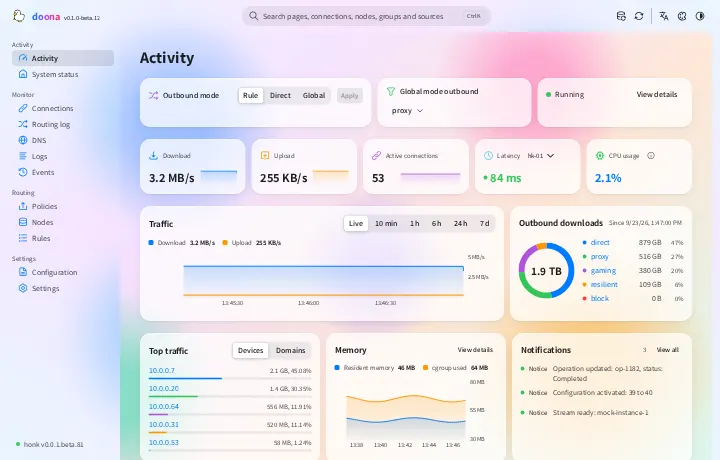 |
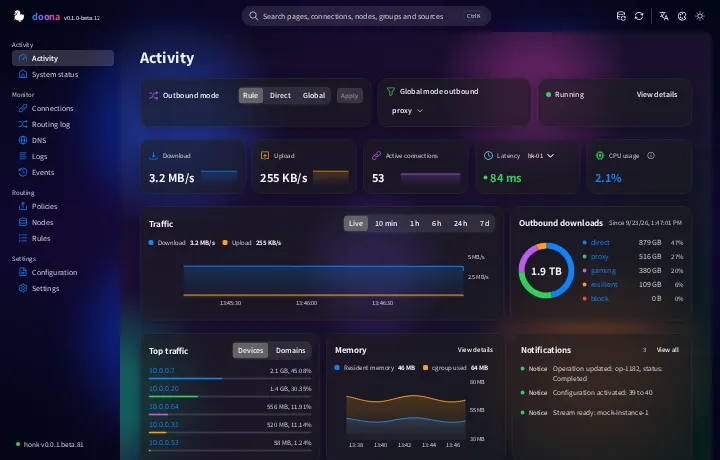 |
| China | 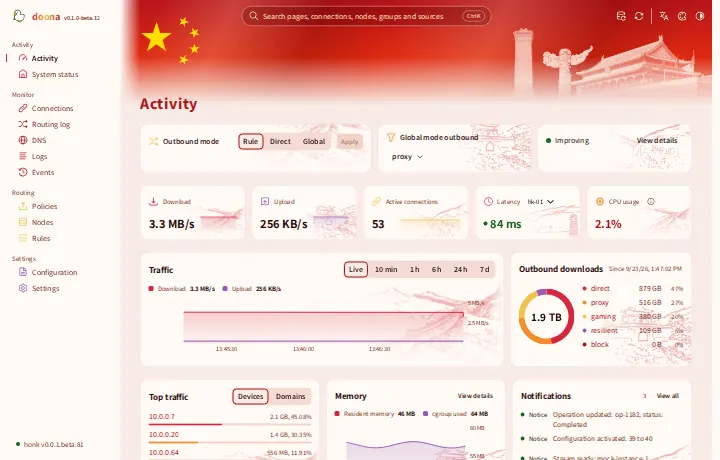 |
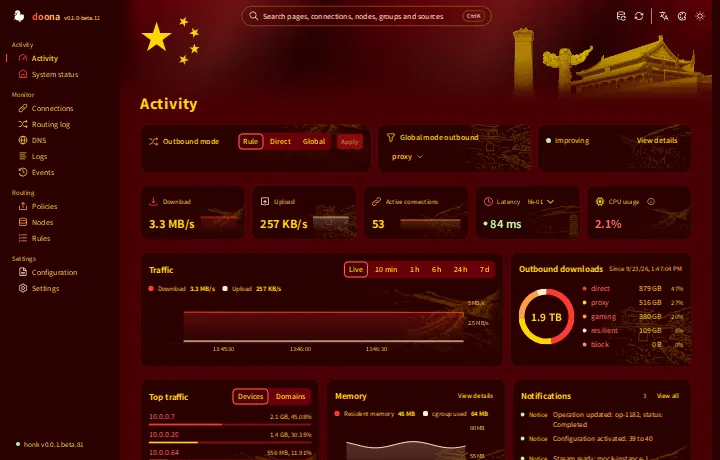 |
doona targets the native API implemented by honk's feat/native-api branch; that API is not released yet. The contract it is built against is pinned in SOURCE.md. Backends that omit newer resource keys are accepted: doona fills those keys as unavailable. With no backend configured, a built-in mock supplies demo data; every screenshot here shows the mock.
doona needs honk's native API, which only the debug release of Glassyiris/honk feat/native-api provides so far. Release archives (doona-<version>.tar.gz, the optional doona-fonts-<version>.tar.gz with Noto Sans TC and SC, and SHA256SUMS) are attached to tags on the releases page. Extract doona-<version>.tar.gz into the directory that honk's native_api block names in ui, and honk serves doona at /ui/.
From v0.1.0-beta.8 on, until honk publishes a release with the native API, each doona release also attaches prebuilt honk-core-debug-<target>[-stock].tar.gz archives, so no one needs to compile honk. The archives contain a debug build of honk's native API branch, which implements the final native API contract. HONK-SOURCE.txt names the honk commit they were built from, honk-source-<commit>.tar.gz holds that commit's source, and SHA256SUMS covers every release asset except itself. Install honk explains which archive fits a gateway.
The documentation covers the requirements, installing honk and doona, an example configuration, the first sign-in, checking each feature and troubleshooting.
Changes since beta.12; see the full changelog.
- Edit routing and DNS conditions visually while preserving comments and keeping unsupported expressions editable as text.
- Preview routing template changes before applying them, with separate switches for ad blocking, QUIC blocking and NetworkManager direct access.
- Create and edit policy groups in one dialog with searchable member pickers and undo before saving.
- Edit node names and share links in place, and configure subscription refresh intervals, User-Agent, cache and download routes.
- Edit configuration sources beside diagnostics and persistent global settings in their own form, and, when the backend supports it, export configuration, import server startup files and restore earlier revisions.
- Choose latency probe methods and IP families for nodes and nested groups, then inspect each probe kind's latest latency or failure reason.
- Choose DNS query upstreams, preview and delete matching cache entries, and create rules directly from cache or resolution-log rows.
- Search Settings fields, configuration sections and entry points such as Add subscription in any interface language, and open the matching page, field or row.
- Size dashboard cards by width and height presets or by dragging their edges, with a hint for the space left in each row while editing.
- Arrange widgets in a floating, pinned or phone-drawer panel, preview the panel at its real width in the widget editor, and hide an unpinned, undocked panel at the screen edge.
- Follow a group's active-node latency on Activity and view CPU and latency trends alongside first-run setup guidance.
- Page toolbars, tab rows and segmented controls share one 40px height, and keyboard focus rings keep clear of their content and are no longer clipped.
Debian and Ubuntu users: the deb is now doona-web and installs into /usr/share/doona-web, because both distributions ship an unrelated doona package; set honk's ui to the new path.
| Page | Shows |
|---|---|
| Activity | Outbound mode, traffic, memory and process CPU, active connections, node latency, outbound usage, top clients, notifications |
| System status | Engine and eBPF state, process CPU, traffic counters, runtime degradations, backend capabilities and features that are off; status JSON |
| Connections | Live connections with source, destination, matched rule, chain and its source, traffic and transfer rates; edit a writable matched rule's outbound; fold groups, close one or all |
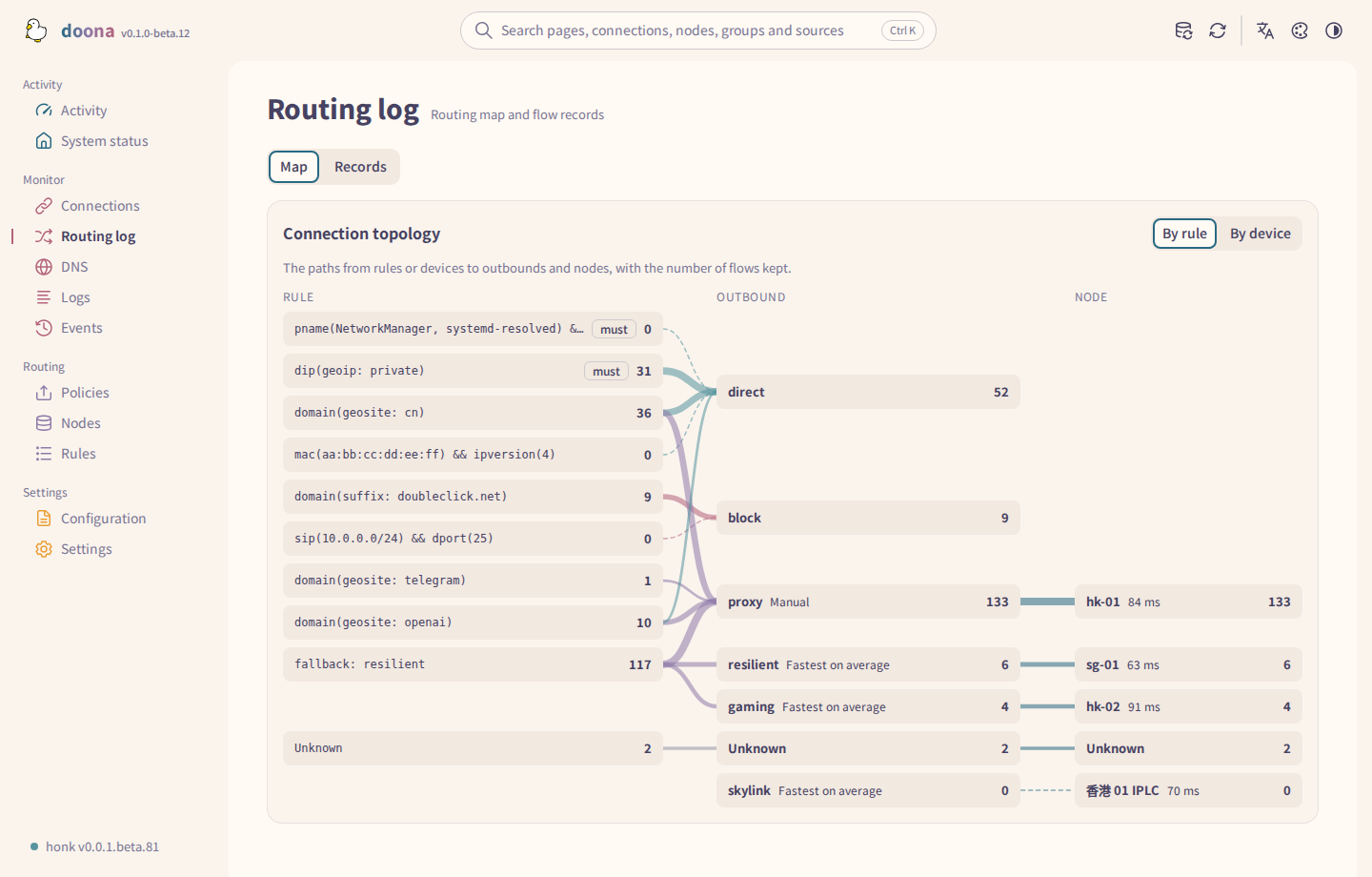
| Routing log | The routing map and flow records |
| DNS | Queries with answers, cache, resolution log and statistics; per-row rule creation from cache and log entries; query upstream selection; cache entry deletion and flushing when supported |
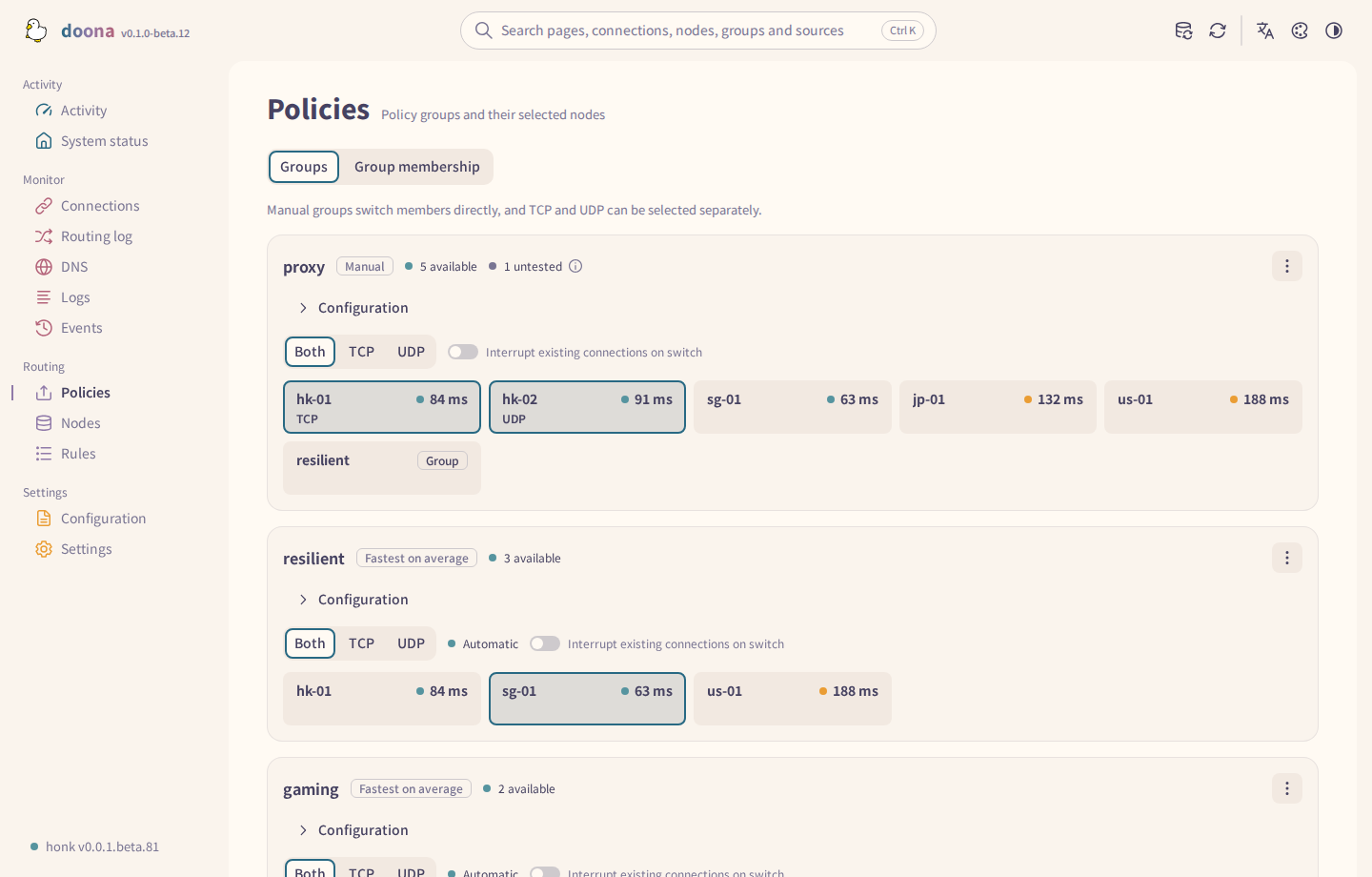
| Policies | Groups, members and health; selection, pinning, probing, editing, health-check URLs, tolerance and idle timeout when changeable |
| Rules | Routing and DNS request and response rules, editable in their source when writable; template settings in the simple view; rule hits and trace simulation |
| Nodes | Subscriptions and their refresh interval, inline nodes, add and remove, probe, results by kind and join a group |
| Configuration | Create source files and edit them in place, diagnostics, validation, current config version and source export |
| Events, Logs | The backend event stream; the log stream with filters, pause and export |
| Settings | Backends, runtime settings, geodata sources and status, reset to defaults and SHA-256 verification when supported, language, appearance, palette and notification placement |
A page is marked unavailable only when every resource it needs is unavailable. The DNS rules tab appears when the backend lists DNS rules; editing needs a writable source. Connections, Routing log and Rules request flows while open, without setting Flow recording to Always.
Ctrl K searches pages, connections, nodes, groups, rules and sources from anywhere. Which resources each page needs, and where doona keeps its own settings, are on the features page. Help buttons beside unclear states and terms explain them.
Sign-in is a page of its own with an appearance button that opens Settings > Appearance for language, palette and theme settings. From 1024 pixels wide, a panel beside the form shows a construction scene; pressing it starts a Flappy Duck game. The demo fills in the user name demo and the password demo.
On Policies, use the pencil button on a group card to edit its policy and included regions, subscriptions and nodes. The dialog shows the matching nodes and supports undo before saving. New group opens the same editor. Group links on Nodes return to the group card. In a node's Node actions menu, Add to group lists groups from writable main and include files; choosing one opens its editor with the node staged for confirmation. Nodes and subscriptions declared in include files cannot be removed from this page; the disabled action explains why.
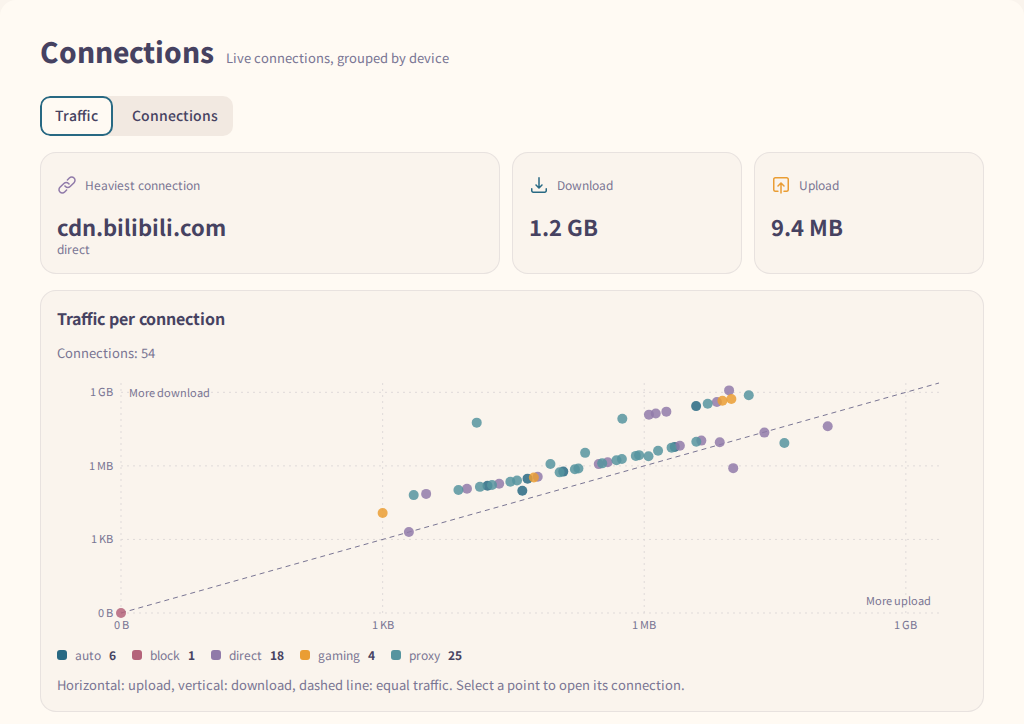
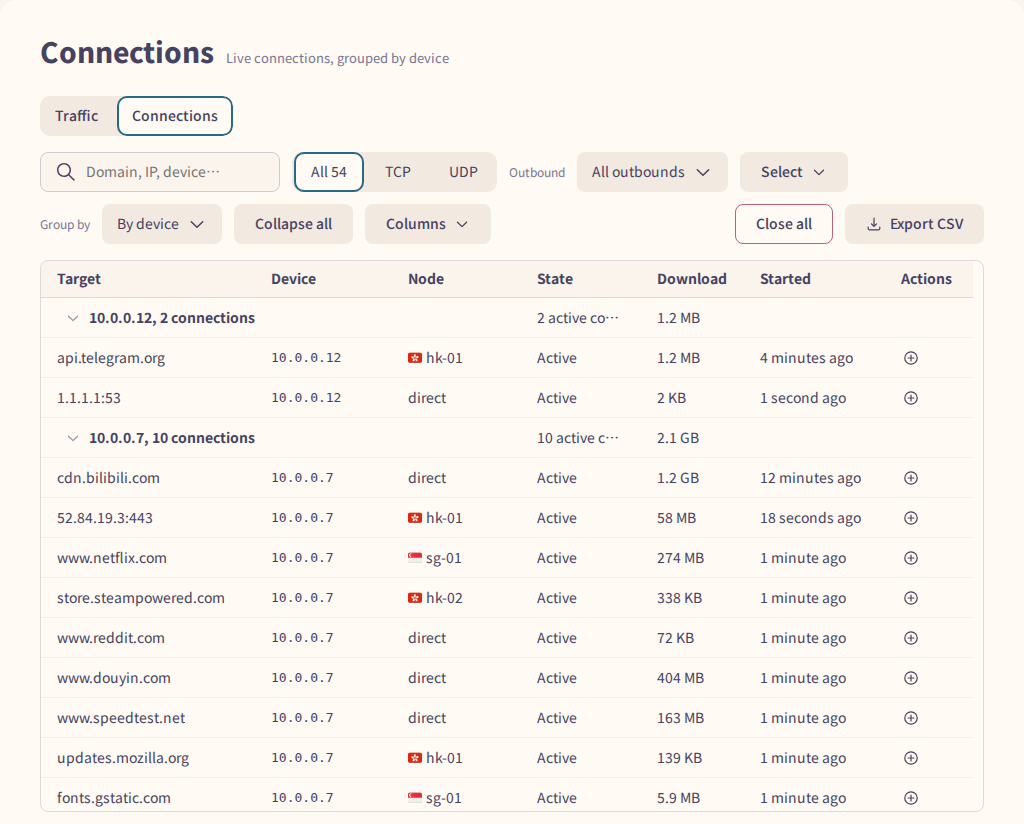
The Traffic tab of Connections plots each connection's upload against its download, coloured by outbound; select a point to open that connection. The Connections tab groups live connections by device or by outbound, filters them by protocol and outbound, and exports them as CSV.
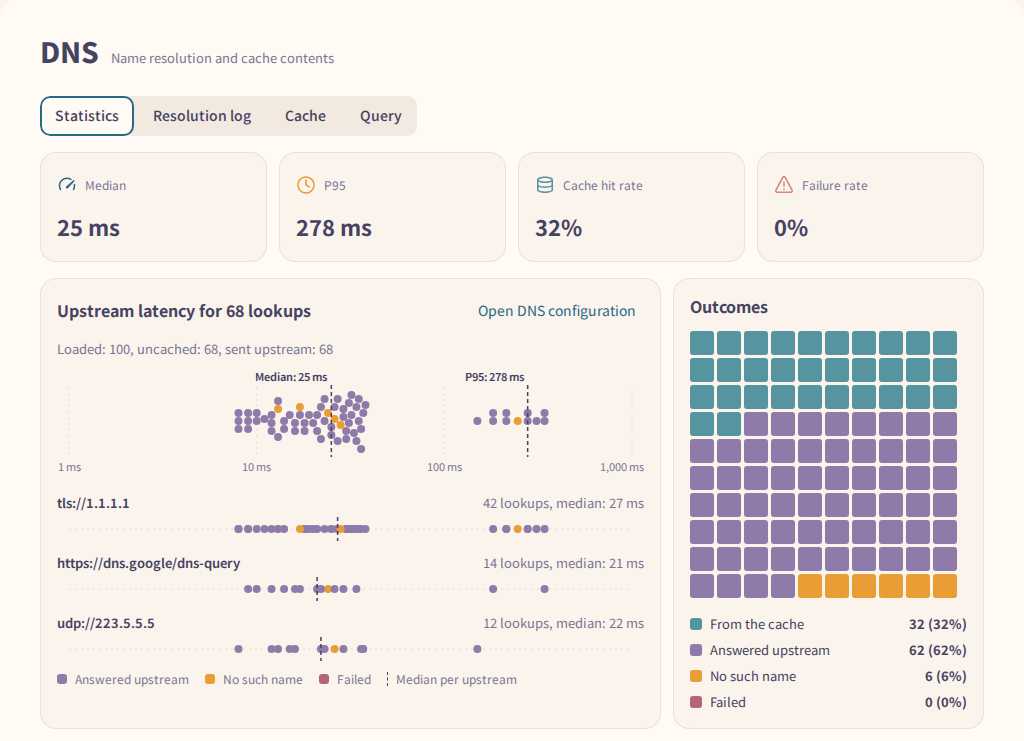
The Statistics tab shows the median and P95 resolution time, the cache hit rate and the failure rate. The charts below place each upstream's lookups on a latency scale and count how the queries ended. Each cache and resolution log row has an add-rule icon for its domain. It opens a DNS request rule when DNS rules are available, or a routing rule otherwise; saving requires a writable configuration source. The default condition matches the exact domain; select a suffix condition to include subdomains.
Query offers Automatic, which follows dns.routing, or a named upstream from dns.upstream when the configuration is readable. When the backend supports deletion, Cache can remove entries by full name, suffix, keyword or regex, by record type, or both; it shows the matching count before confirmation.
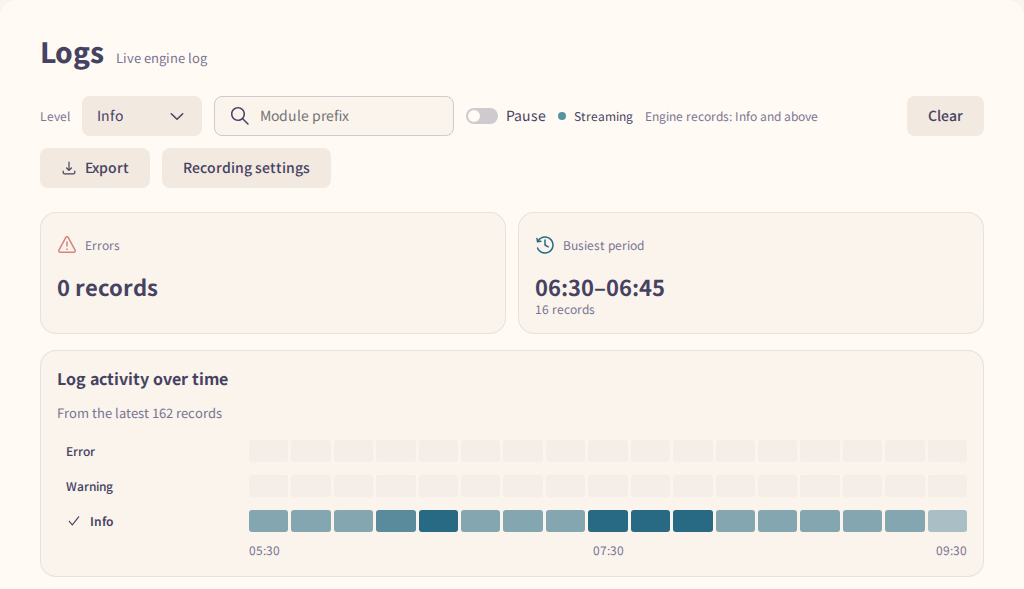
Above the log list, a heatmap counts records per level over time. A level's row header sets the minimum level the list shows.

The routing map on Routing log follows traffic from rules, or from devices, through outbounds to nodes. Point at or select a rule, outbound or node to highlight the paths through it. On Rules > Trace simulation, the advanced fields accept an optional DSCP integer from 0 to 63 to evaluate dscp(...) rules.
The Latency tab of Nodes plots each node's latest latency, and its moving average and the average of the last 10 measurements when the backend reports them. A switch groups the nodes by policy group or by protocol; unavailable nodes appear under their group. Open a node row in the Nodes tab to see the latest TCP, HTTP, UDP and DNS probe results the backend reports, each with its latency or failure reason.

Configuration shows the version of the configuration in effect. Modules shows one summary per configuration section and links to the page that manages it. Global settings edits the engine's persistent settings when supported; Config files edits the selected writable source and exports its displayed content, which may contain credentials. A write that changes settings requiring a restart is refused without writing; the notice lists the settings and provides a restart command and an install-guide link.
Settings > Geodata lists the geodata files and shows status and update controls when supported. Reset to defaults asks for confirmation, then removes all geodata overrides and values taken from the configuration file so the built-in sources and defaults apply again. Reload, DNS cache, subscription and connection actions remain on their respective pages, not in Settings. Failure toasts and notices for unknown operation results offer Copy error; Settings > About copies the last 20 errors kept in memory, excluding secrets and request bodies.
The floating widget panel's menu opens Edit widgets, where compatible rate and count widgets can use Sparkline or Key-value list. An unpinned, undocked panel offers Hide at edge; hovering, focusing or tapping its speed summary reveals it. An unpinned floating panel collapses when the page changes.
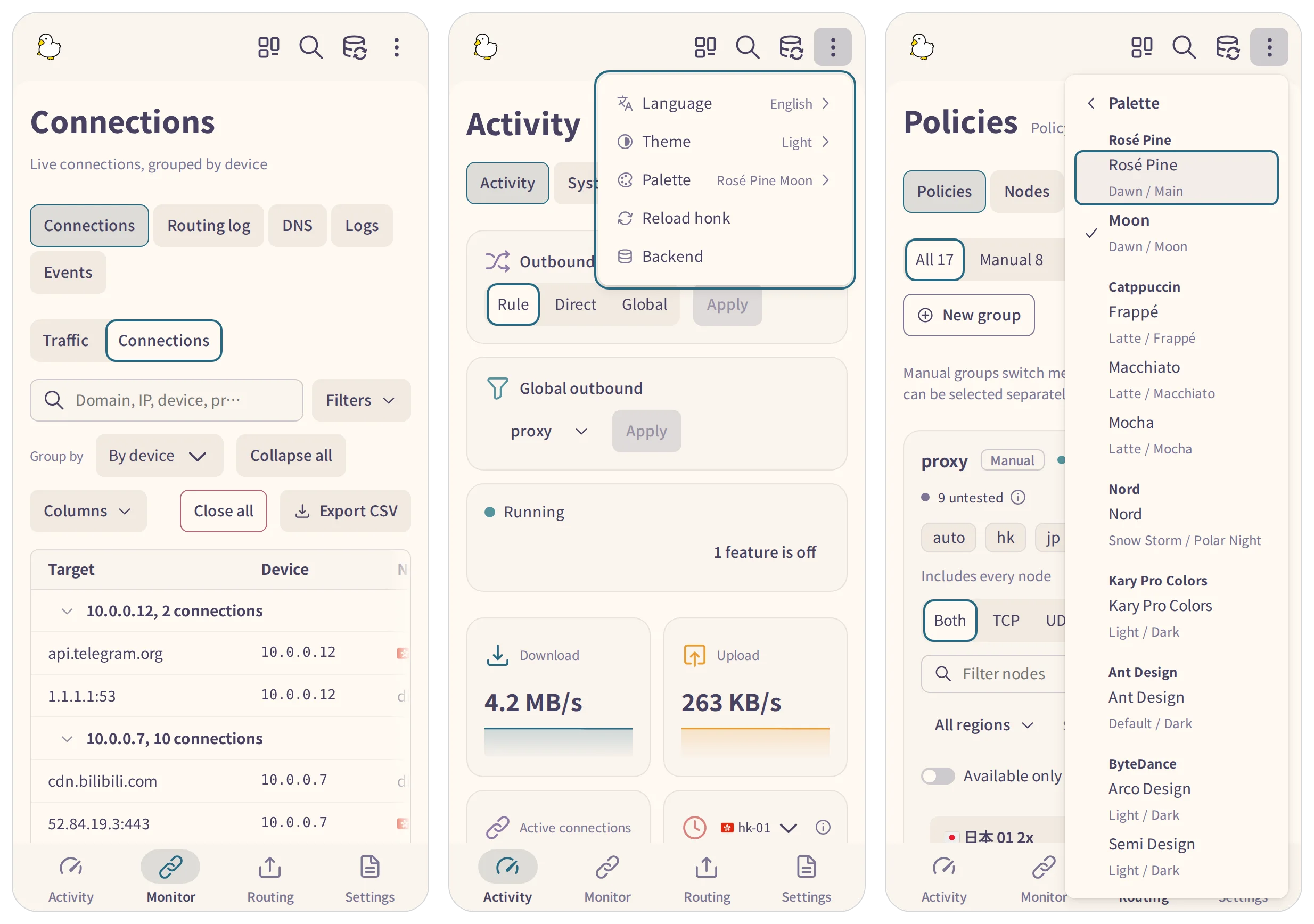
Below 1024 pixels wide, the side navigation becomes a bottom bar with four hubs: Activity, Traffic, Routing and Settings. A hub opens on the page last viewed in it during the session, and its pages sit in a row above the content. Language, theme and palette move into the top bar's overflow menu, a submenu each. Choose the wordmark in Settings > Appearance.
Below 600 pixels wide, tables keep every column and scroll sideways; on wider screens they drop the columns that do not fit, in a set order. Toolbars wrap onto more rows. On Events and Logs, press a row to read its full text below the table. On System status, DNS and Logs, the first page action stays a button and the rest move into a menu.
Over HTTPS or on localhost, doona installs as an app. In Chrome and Edge, the About card in Settings offers Install as an app. Safari has no install prompt, so the card shows the steps instead. On iPhone and iPad, tap Share, then Add to Home Screen. In Safari 26 on macOS, choose File > Add to Dock.
The build, test and packaging commands, the source layout and the contract pin are on the development page. See CONTRIBUTING.md before opening a pull request.
Report bugs and ask questions in the issues. Report backend issues to the connected engine's project: honk or dae. See SECURITY.md for reporting a vulnerability.
GPL-3.0-only. Noto Sans TC and SC, bundled from Fontsource npm packages, are copyright Adobe and licensed under the Open Font License; NOTICE credits the Adobe Spectrum icons (Apache-2.0).