
This is a fork of AnyLabeling, slightly modified with new shapes to allow
for the creation of bounding boxes at fixed aspect ratios (which I refer to with the acronym FAR) in a
user-friendly way. Currently, it supports human-made annotations, auto-labeling support may come sometime in the future.
The original README.md is included below this small section.
The regular installation instructions, if followed, will NOT install this version of AnyLabeling. To install this version, I recommend a modified version of the third method, which has been copied below.
NOTE: for the git URL, use HTTPS URL from this repository, not the original AnyLabeling repository.
# after navigating to a directory of your choosing...
git clone https://github.com/RafeLoya/anylabeling-FAR.git
cd anylabeling-FAR
pip install .
To start the program, simply do the following while in the .../anylabeling-FAR directory:
anylabeling

Effortless data labeling with AI support from YOLO and Segment Anything!
AnyLabeling = LabelImg + Labelme + Improved UI + Auto-labeling








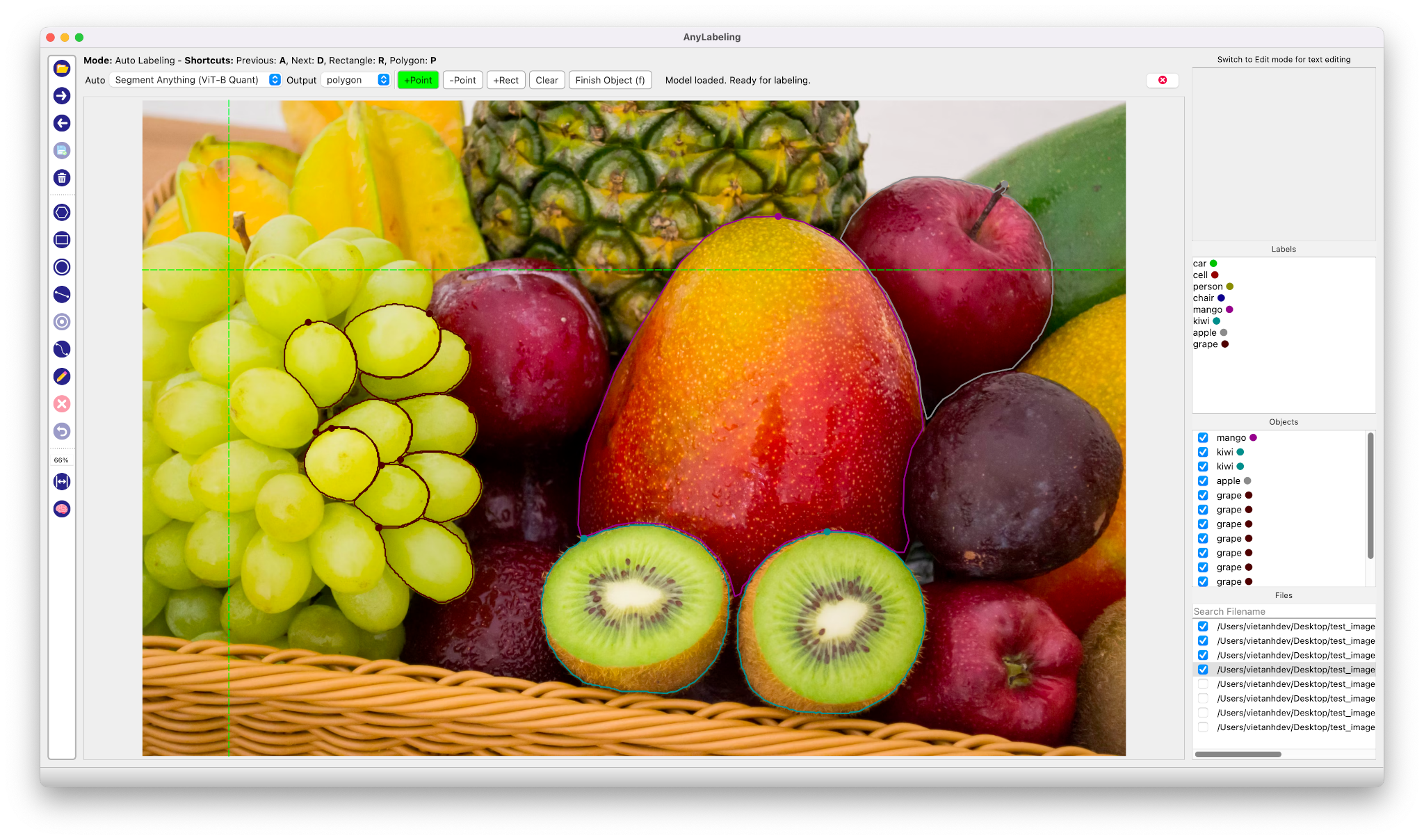
Auto Labeling with Segment Anything

- Youtube Demo: https://www.youtube.com/watch?v=5qVJiYNX5Kk
- Documentation: https://anylabeling.nrl.ai
Features:
- Image annotation for polygon, rectangle, circle, line and point.
- Auto-labeling YOLOv8, Segment Anything (SAM, SAM2).
- Text detection, recognition and KIE (Key Information Extraction) labeling.
- Multiple languages availables: English, Vietnamese, Chinese.
- Download and run newest version from Releases.
- For MacOS:
- After installing, go to Applications folder
- Right click on the app and select Open
- From the second time, you can open the app normally using Launchpad
-
Requirements: Python 3.10+. Recommended: Python 3.12.
-
Recommended: Miniconda/Anaconda.
-
Create environment:
conda create -n anylabeling python=3.12
conda activate anylabeling- (For macOS only) Install PyQt5 using Conda:
conda install -c conda-forge pyqt==5.15.9- Install anylabeling:
pip install anylabeling # or pip install anylabeling-gpu for GPU support- Start labeling:
anylabelingWebsite: https://anylabeling.nrl.ai/
| Object Detection | Recognition | Facial Landmark Detection | 2D Pose Estimation |
|---|---|---|---|
 |
 |
 |
 |
| 2D Lane Detection | OCR | Medical Imaging | Instance Segmentation |
 |
 |
 |
 |
| Image Tagging | Rotation | And more! | |
 |
 |
Your applications here! |
- Install packages:
pip install -r requirements-dev.txt
# or pip install -r requirements-macos-dev.txt for MacOS- Generate resources:
pyrcc5 -o anylabeling/resources/resources.py anylabeling/resources/resources.qrc- Run app:
python anylabeling/app.py- Install PyInstaller:
pip install -r requirements-dev.txt- Build:
bash build_executable.sh- Check the outputs in:
dist/.
If you want to contribute to AnyLabeling, please read Contribution Guidelines.
- Labeling UI built with ideas and components from LabelImg, LabelMe.
- Auto-labeling with Segment Anything Models, MobileSAM.
- Auto-labeling with YOLOv8.