
Every dungeon quest, boss and loot table in WoW Forever in one window: quest chains, rewards, quest givers, map pins and instance entrances


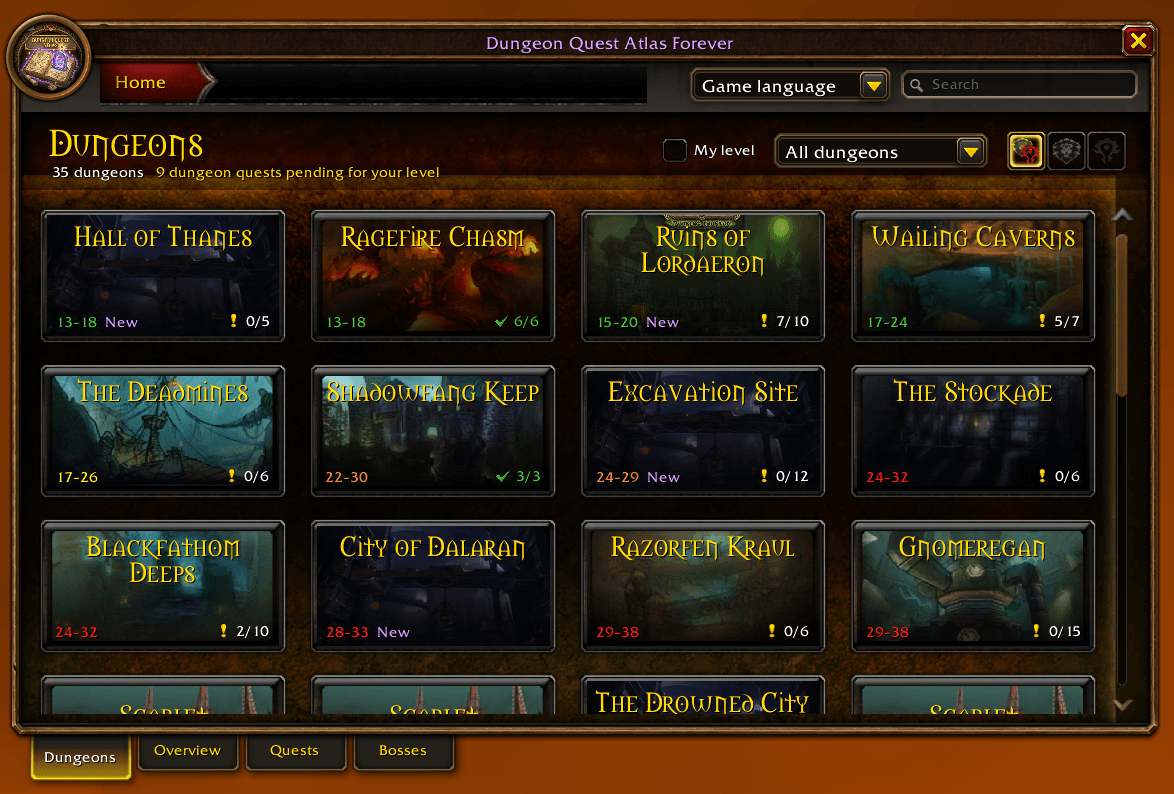 Every dungeon, like the Adventure Guide |
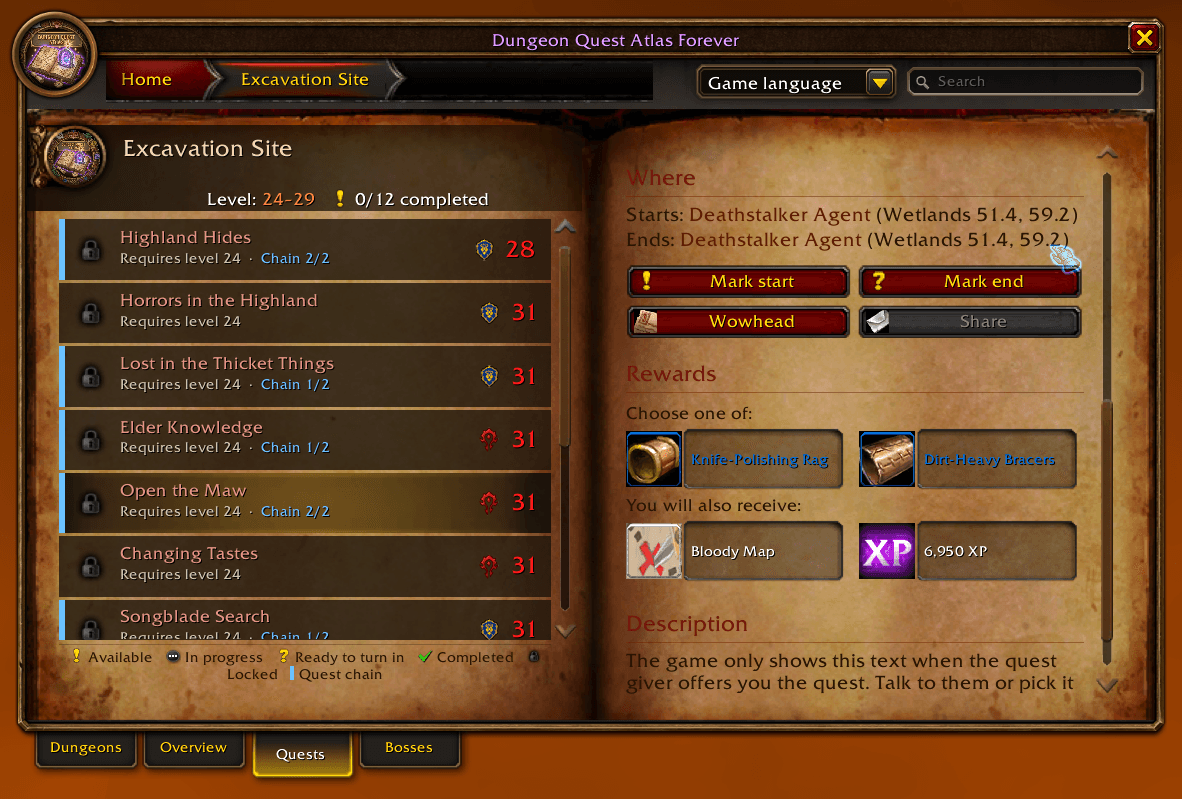 Quests, chains and rewards |
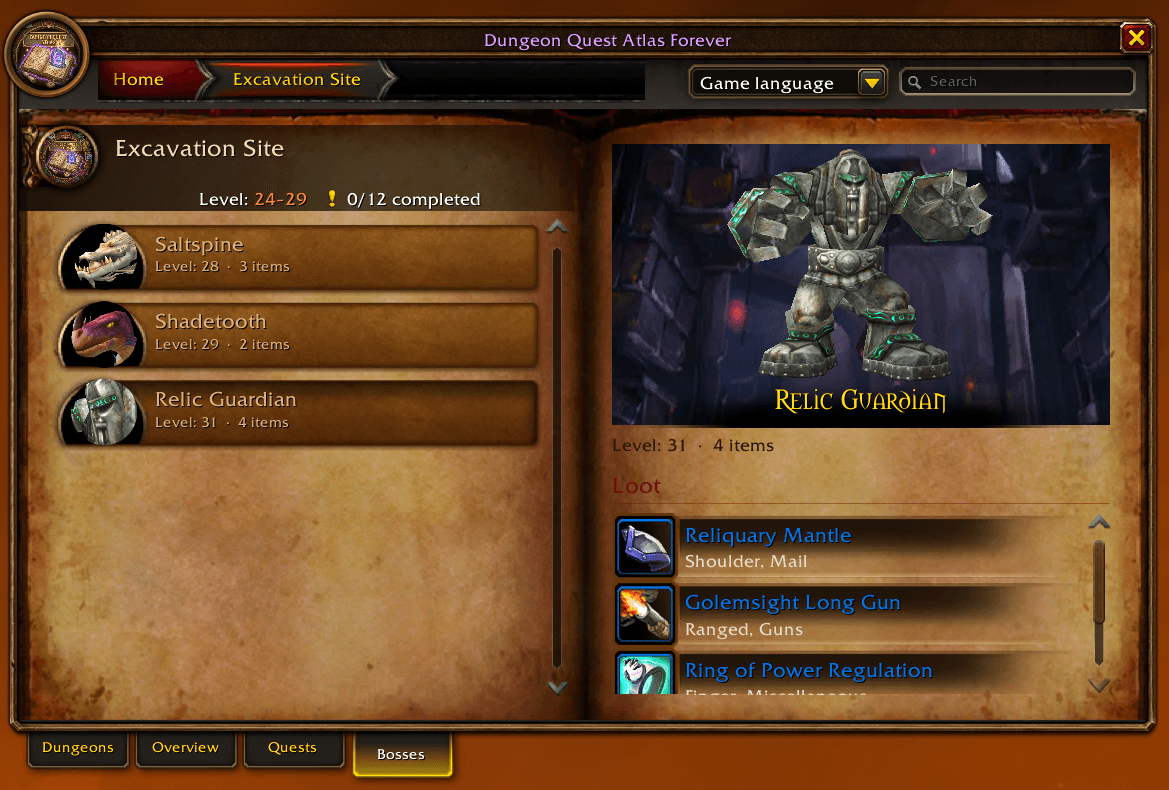 Bosses and loot |
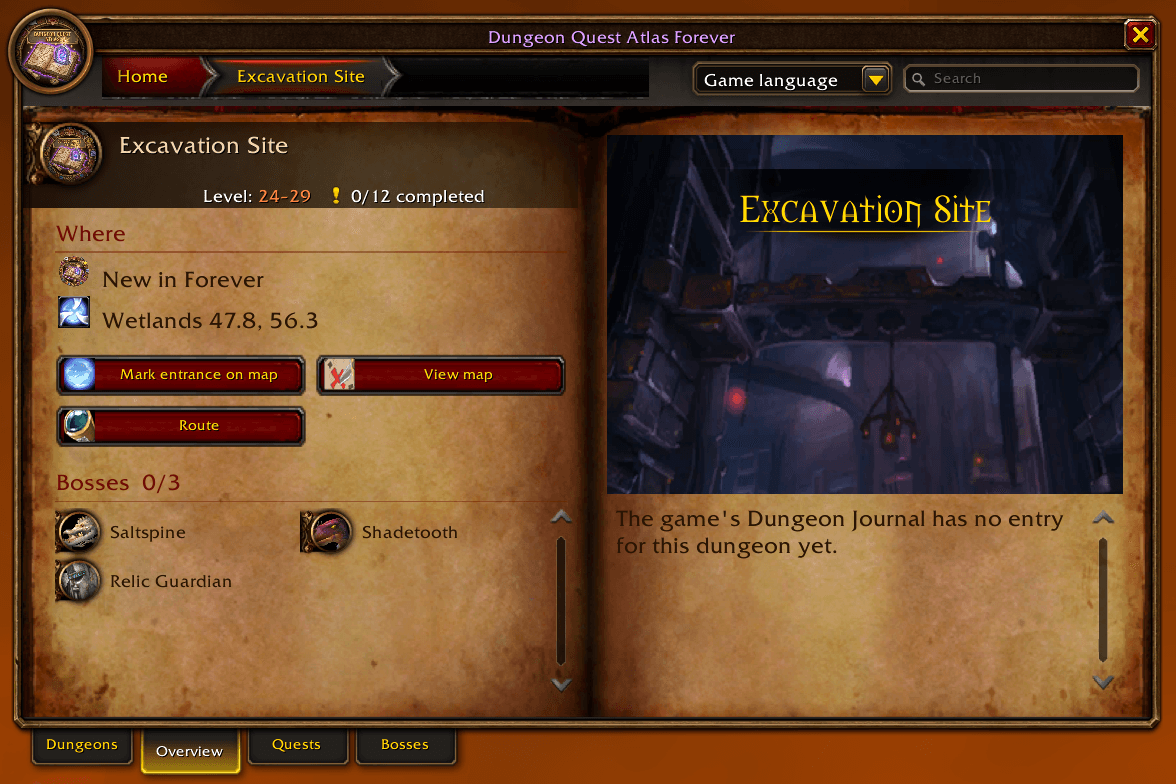 Entrance, map and route |
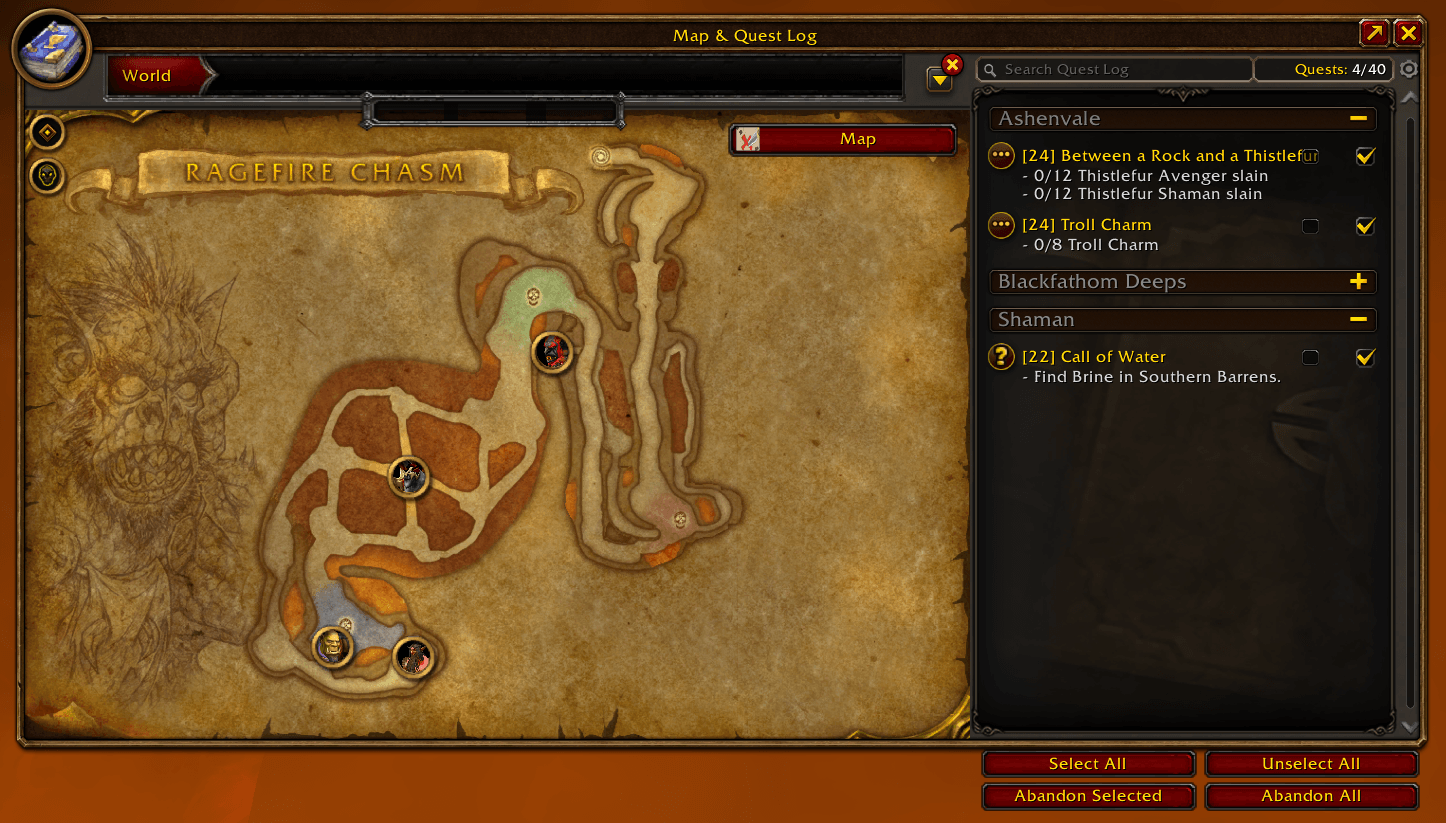 Dungeon map with M |
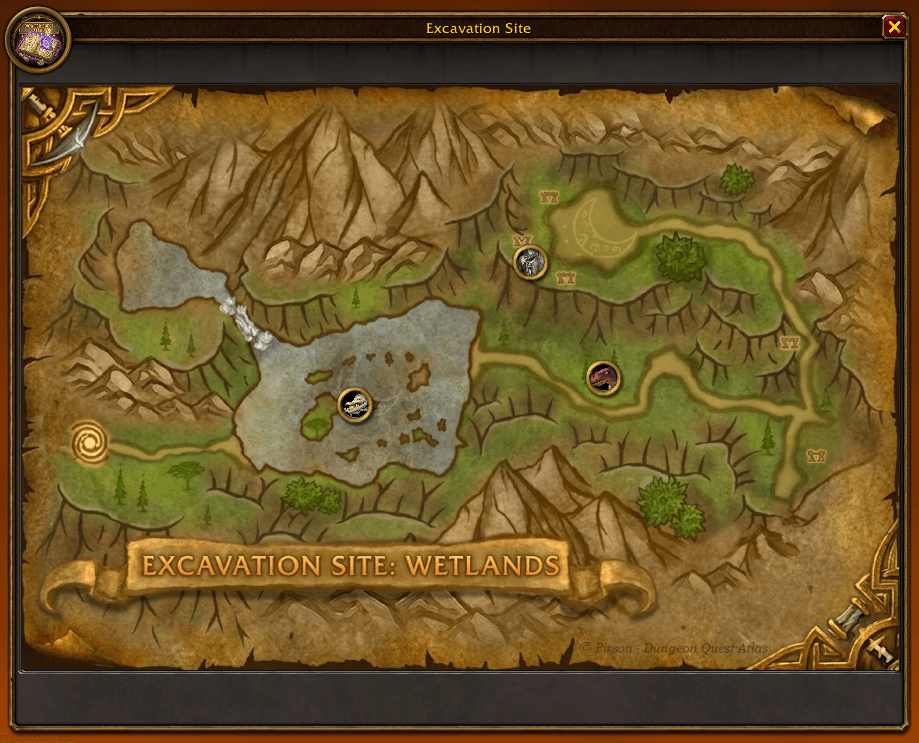 Maps of the new Forever dungeons |
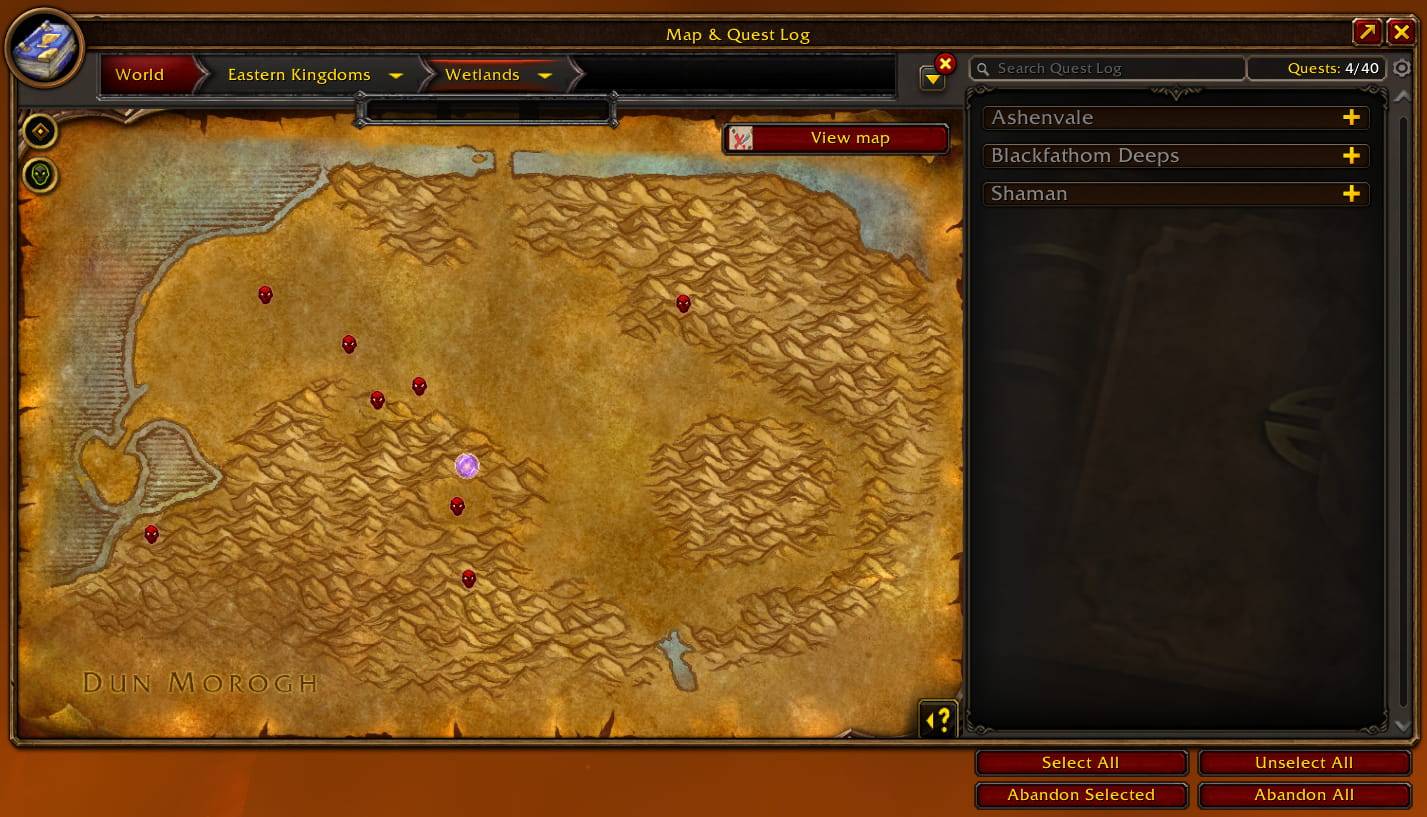 Map marker and guide arrow |
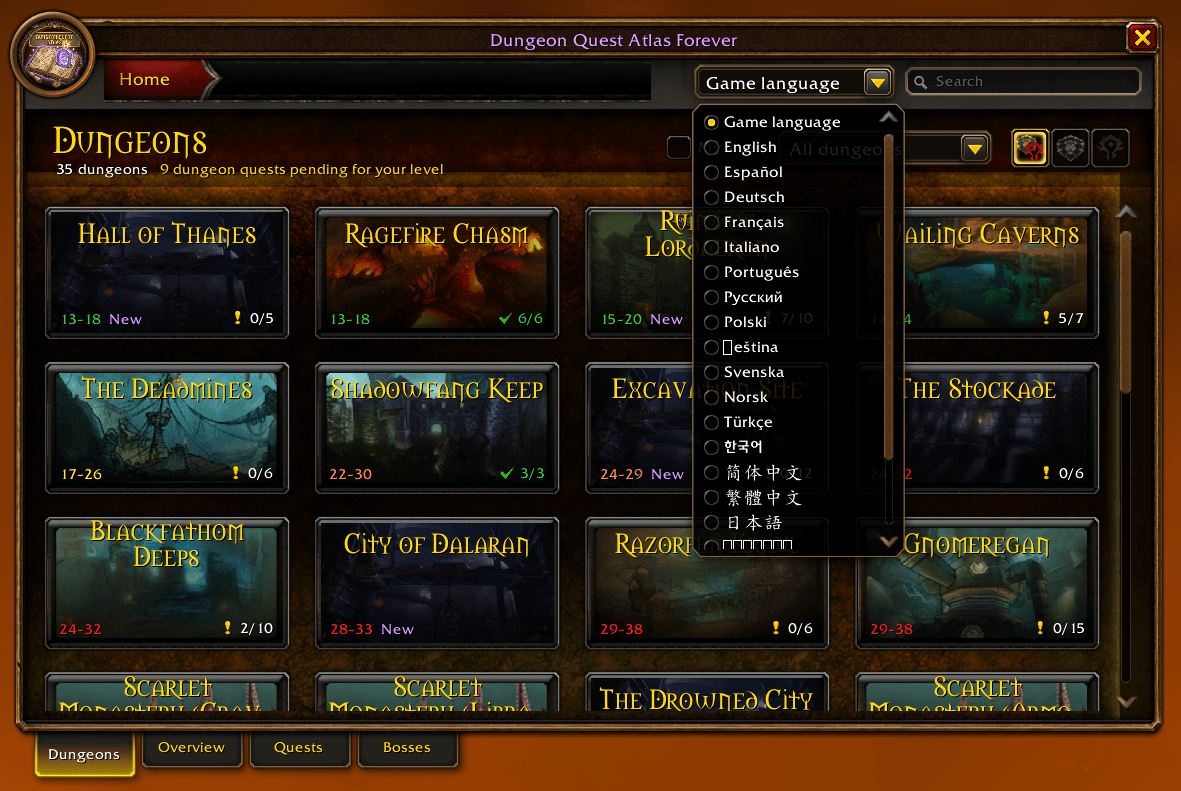 Language selector |
Dungeon Quest Atlas Forever lists all the dungeon quests of WoW Forever in a window styled like the game's own Dungeon Journal, together with every boss and its loot. Pick a dungeon on the left and see every quest for it: its level, faction, whether you already completed it, the whole quest chain, the objectives, the rewards (with their tooltips and XP), the quest giver and where to find them. One click puts a pin on the map, either on the quest giver or on the instance entrance, with its own guidance arrow or TomTom.
 |
 |
- Every dungeon of WoW Forever, the classic ones and the new ones (Hall of Thanes, Ruins of Lordaeron, Excavation Site, City of Dalaran, The Drowned City, Krol'dok Stronghold, Alcaz Prison, Blackmaw Hold, Shaper's Terrace), sorted by level and colored by difficulty for your character.
- 300+ dungeon quests with level, faction and status, shown with the game's own quest icons: Available (!), In progress (…), Ready to turn in (?), Completed (✓) or Locked (padlock, by level or previous quest). A legend under the list and a tooltip on every quest. A "3/7 completed" counter per dungeon.
- Quest chains: every step of the chain with its status and a "(2/5)" in the list. Click any step, even one outside the dungeon, to open its page and mark where it starts. When you turn in a step, the arrow takes you to the next one (option).
- Class quests (warlock, paladin, mage...) show the class icon, are locked for other classes and don't count in the "x/y" total. Option to hide them.
- Your progress on the quests you carry ("Head of Arugal: 0/1") and a Share button to push the quest to your group.
- Objectives and rewards: objectives in your game's language, reward cards with icon, quality color and the game's own tooltip (hold Shift to compare), the choice rewards and the ones you always get, XP and money. The new Forever rewards are included.
- Bosses and loot of every dungeon: the boss's 3D model (drag to rotate, wheel or + / - to zoom), level, rare spawns and each drop with its chance. Shift+click links the item, Ctrl+click opens the dressing room. Show on map takes you to the boss on the dungeon map.
- Recipes & Patterns: the new Forever recipes of each dungeon, with the bosses that drop them and their chance (from Wowhead Forever).
- Adventure Guide look, like Retail's: tabs at the bottom (Journeys, Traveler's Log, Dungeons, Raids, Tutorials), breadcrumbs with drop-downs to jump to any dungeon or boss, and the game's own journal book. On a dungeon page the bosses are always on the left and the side tabs switch the right page: Overview (artwork, map, entrance, route and lore), Loot (the whole dungeon's loot with "Boss: X", or one boss's, with a type filter), Model (big 3D model) and Quests.
- Raids: the announced WoW Forever raids (The Barrow Deeps, Hyjal Summit, Onyxia's Lair) with their size and a countdown to their opening, bosses (names from the BlizzCon demo, may change) and the upcoming 2027 ones. Onyxia's Lair has its attunement chain for each faction, step by step, with the same quest page as the dungeons.
- Traveler's Log: the world event quests (Hallow's End, Winter Veil, Lunar Festival, Darkmoon Faire, Midsummer...), one card per event with its dates and "ends in" from the game's calendar, and inside, every quest with its full page.
- Journeys: the new Forever reputations with your standing (crest, level and bar), a filter, and Coming soon: launch, raid openings, Hardcore and the 2027 updates, each one opening its own news page.
- Tutorials: a short guide to the addon, page by page, with a button that takes you to each part.
- Scarlet Monastery, Dire Maul and Stratholme split into wings.
- Quest start and end: the NPC or object that gives the quest and the one where you turn it in, with zone and coordinates, and Mark start / Mark end buttons that also open the world map on the pin. If the NPC is inside the dungeon, the entrance is marked.
- Exact instance entrance of every dungeon (the real portal, or the cave mouth when the portal is underground), with a Mark entrance on map button (also the portal icon next to each dungeon), and a Route button that takes you to the closest flight master of your faction and then to the entrance.
- Built-in guidance arrow, no TomTom needed: an on-screen arrow that turns as you move, with the distance, markers on the world map and on the minimap, and it clears itself when you arrive. Left click it to target the NPC and put a star on them. NPCs underground (caves, cellars) keep their marker until you talk to them. You can also use the game's own map pin or TomTom instead.
- Wowhead link for every quest, in the window's language, ready to copy with Ctrl+C.
- Dungeon maps (WoW Forever has none): a View map button with Blizzard's own dungeon maps from WoW Classic for the classic dungeons, and maps drawn for this addon for Hall of Thanes, Ruins of Lordaeron, Excavation Site: Wetlands and City of Dalaran. Every floor with its own button, each boss marked with its portrait (click it to jump to its loot), the entrance and the stairs between floors (click a staircase to change floor), mouse-wheel zoom and drag to move around.
- Dungeon entrances on the world map: each dungeon's portal on its zone map and on the continent map, with its levels and your quest progress. Click it to see the dungeon map right on the world map, or right-click to open the dungeon in the addon. A round button on the world map holds every setting (zones, continents, icon size).
- AtlasLoot: a "View loot" button when AtlasLoot is loaded. Questie: used as a fallback for quest givers the addon doesn't know yet.
- Filters: my level, classic / new in Forever, faction buttons (both, Alliance, Horde) on every tab that depends on your faction, and a search box (dungeon, boss, raid or quest).
- Minimap button (LibDBIcon, works with minimap button collectors), window scale, Esc to close.
- Translated into 20 languages, with a language selector in the window: show it in any of them without changing your game's language. Quest, NPC, zone and item names come from the game itself, in its language.
Levels, factions, rewards, XP, bosses and loot come from the WoW Forever beta client (build 1.60.1, via ForeverChanges); quest chains and the NPCs that start and end each quest, with their coordinates, from Wowhead Forever. Dungeon entrances, quest titles, objectives and item names come from your own game, in your language. Quests the Forever client doesn't list show a small "not verified" icon. Forever is in beta: drops and rewards can still change. Raids come from Blizzard's roadmap and the BlizzCon demo; world event quests and the new reputations, from Wowhead Forever; the Onyxia attunement, from Wowhead Classic and Wowhead Forever.
Quest descriptions are collected in the game:
/dqa collect on- Open the quests (talk to the quest giver) and turn them in.
- Everything you collect shows up in the window right away.
/dqa exportgives it as a Lua table to add it to the addon for everyone. Pull requests welcome!
| Command | What it does |
|---|---|
/dqa |
Opens or closes the window (also /dungeonquest) |
/dqa config |
Opens the options |
/dqa collect on|off |
Collector mode |
/dqa export |
Shows the collected data, ready to copy |
/dqa entrance <key> |
Saves your position as that dungeon's entrance (RFC, DM, WC...) |
/dqa route <key> [clear] |
Saves your position as the next stop of the route to that dungeon; the Route button guides you stop by stop |
/dqa clear |
Removes all the markers |
/dqa debug |
Debug messages in the chat |
- Download the zip from the latest release or from CurseForge / Wago.
- Extract the
DungeonQuestAtlasfolder intoWorld of Warcraft/_classic_beta_/Interface/AddOns/. - Restart WoW and enable the addon.
Why do some quests have no text? The description is not in the addon yet. Turn on the collector and open the quest in the game: the text is saved and shown at once. The objectives come from the game as soon as it knows the quest.
Do I need AtlasLoot for the loot? No. The Bosses tab has every boss and its drops. The AtlasLoot button is only a shortcut if you have it.
Why do some quests start with an item? You get that item inside the dungeon (a drop or an object). "Mark start" marks the entrance.
Why can't the addon open Wowhead? WoW doesn't let addons open a browser or write to the clipboard. The link appears selected: press Ctrl+C.
Does it work in combat? Yes. It doesn't touch any protected frame.
Do I need TomTom, AtlasLoot or Questie? No. The addon has its own arrow and map markers; the others are optional.
How do I use the arrow? Drag it to move it. Left click targets the NPC and marks them with a star (out of combat). Right click removes the marker it points to. On the world map, left click a marker to be guided to it and right click to remove it.
- WoW Forever (Classic+): 1.60.1 (beta). It only loads on WoW Forever:
DungeonQuestAtlas_Camelot.toc(Camelotis Forever's game type) andDungeonQuestAtlas.toc, an identical copy the CurseForge app needs to detect the addon. - Optional: TomTom, AtlasLoot, Questie.
Author: Pirson · GitHub · CurseForge · All rights reserved