

Screen dimmer for Linux.
Turns the screen(s) black.
Adds a black overlay over selected minotor(s) to give the illusion that they are turned off.
Usefull when you temporarly want to turn the screens off, while actually not turning them off.
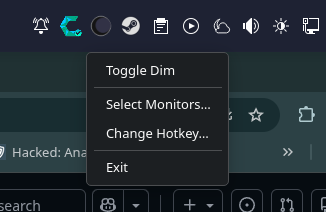
Lets you set a hotkey and to
choose which monitor/monitors
are affected.
Default: Ctrl+Alt+D
Works for KDE PLASMA 6+
Tested on CachyOS
python-pyqt6 python-pynput
Arch: paru -S python-pyqt6 python-pynput
chmod +x ~/Downloads/Darkscreen.py
sudo mv ~/Downloads/Darkscreen.py /usr/local/bin/Darkscreen
sudo nano /usr/share/applications/Darkscreen.desktop
Paste this:
[Desktop Entry]
Type=Application
Name=Darkscreen
Comment=Screen dimmer overlay
Exec=/usr/local/bin/Darkscreen
Icon=preferences-desktop-display
Categories=Utility;
Ctrl+O, then ENTER
Ctrl+X to close it