
⚠ VulkanScope is not an official Khronos® Group project.
VulkanScope is an advanced Vulkan® capability inspection and reporting tool for Android. It queries the Vulkan® implementation exposed by the active driver and presents detailed information about the GPU, Vulkan® core capabilities, extensions, features, properties, limits, memory, queues, formats, Surface/WSI support, Vulkan® Video, Android display/HDR capabilities, Vulkan® Profiles, and more.
Database: https://efishell0.github.io/VulkanScope_database/
Current version: 4.0.15 · versionCode 4015
This app supports Obtainium; the project/release URL can be used for update tracking.
VulkanScope reports what the active Vulkan® implementation actually exposes. It does not infer support from the Android version, GPU model, or Vulkan® API version alone.
| Category | Reference |
|---|---|
| Release changes from 4.0.0 to 4.0.15 | release.md |
| Build instructions and APK names | Build |
| Kotlin/C++ architecture | Architecture |
| Registry and validated query coverage | Vulkan registry |
| Analysis Score calculation | Analysis scoring |
| Reports, storage and Database submissions | Report exports · Database setup |
| Layout, UI design and auto-hide pager | Adaptive UI · Design system · UI chrome |
| Device tests and release verification | QA |
| Trademark and artwork attribution | Trademarks |
| Engineering policy | Project rules |
- Vulkan® 1.0–1.4 core capability inspection against the active runtime
- Native query and registry baseline pinned to Vulkan-Headers 1.4.366; 305 validated physical-device extension providers (two new registry-queryable providers remain pending native coverage)
- Runtime instance/device extensions, exact
specVersion, core and extension features/properties, limits, memory, queues and formats - Real Android
VkSurfaceKHR/ WSI and separate Android display/HDR evidence - Vulkan® Video exact-profile queries and bounded format evidence; Vulkan® Profiles evaluation
- Local offline Encyclopedia for Vulkan reference symbols, registry dependencies and selected-device evidence, including an On this device filter
- Separate Analysis workspace for comparisons, search, diagnostics, minimums, provenance, dependency graphs, history, watches, weighted capability/evidence score and optional Vulkan self-tests
- Complete-report TXT, self-contained HTML and structured JSON exports together in Reports & Database; separate Analysis snapshot and custom-minimum-profile JSON formats
- Explicit opt-in submission to the official VulkanScope Database; companion Database 4.0.6 accepts new reports only from 4.0.15 / 4015
- System Vulkan® and managed arm64 Turnip driver selection with bounded, validated imports and explicit activation
- Validated-network-gated GitHub update checks; optional Obtainium tracking
- Material 3 Expressive dark interface, centered Settings/Surface destinations, adaptive two-column landscape result lists, compact evidence cards and bounded dialogs
- Three-second, user-configurable app-header and bottom-navigation auto-hide; sticky pagers remain interactive with a 280 ms inline/pinned handoff and separately animated 320 ms frost
- Up to six resource-aware, isolated Vulkan query lanes with report completeness and safety diagnostics
- Android TV/DPAD, landscape, freeform and desktop-style adaptive navigation
- Universal, arm64-v8a and x86_64 APK outputs; Android 12 / API 31 minimum
VulkanScope uses a dark Material 3 Expressive presentation optimized for technical evidence. The four floating primary destinations are Overview, Vulkan®, Surface and Extensions. Overview opens separate Encyclopedia and Analysis workspace pages; neither heavy workspace is permanently embedded in Overview.
Settings groups Info, Reports & Database, and Drivers & Preferences. Surface uses the same centered, two-column destination geometry as Settings on sufficiently wide landscape screens, including an equally sized centered final card. General capability/result cards are paired in adaptive left/right landscape lanes; structural headings and the collection pager remain full width. Portrait layouts use a single column. Filter selectors and detail dialogs retain scrolling and touch targets without clipping or unnecessarily squeezing cards.
The sticky collection pager has a real inline control before reaching its pin threshold. On scrolling to the threshold, the inline and floating presentations exchange through a 280 ms animated handoff, avoiding empty placeholder space. While pinned, the pager remains interactive when the app-owned bars automatically hide after three seconds. The original full-width frosted strip and clipped pager glass independently fade with the header over 320 ms, then restore on interaction. Android system status/navigation bars and network/update notifications are not hidden by these settings.
Settings contains a default-enabled master Automatic bar hiding switch with independently selectable Top app header and Bottom navigation switches, located in Drivers & Preferences below Opening animation. Action tiles use restrained dark surfaces and a trailing action target; only unavailable/locked/disabled states use the near-black disabled treatment. Database readiness is an informational, icon-free status panel.
Scrollable pages, bounded dialogs, update notes and Markdown views use responsive surfaces, scroll-state feedback and high-contrast text. Validated Android network availability is separate from Vulkan collection. Internet-dependent actions remain unavailable without a validated connection.
VulkanScope explicitly distinguishes Supported, Unsupported, Available, Unavailable, Incomplete, Not applicable and Unknown/not queried. A registry token or unattempted query is never itself proof of runtime capability.
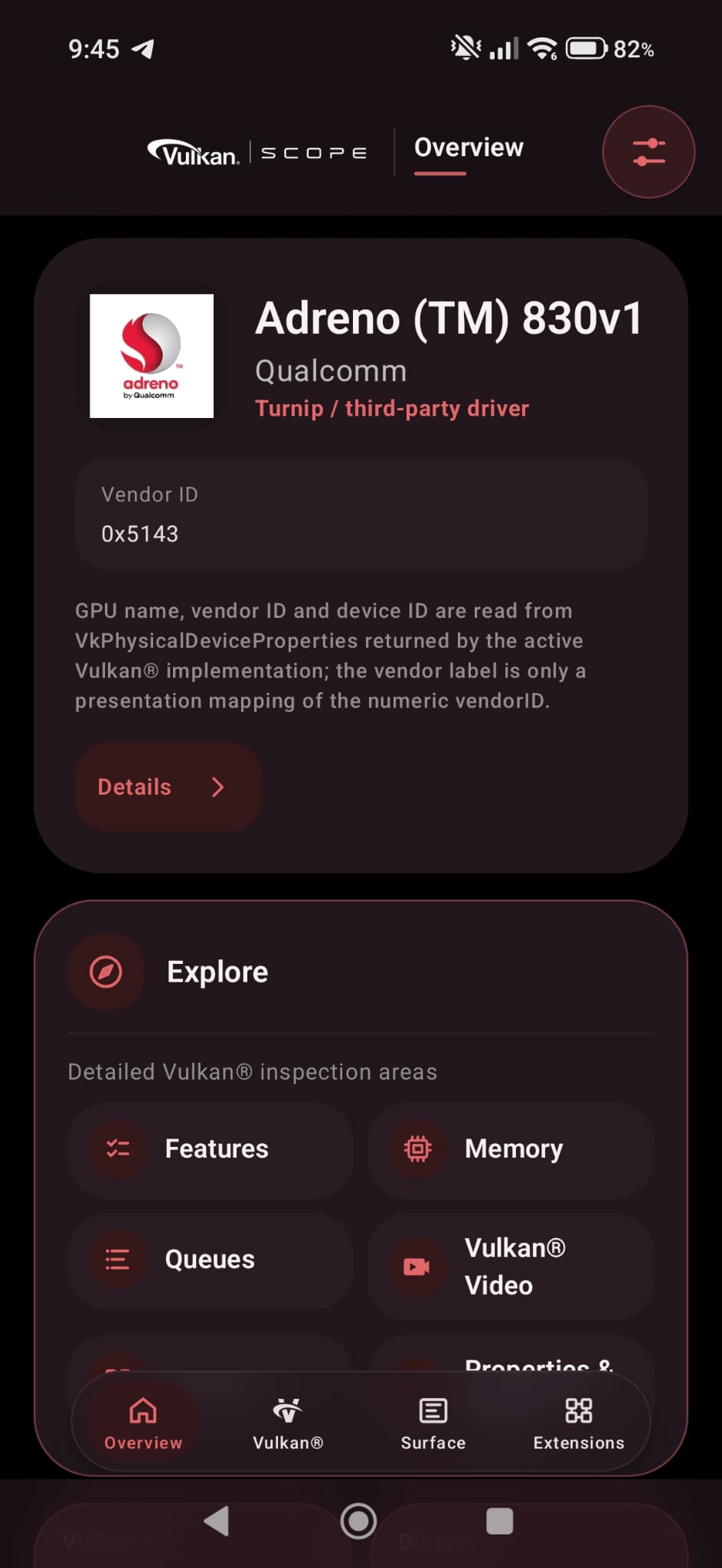
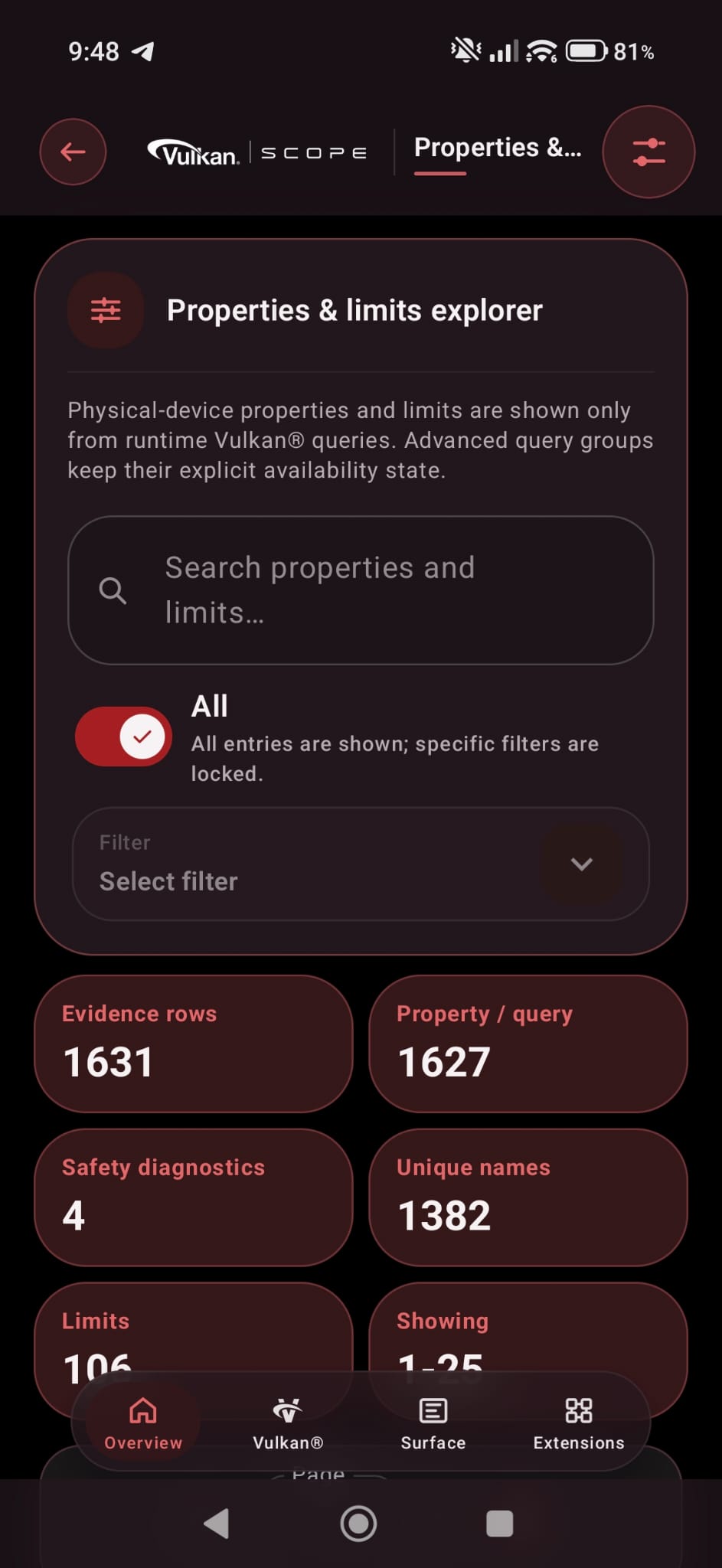
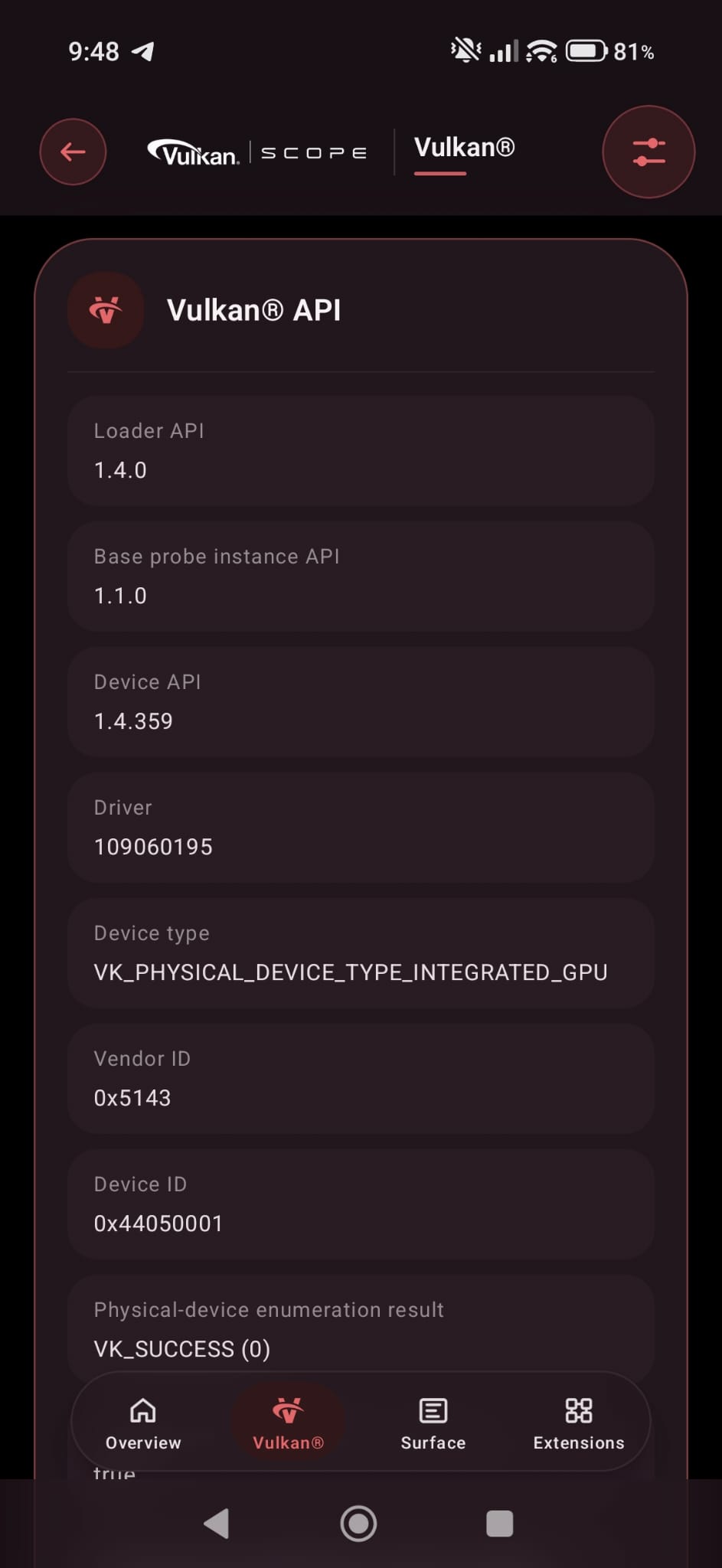
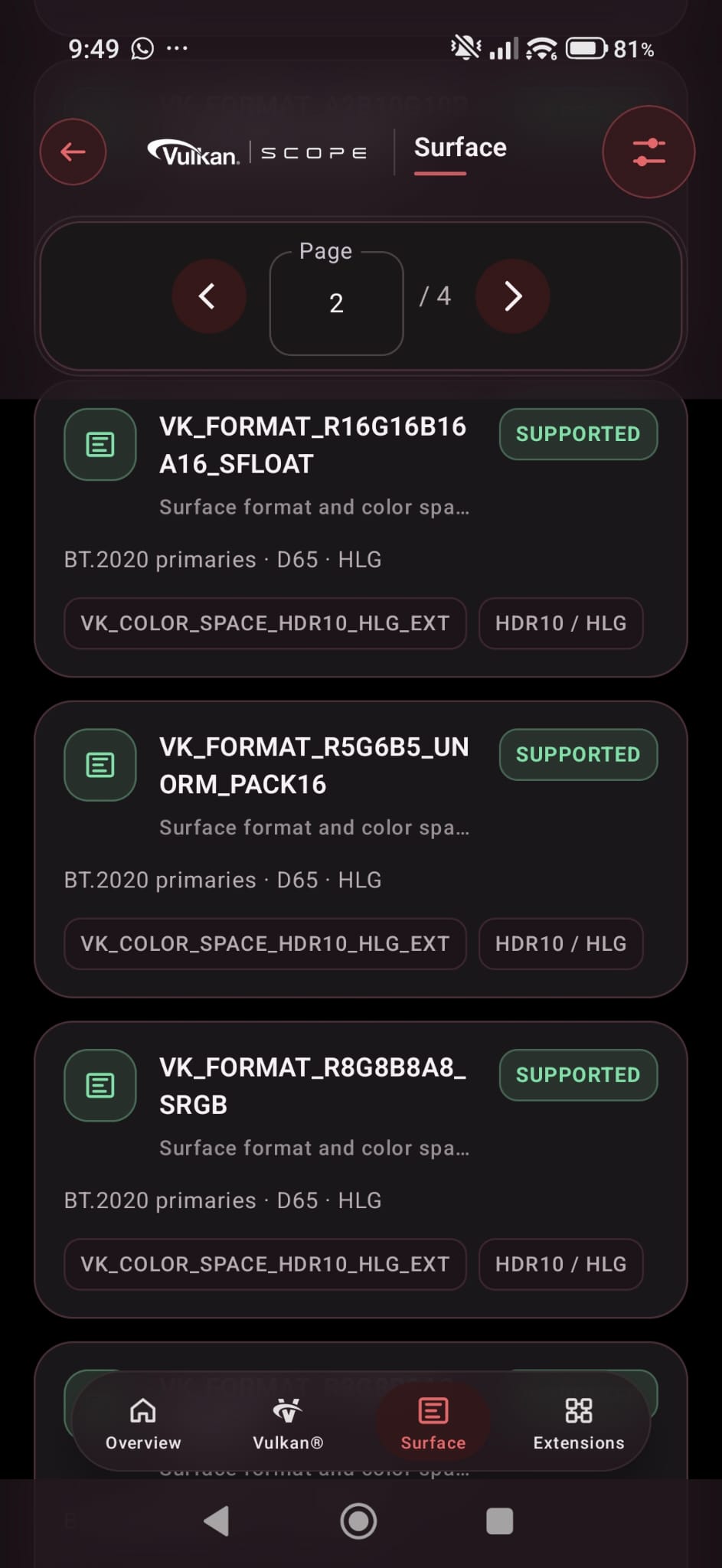
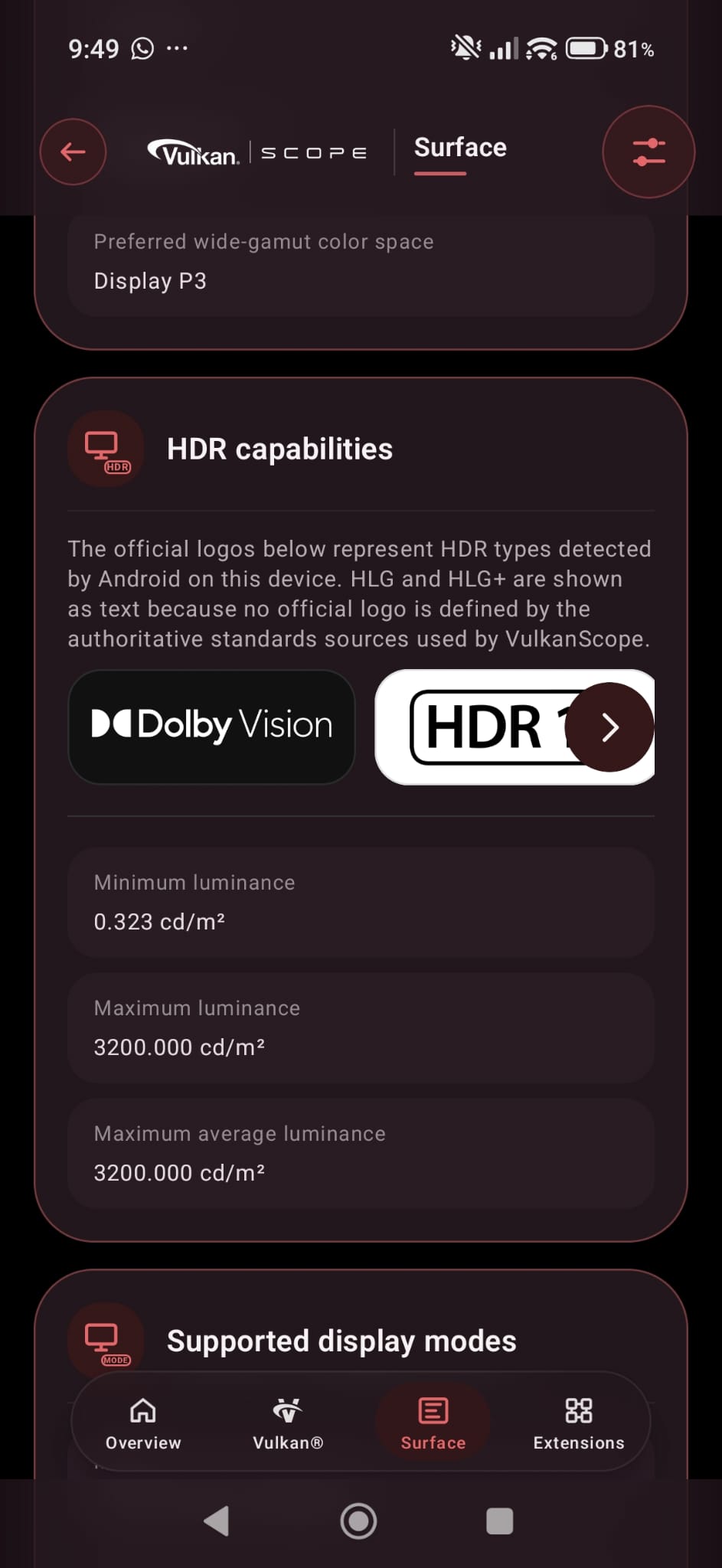
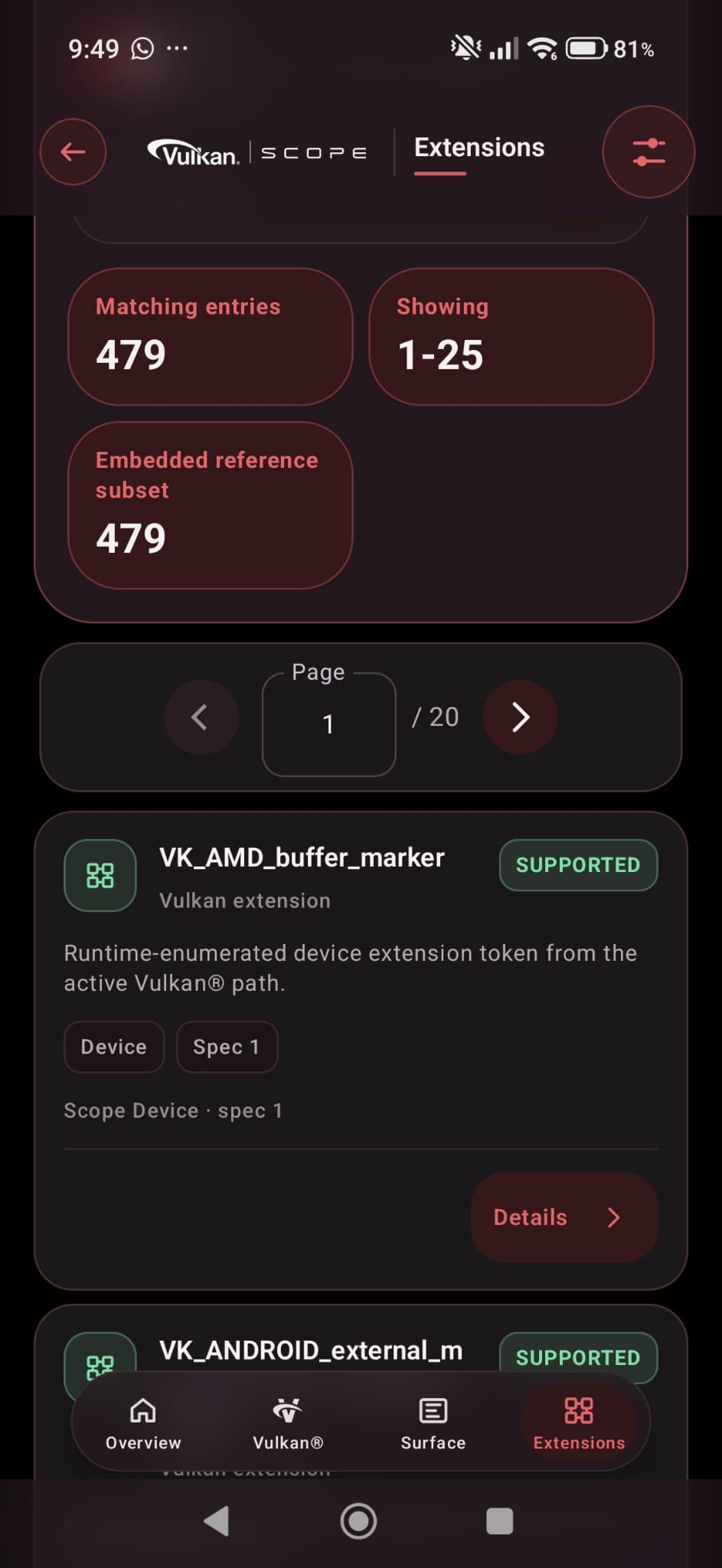
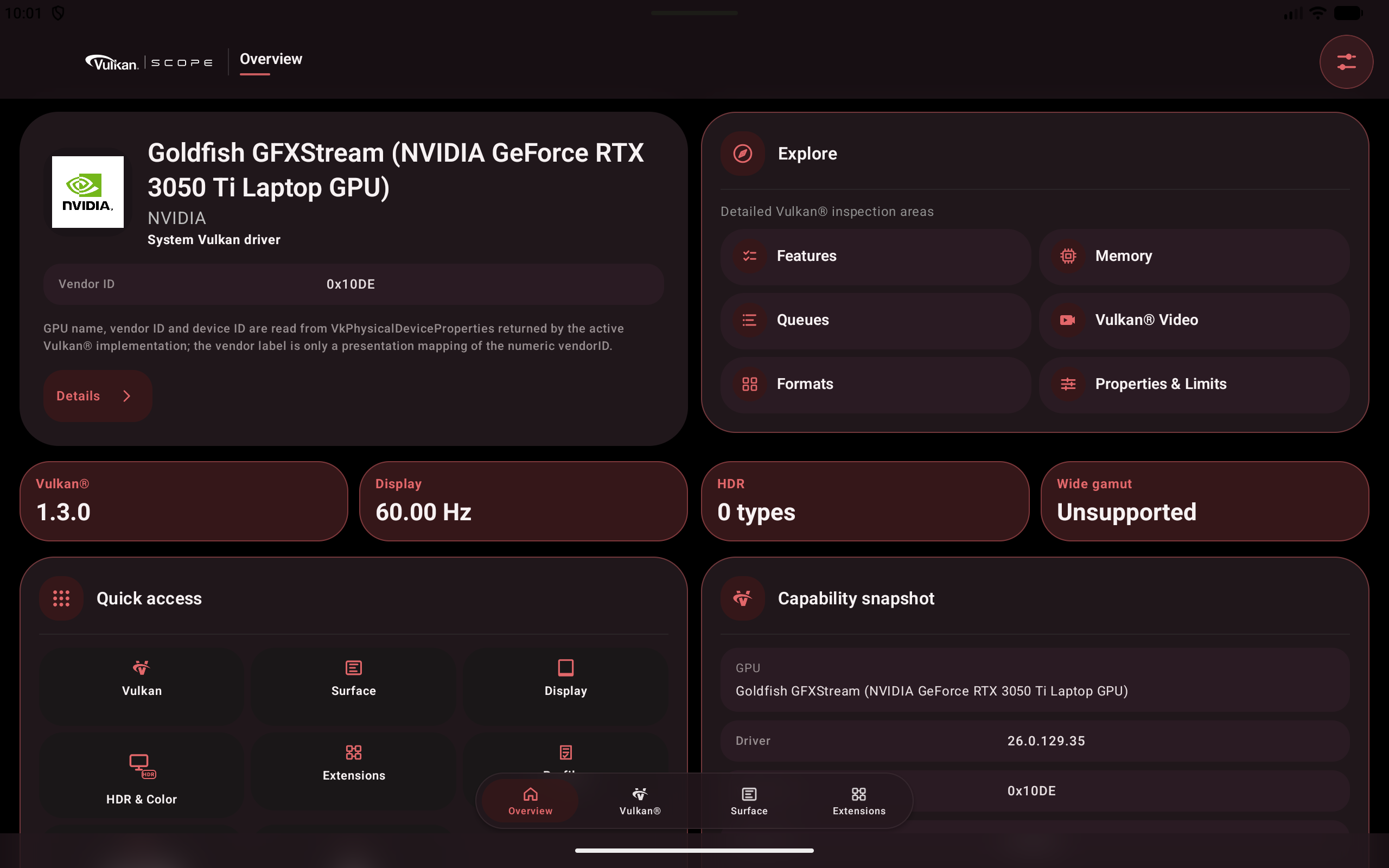
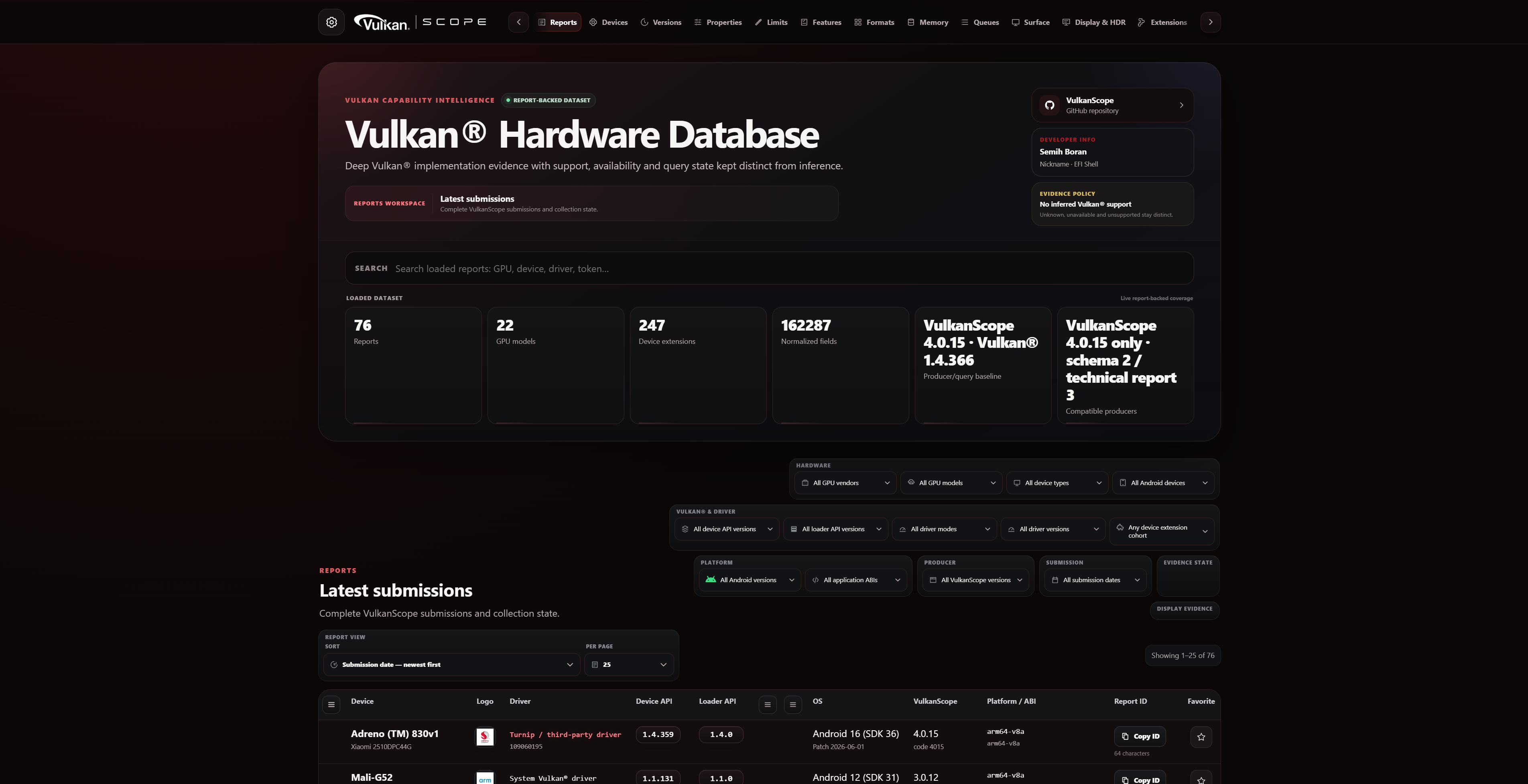
NOTE: The first landscape screenshot was captured in Android Studio. Virtualized environments (emulators/hypervisors) such as BlueStacks, MuMuPlayer, LDPlayer, and QEMU are not supported.
NOTE 2: The last landscape photo is a screenshot of the database website.
Database link: https://efishell0.github.io/VulkanScope_database/
VulkanScope queries the active Vulkan® loader and selected physical device directly. Its bundled metadata, headers and registry files are locked to Vulkan® 1.4.366, and the collector retains the exact semantic distinction between runtime evidence and registry reference information.
The current coverage snapshot records 305 validated physical-device extension providers (300 stable and 5 provisional), 110 implemented physical-device structures, and 104 validated runtime query groups. The registry describes 307 potentially queryable extension providers; VK_ARM_cooperative_matrix_layouts and VK_GOOGLE_hdr_smpte_st_209450_metadata are registered but not yet validated in native query coverage. These two are not silently presented as supported. The offline extension reference includes 479 registered extensions.
Core and extended coverage includes Vulkan 1.0–1.4 features and properties, device identification, subgroup and driver properties, limits, device/instance extensions, layer extensions, format features, memory and queue capability flags, Surface/WSI information and relevant video/profile query paths. Unknown or unreviewed layouts and sType values are never guessed. Feature/property queries require the relevant exposed device/core prerequisites.
See Vulkan registry and query-coverage details.
The existing validated query catalog retains previously implemented extensions and structures, including:
VK_NV_private_data_base_handleVkPhysicalDevicePrivateDataBaseHandleFeaturesNVprivateDataBaseHandle
VK_EXT_image_tiling_controlVkPhysicalDeviceImageTilingControlFeaturesEXTimageTilingControl
VK_EXT_cooperative_matrix_maintenance1- maintenance feature fields
vkGetPhysicalDeviceCooperativeMatrixProperties2EXT- cooperative-matrix property records
- canonical component-type names with raw enum values
VK_KHR_pipeline_library_group_handles- validated provider coverage through the canonical KHR structure path
- KHR/EXT alias-equivalent coverage remains represented without fabricating duplicate capabilities
VK_VALVE_buffer_device_address_allocation_alignmentbufferDeviceAddressAllocationAlignmentmaxBufferDeviceAddressAllocationAlignment
VK_INTEL_device_infoVkPhysicalDeviceInfoPropertiesINTELdeviceIpVersionArchdeviceIpVersionReleasedeviceIpVersionRevision
Extension-specific queries are run only when their requirements are actually exposed by the runtime. Provisional registry providers remain explicitly separated from stable providers and are not queried as normal stable capability structures without the required beta-header conditions.
The Device and Properties views expose detailed physical-device information such as:
- Device name and type
- Vendor ID and device ID
- Vulkan® API version
- Driver version and driver properties
- Pipeline-cache UUID
- Physical-device limits
- Sparse residency properties
- Subgroup capabilities
- Core-version-specific properties
- Extension-specific properties
- Raw values where preserving the original Vulkan® value is important
This makes VulkanScope useful for comparing vendor drivers, Android firmware revisions, and third-party Vulkan® drivers on otherwise similar hardware.
VulkanScope enumerates the exact instance and device extensions exposed at runtime.
For each extension, the application can preserve information such as:
- Canonical Vulkan® extension name
- Instance or device scope
specVersion- Runtime availability
- Associated queried feature/property information where implemented
Large extension lists can be searched and filtered.
Extension detail views can also show:
- runtime enumeration evidence,
- dedicated VulkanScope query-handler evidence,
- embedded Khronos® registry dependency/reference metadata,
- bounded dependency traversal and graph visualization,
- links to the authoritative Khronos® extension reference where applicable.
Registry metadata is presented separately from runtime support. A registry dependency or known query handler is not treated as proof that the active device exposes an extension.
Vendor-specific coverage includes applicable functionality from ecosystems such as AMD/AMDX, ARM, HUAWEI, IMG, INTEL, NV/NVX, QCOM, SEC, VALVE, and other Vulkan® vendors represented by the registry.
Feature reporting includes both core and extension-defined feature structures.
Examples include:
- Robust buffer access
- Geometry and tessellation
- Multi-viewport functionality
- Texture compression
- Sparse resources
- Shader functionality
- Descriptor functionality
- Dynamic rendering
- Synchronization
- Mesh/ray-tracing related capabilities where exposed
- Vulkan® Video related capabilities
- Vendor-specific feature structures
Feature values are reported from Vulkan® queries rather than inferred from extension names alone.
The Memory view reports the physical device's Vulkan® memory model in detail:
- Memory heap count
- Memory type count
- Heap size
- Heap index relationships
- Raw heap flags
- Canonical heap flag names
- Raw memory-property flags
- Canonical memory-property flag names
Canonical memory-property reporting can include:
VK_MEMORY_PROPERTY_DEVICE_LOCAL_BITVK_MEMORY_PROPERTY_HOST_VISIBLE_BITVK_MEMORY_PROPERTY_HOST_COHERENT_BITVK_MEMORY_PROPERTY_HOST_CACHED_BITVK_MEMORY_PROPERTY_LAZILY_ALLOCATED_BITVK_MEMORY_PROPERTY_PROTECTED_BIT- Applicable AMD/NV extension-defined memory bits
Heap flags include applicable core and extension-defined values, including QCOM tile-memory reporting where exposed.
Unknown future bits are preserved as raw values instead of being discarded.
For every queue family, VulkanScope can report:
- Queue family index
- Queue count
- Queue capability flags
- Graphics support
- Compute support
- Transfer support
- Sparse binding support
- Protected queue support
- Presentation support
- Vulkan® Video codec-operation flags where exposed
Queue and video-operation masks are preserved as raw values and also decoded to canonical Vulkan® names. A zero queue capability mask is shown as zero capability bits rather than a fabricated generic VK_NONE. Vulkan® Video codec-operation query availability is tracked separately per queue family; a successfully queried zero codec-operation mask is represented as VK_VIDEO_CODEC_OPERATION_NONE_KHR, while unavailable, unknown, and not-applicable states remain distinct.
VulkanScope inspects Vulkan® image and buffer format capabilities.
Reported format data can include:
- Linear tiling feature flags
- Optimal tiling feature flags
- Buffer feature flags
- Sampled-image support
- Storage-image support
- Color/depth-stencil attachment support
- Blending support
- Transfer source/destination support
- Video-related format capabilities
- Extension-defined format features
VkFormatFeatureFlags2 is treated as a 64-bit mask. Exact values are preserved so high-bit extension flags are not lost to JavaScript-style numeric precision limits when reports are submitted to the database.
Canonical flag names are derived from the locked Vulkan® 1.4.366 registry baseline while raw values remain available for verification.
Selected formats can also expose an Image Format Properties2 drill-down using already-collected runtime evidence. VulkanScope does not manufacture an Image Format Properties2 result when the corresponding query evidence is absent. When VkFormatProperties3 / VkFormatFeatureFlags2 data is available, its 64-bit values remain authoritative; legacy 32-bit format-feature data is fallback evidence only.
The Format Explorer also provides combinable usage/capability filters for sampled, storage, attachment, filtering, blit, transfer, Vulkan® Video, and YCbCr-related paths. These filters operate on collected evidence and do not infer format support that was not reported by the active implementation.
VulkanScope creates a real Android VkSurfaceKHR and queries presentation capabilities against that surface.
Information includes:
- Minimum and maximum image counts
- Current, minimum, and maximum extents
- Maximum image-array layers
- Supported transforms
- Current transform
- Supported composite-alpha modes
- Supported image-usage flags
- Surface formats
- Surface color spaces
- Present modes
- Queue-family presentation support
- Surface-query diagnostics where needed
Surface transform, composite-alpha, and usage masks are preserved as raw values and decoded to canonical Vulkan® names.
Surface format and present-mode enumeration use bounded, retry-aware collection with explicit completeness state. Partial VK_INCOMPLETE results remain partial positive evidence instead of being converted to unsupported, and driver-controlled second-stage counts are revalidated before use.
Analysis can combine Vulkan® Surface evidence with Android Display/HDR evidence in a dedicated Presentation view, but the two sources remain explicitly separate. VulkanScope does not promote their coexistence into an unsupported end-to-end HDR, gamut, or presentation guarantee.
VulkanScope displays the exact Vulkan® format + color-space pairs reported by the implementation.
Depending on the driver and device, this may expose SDR, wide-gamut, extended-range, or HDR-related color spaces such as:
- sRGB
- BT.709-related spaces
- BT.2020-related spaces
- Display P3
- HDR10 / ST2084
- HLG
- Extended sRGB
- Other core or extension-defined Vulkan® color spaces
Vulkan® Surface color-space support and Android physical-display HDR/wide-color capabilities are reported separately; one is not used as a substitute for the other.
The Display & HDR view reports Android display information independently from Vulkan® Surface information.
Depending on the Android version and device, VulkanScope can report:
- HDR capability types
- Desired maximum luminance
- Desired maximum average luminance
- Desired minimum luminance
- Wide-color capability
- Preferred wide-gamut color space
- Display modes
- Resolution
- Refresh rates
If Android does not expose HdrCapabilities, VulkanScope reports the information as unavailable/not exposed rather than manufacturing HDR values.
VulkanScope can expose documented Android PC/freeform and ChromeOS ARC environment evidence when Android provides it through public platform signals. The application does not infer a host ChromeOS version, device identity, or operating-system identity from model/brand/fingerprint heuristics. When no public Android API exposes a host OS version, that value remains unavailable.
VulkanScope includes a dedicated Vulkan® Video page driven by the Vulkan® implementation exposed by the selected driver. The page separates overview state, exact-profile decode/encode evidence, bounded sampled-profile format evidence, and queue-family video-operation evidence.
The release-locked exact capability census intentionally uses one bounded 4:2:0 / 8-bit luma / 8-bit chroma slice rather than inferring codec-wide support from a single generic query. When all owning extensions are exposed, the bounded profile census contains 47 exact combinations:
- H.264: 6 profiles × 3 picture-layout variants
- H.265 / HEVC: 5 profiles
- VP9: 4 profiles
- AV1: 3 profiles × 2 film-grain states
- H.264: 6 profiles
- H.265 / HEVC: 5 profiles
- AV1: 3 profiles
Additional information can include:
- Video queue codec operations
- Exact video-profile capability results
- Coded extent information
- DPB/reference limits
- Bitstream alignment
- Rate-control capabilities
- Quality-level information
- Feedback capabilities
- Bounded sampled-profile Vulkan® Video format properties
- Standard-header version information
Each queried codec/profile combination is evaluated independently. A successful exact query is evidence only for that exact combination; it is not promoted into codec-wide support. Required-extension absence becomes Not applicable only when the prerequisite extension enumeration is authoritative.
The Vulkan® Video Matrix in Analysis correlates each retained exact profile with matching queue-operation evidence, bounded sampled-format evidence, and retained capability properties. These associations remain evidence links only and are not promoted into codec-wide support claims.
Not applicable on Vulkan® Video means that the selected Vulkan® driver does not expose the Vulkan® Video API path required for that query. It does not mean that the phone or GPU lacks hardware video decoding/encoding through Android MediaCodec or other non-Vulkan® video interfaces.
VulkanScope evaluates supported Vulkan® Profiles using the available runtime capability data.
Profile results distinguish between:
- PASS
- FAIL
- UNKNOWN
Unavailable or unqueried information is not automatically treated as failure.
Profile cards also expose mapped requirement totals and separate met, verified unmet, and unknown counts, with per-category breakdowns for extensions, features, properties/limits, formats, and inherited profile requirements. Satisfied OR requirements do not count unused alternative branches as failures.
The included profile catalog can cover profiles such as Android Baseline and Vulkan® Roadmap profiles, depending on the bundled profile definitions.
The Encyclopedia is a local, offline Vulkan® reference opened from Overview. It explains common Vulkan concepts and the meaning of VulkanScope evidence states without translating registry presence into runtime support.
Canonical VkResult names, values and outcomes distinguish command success, incomplete enumerations, query errors and device/WSI conditions. VK_SUCCESS means only that its command succeeded; VK_INCOMPLETE is partial positive evidence, not proof of complete enumeration.
The Vulkan® 1.4.366 symbol index contains:
- 842
vk*command names - 6,274
VK_*tokens and enumerants - 2,467
Vk*API types - 479 registered extensions
Search families include All, VkResult, Commands, VK_*, Types and Extensions. Large registry categories require a minimum search prefix and result paging remains bounded. On this device filters the current collected device evidence before search-result limits and page slicing; it does not infer support from references or text matches in an extension description. The offline reference continues to work without internet.
VulkanScope exposes the Analysis workspace as a separate Overview-parent page opened from a compact Overview destination card. Analysis-only state is created while the page is active, and the workspace remains local and evidence-based. Analysis tools do not rewrite the canonical Vulkan® capability report, TXT/HTML output, or Database submission evidence.
The workspace provides dedicated views for Compare, Search, Drivers, Diagnostics, Requirements, Minimums, Graph, Presentation, Raw JSON, Database, History, Watched, Score, Share, and Tests.
Ordinary key/value evidence can be opened in an evidence/provenance inspector with explicit local actions such as copy, share, add-to-watch-list, and Encyclopedia lookup. On Android TV, holding the focused evidence row with OK / DPAD_CENTER / Enter opens the same provenance/actions dialog while a short press keeps its normal behavior. On desktop/Googlebook-style Android environments, the application-specific secondary-click quick menu is suppressed. Registry/reference metadata remains separate from selected-device runtime evidence.
Global report search operates on the completed current-device evidence model and can search across:
- Extensions
- Features
- Properties
- Limits
- Formats
- Surface/WSI evidence
- Android display/HDR evidence
- Queue evidence
- Profile evidence
- Query evidence
Large result sets remain bounded and lazily presented.
- Export and import bounded
VulkanScopeAnalysisSnapshot1snapshots - Compare a saved baseline against the current device/driver report entirely offline
- Search and filter resulting evidence differences
- Optionally include unchanged evidence
- Keep unknown/unavailable evidence distinct from unsupported
- Validate snapshot schema, total size, entry count, key length, and value length before use
Difference and regression-candidate labels describe evidence changes only; they are not Vulkan® conformance, performance, or driver-quality judgments.
Analysis can retain completed System Vulkan® and Turnip sessions in bounded private local history and compare their evidence. A guided workflow can switch between the two sources using VulkanScope's normal explicit driver-change and collection path.
The A/B view compares collected evidence only. It does not rank drivers, infer performance, or treat a difference as proof of a defect.
Collection diagnostics expose explicit report/query/safety state together with measured collection timing. VulkanScope 4.0.15 separates complete collection, base collection, metadata + Surface enrichment, background detail time, active isolated-lane count, slowest dedicated probe, and scheduler-wait evidence. JNI collector wall-clock timing is not presented as timing for each individual Vulkan® API command, and missing timing evidence is not fabricated.
The requirement resolver evaluates referenced Vulkan® API/extension requirements against authoritative runtime evidence token by token. Registry dependency expressions remain reference metadata and are not converted into inferred global support.
The Analysis workspace can reuse VulkanScope's existing profile evidence and can also evaluate bounded custom minimum profiles with PASS / FAIL / UNKNOWN results.
Custom minimum profiles support VulkanScopeMinimumProfile1 JSON import/export. Large integer Vulkan® limits are compared using exact decimal handling so 64-bit values are not rounded through floating-point conversion. Missing evidence remains UNKNOWN rather than being converted into failure.
VulkanScope includes a generated Khronos® registry extension-reference catalog for offline dependency inspection. Dependency traversal is cycle-safe and bounded, and the visual graph is deliberately limited for legibility. Registry relationships are shown separately from actual runtime extension enumeration and query results.
The searchable schema-v3 technicalReport tree remains available inside Analysis. Exporting the complete technical report as JSON is located alongside TXT and HTML in Reports & Database, not duplicated in Analysis. Analysis comparison snapshots and custom minimum profiles use their own separate JSON formats.
Export and inspection are local, user-initiated operations and introduce no background upload path.
A public VulkanScope Database report can be fetched explicitly by its validated 64-character report ID from the fixed official HTTPS Database origin. The returned technicalReport is compared locally against the current structured report.
Database comparison is an evidence comparison only; it is not a device ranking or market-share statement. Fetching is disabled while Android does not report a validated internet connection.
Completed Analysis sessions can be retained in bounded compressed private app storage. History entries can be reused as a comparison baseline or deleted explicitly.
Local history is not uploaded automatically.
Selected capability/evidence tokens can be stored in a persistent local watch list. The watch list stays on-device and is bounded to 256 entries.
The Score view uses a documented five-component, weighted local evidence index:
- Vulkan API level — 30%
- Positively enumerated unique device extensions — 25%
- Reported feature bits — 20%
- Collection integrity — 20%
- Surface presentation — 5%
Unavailable/nonapplicable components are excluded rather than counted as failures; a numerical score requires sufficient collected evidence. The UI exposes the component breakdown and calculation. This is not a performance benchmark, formal Vulkan® conformance/CTS certificate or cross-device ranking. See scoring methodology.
The Analysis workspace can present the official VulkanScope Database permalink for the most recently submitted report, share or copy the link through Android, and generate its QR code locally. QR encoding does not use a remote QR service.
The Analysis workspace can explicitly run minimal Vulkan® diagnostics in the dedicated probe process for:
VkDevicecreation- SPIR-V™ shader-module creation
- Pipeline-layout creation
- Minimal compute-pipeline creation
These tests use the selected Vulkan® driver path, require no optional Vulkan® feature or extension, do not dispatch GPU work, and create only the minimal required Vulkan® objects. If a safe matching path is unavailable, VulkanScope reports UNAVAILABLE instead of guessing success. Self-test results remain separate from normal capability collection and do not rewrite features as supported or unsupported.
Analysis snapshot JSON, minimum-profile JSON, raw technicalReport JSON, TXT, and HTML import/export actions use VulkanScope's in-app shared-storage browser. Shared-storage access is requested only after the user explicitly starts an import/export action. Browsing stays confined to canonical primary shared storage, rejects symlink/path escapes and unsafe export names, bounds directory enumeration, and uses explicit overwrite confirmation with temporary-file/atomic-replace handling where supported.
VulkanScope bundles offline registry-derived metadata used to organize and validate feature/property probing.
The system includes:
- Physical-device feature metadata
- Physical-device property metadata
- Extension requirements
- Core promotion information
- Dependency metadata
- Query manifests
- Validated native query mappings
- Coverage verification tooling
The registry metadata is bundled with the application and is not downloaded at runtime. The generated extension-reference catalog also feeds the Analysis dependency view, while runtime support decisions continue to come only from actual Vulkan® API/extension/query evidence.
VulkanScope supports compatible Android environments where an alternative Vulkan® implementation such as Turnip is loaded explicitly.
Settings uses a unified Driver manager for:
- System Vulkan®
- Up to 10 privately managed Turnip / third-party driver slots
- Explicit import
- Package/details inspection
- Explicit activation
- Explicit removal
Importing a driver package never activates it automatically. System Vulkan® and Turnip are mutually exclusive active modes in the interface, and source changes require explicit user action/confirmation.
Imported driver bundles are validated before use. Installed-bundle resolution is metadata-authoritative: a valid bundle requires exactly one bounded meta.json, schemaVersion 1, exactly one declared Vulkan® .so, containment inside the app-private driver path, and a readable non-empty declared library. Arbitrary "first .so in the archive" fallback loading is not used.
The application also applies path validation so the selected library cannot escape the private imported-driver directory. ZIP import is bounded before and during decompression: raw/compressed archive input is capped at 96 MiB, with a maximum of 2048 entries, 32 MiB per extracted file, and 64 MiB aggregate extracted data, together with path-length, duplicate-path, canonical-containment, and private-temporary-directory checks. Turnip import requires arm64-v8a together with the existing runtime checks; VulkanScope 4.0.15 itself requires Android 12 / API 31 or newer.
VulkanScope preserves bounded source-package provenance privately for managed Turnip slots, including available source ZIP metadata and authoritative package metadata. Source-document provenance is excluded from technicalReport, TXT/HTML reports, Analysis snapshots, and VulkanScope Database submission.
Turnip import uses VulkanScope's in-app shared-storage file manager. It shows folders plus prevalidated Turnip ZIP packages, supports List, Compact, Grid, and Details views, and repeats package validation during import. Shared-storage access is requested only after the user explicitly starts Turnip import. A source ZIP already imported from the same path with the same file name remains visible but is greyed out and cannot be selected or imported again.
Mesa-style variables such as VK_DRIVER_FILES / VK_ICD_FILENAMES can be configured before the loader is opened when required by the selected driver setup.
Actual third-party driver compatibility depends on the Android device, ABI, loader, and imported driver package.
VulkanScope treats driver-controlled Vulkan® enumeration counts and incomplete results as untrusted runtime evidence. Applicable multi-stage queries revalidate returned counts before indexing or resizing buffers, and bounded retry/size rules are used for enumerations such as device extensions, physical devices, queue families, Vulkan® tools, Vulkan® Video formats, device groups, Surface formats/present modes, cooperative-matrix properties, and Sparse Image Format Properties2.
VK_INCOMPLETE remains partial positive evidence. Failed or unavailable second-stage queries are not emitted as complete support, and native queue, memory, and Surface safety-rejection evidence remains visible through the detailed report pipeline.
Dedicated-probe publication is bounded to 64 MiB. Normal intermediate checkpoint polling is metadata-only; complete JSON is materialized only at terminal, crash, or timeout-recovery boundaries, and terminal state is validated with strict streaming JSON parsing. Missing terminal status is not fabricated as Unavailable. Background detail collection has a 60-second total budget so incomplete optional detail work cannot keep collection alive indefinitely.
Automatic background detail collection preserves one Vulkan query group per dedicated process lifetime and merges completed results back into the canonical original query order. A resource-aware scheduler can use up to six isolated lanes on devices with sufficient CPU and memory, with automatic fallback to fewer lanes under low-RAM or memory-pressure conditions. The scheduler uses bounded work claiming rather than fixed modulo assignment, avoids an unconditional per-probe teardown delay when the previous process is already gone, and keeps crash/timeout/cancellation recovery and evidence semantics unchanged. For Turnip, the active validated driver path is resolved once per background collection pass and reused as an immutable snapshot for that pass.
VulkanScope can export the complete collected report as TXT, self-contained HTML and schema-v3 structured JSON, together under Settings → Reports & Database → Export complete report. Analysis snapshots and custom minimum profiles have their own separate JSON formats and are not equivalent to complete technical reports.
Reports can include version and driver metadata, core and extension features/properties, limits, extensions/layers, queues, heaps/types, Vulkan® Video capabilities, exact 64-bit format flags, Surface/WSI, Android display/HDR, profiles, and coverage/query diagnostics. Canonical enum names are accompanied by exact raw values where appropriate; high-bit mask and 64-bit fields are preserved without lossy number conversion.
The complete report is not partially omitted to fit the Database transport cap. File export uses bounded local snapshots and explicit user-chosen shared storage. See report exports.
The official database is at https://efishell0.github.io/VulkanScope_database/ and uses a fixed HTTPS Worker origin at https://vulkanscope-database-api.vulkanscope.workers.dev.
Submission is explicit and opt-in: VulkanScope does not upload a hardware report in the background. The app sends a complete schema-2 envelope containing schema-v3 technicalReport data, preserving exact integer representations, runtime statuses and query evidence. A report over the 2 MiB request limit fails with an explicit error; it is not silently reduced. Successful submissions require a validated 64-character lowercase hexadecimal report ID. A failed request offers bounded diagnostics.
Database 4.0.6 accepts new submissions only from VulkanScope 4.0.15 (versionCode 4015). Older or newer app versions are rejected until the Worker acceptance rule is deliberately updated. Previously stored reports remain readable and do not require a migration. This restriction is enforced by the deployed Worker after the companion Database 4.0.6 is published; updating local source files alone does not update a live Cloudflare deployment.
The application may explicitly open/share the official permalink and generate a QR code locally, or fetch an existing public report by its validated ID for local Analysis comparison. Query semantics and the user's privacy choices remain unchanged. See Database setup.
VulkanScope can check the official GitHub releases for application updates.
The Direct GitHub updates setting defaults to enabled. It can be disabled in Settings when Obtainium is used as the single external update manager. Disabling direct updates prevents VulkanScope from performing its own startup update check or downloading update APKs.
Direct update actions are available only while Android reports a validated default network. Update discovery, review, and download remain separate from Vulkan® hardware collection.
Before an APK is handed to Android's installer, VulkanScope validates the update candidate, including applicable package identity, release/version consistency, version progression, and signing-certificate identity. An APK that does not match VulkanScope's expected application identity is not treated as a valid update.
APK download still requires explicit review and confirmation. Release notes shown during the update flow are bounded, inert text from the accepted official GitHub release metadata.
Obtainium can track the universal APK from the official VulkanScope GitHub Releases source without enabling VulkanScope's built-in updater.
VulkanScope is designed so capability inspection itself remains local.
Network access is limited to explicit network-backed features such as:
- VulkanScope Database submission and explicit public-report lookup
- Official GitHub release update checks/downloads
- User-initiated external documentation/project links
Security-related design choices include:
- Explicit report submission with a fixed HTTPS Database endpoint and redirects disabled
- No automatic/background hardware-report upload
- Cleartext traffic disabled and application backups disabled
- Non-exported FileProvider and dedicated Vulkan® probe service
- Bounded APK download, report, probe, Analysis snapshot, and driver-import sizes
- 96 MiB raw Turnip archive input ceiling, 2048-entry, 32 MiB/file, and 64 MiB extracted-total limits
- Canonical-path, duplicate-path, and private-directory validation for imported driver files
- Exact metadata-declared imported-driver library selection
- APK package/signature/version verification for updates
- Native linker hardening, stack protection, RELRO/NOW
- No guessed Vulkan® structure layouts or
sTypevalues - Bounded second-stage Vulkan® enumeration handling with returned-count revalidation
- Explicit preservation of partial
VK_INCOMPLETEevidence - 64 MiB probe publication ceiling, metadata-only intermediate polling, and strict streaming terminal validation
- 60-second background-detail budget
- 2 MiB fail-closed Database transport ceiling; reports are not silently truncated
- 8 MiB Analysis snapshot ceiling with bounded schema/entry/key/value validation
- Local-only Encyclopedia search, QR generation, Analysis snapshot processing, local session history, and custom minimum evaluation
- In-app shared-storage browsers for explicit Turnip, Analysis JSON, TXT, and HTML import/export actions, with canonical-root confinement and bounded directory enumeration
- Android all-files special access is requested only when an explicit shared-storage import/export action requires it; legacy READ/WRITE external-storage permissions are not used
- Turnip source-document provenance kept app-private and excluded from technical reports, Analysis snapshots, and Database submissions
- Validated-default-network gating for Internet-backed actions without synthetic HTTP/DNS connectivity probes
- Optional dedicated-process Vulkan® self-tests with deterministic cleanup
- No WebView/JavaScript bridge in the capability/reporting path
Users should still review imported third-party Vulkan® driver packages before using them.
Release artifacts are built for the following ABIs:
| APK | Included architecture | Status |
|---|---|---|
vulkanscope-4.0.15-arm64-v8a.apk |
ARM64 | Supported |
vulkanscope-4.0.15-x86_64.apk |
x86-64 | Supported |
vulkanscope-4.0.15-universal.apk |
ARM64 + x86-64 | Supported |
armeabi-v7a (ARMv7) and x86 are not part of the 4.0.15 release. Turnip driver management requires a supported arm64 runtime as well as the package validation prerequisites.
The checked-in Android project uses:
| Component | Pinned release baseline |
|---|---|
| Compile SDK | API 37, minor API 2 |
| Target SDK | API 37 |
| Minimum SDK | API 31 / Android 12 |
| Android Gradle Plugin | 9.4.1 |
| Kotlin Compose plugin | 2.4.21 |
| Gradle wrapper | 9.8.1 |
| Java / JDK | 17+ |
| NDK | 29.0.14206865 (r29) |
| CMake | Minimum 3.22.1 |
| Native language standard | C++20 |
| Vulkan-Headers | v1.4.366, pinned source tag and registry lock |
On Windows PowerShell, in the extracted project directory:
python -B tools\quality_gate.py
.\gradlew.bat --no-daemon :app:assembleRelease
python -B tools\verify_release_apks.py
On macOS/Linux, run ./gradlew --no-daemon :app:assembleRelease with the matching SDK, NDK and dependencies installed. Outputs appear under app/build/outputs/apk/release/ with the ABI-specific filenames above. The source quality gate does not replace a full Android release build or on-device interaction verification.
See build requirements, architecture and QA checks.
- Android device with a Vulkan®-capable implementation
- Android 12 / API 31 or newer
- A real device is recommended for meaningful hardware/Surface/display inspection
The exact data available depends on the Vulkan® loader, GPU driver, Android framework, display stack, and device configuration.
Virtualized Android environments may expose synthetic or incomplete GPU/display information and are not considered supported hardware targets.
The application uses the VulkanScope branding and approved project logo assets stored in the repository.
The master launcher artwork is kept at:
app/src/main/res/drawable-nodpi/vulkanscope_logo_master.png
VulkanScope is open-source software.
Repository:
https://github.com/EFIShell0/VulkanScope
Bug reports, testing feedback, and contributions are welcome.
The Info → Libraries page reports the actual linked application/native components. Current direct dependency pins include:
- AndroidX Core KTX 1.19.0
- AndroidX Core SplashScreen 1.2.0
- AndroidX Activity Compose 1.13.0
- Compose UI / Foundation / Animation 1.12.0
- Material 3 1.5.0-alpha27
- Lifecycle Runtime Compose 2.11.0
- OkHttp 5.5.0
- ZXing Core 3.5.4
- Vulkan-Headers v1.4.366 (pinned tag, generated registry lock)
- libadrenotools pinned commit
8fae8ce254dfc1344527e05301e43f37dea2df80for the ARM64 driver path
Build-tool identities are displayed separately from runtime libraries. All components remain subject to their upstream copyright notices and licenses.
For repository documentation, release notes and development constraints see Documentation.
Inspect your GPU. Inspect your driver. Inspect your Vulkan® implementation.