
Build 3D tile-based levels from 2D tilesheets directly inside the Godot editor. Heavily inspired by Crocotile3D, rebuilt from the ground up as a native C++ GDExtension.


This is the C++ / GDExtension edition (2.x). It replaces the original GDScript plugin (1.x), which is no longer supported. The two are separate addons with different node types. If you are coming from 1.x, read the Migration Guide before opening your existing scenes.
| 📘 Full user guide | HOW_TO_GUIDE.md |
| 🧠 AutoTile setup | SETTING_UP_AUTOTILE.md |
| 🔁 Upgrading from 1.x | MIGRATION_GUIDE.md |
| 💬 Discord | https://discord.gg/WKnxwrcJcn |

These videos were recorded with the GDScript version (1.x). The core workflow is the same, but some buttons and menus have moved or been renamed. The How-To Guide is always the up-to-date reference.
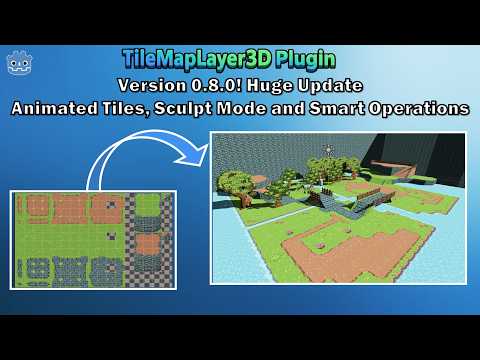
Overview (v0.8.0)
Tutorial and Auto-Tiling setup
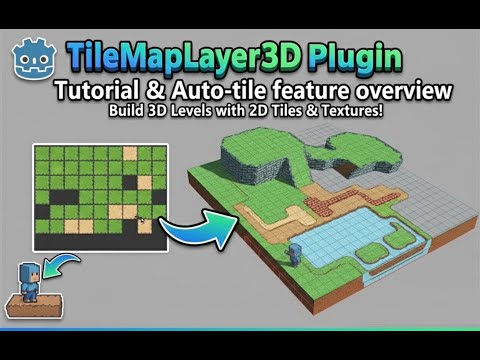
To help with creating old-school 3D pixel-art games, or to leverage 2D tiles for fast level prototyping. You can build entire levels or reusable grid-based objects with perfect tile alignment.
- Paint 3D levels from 2D tilesheets. Load any tilesheet or Godot
TileSet, select one or many tiles, and paint floors, walls, ceilings and tilted ramps in the 3D viewport. - Multiple mesh types. Flat squares and triangles, boxes and prisms with adjustable depth, AutoShape meshes extruded from the tile's own silhouette, plus experimental arch pieces.
- One Godot
TileSetfor everything. Manual painting, AutoTile terrains, custom data, animation metadata and runtime queries all use the same nativeTileSetresource.
- 🖌️ Manual: paint single tiles or multi-tile stamps; rotate, tilt, mirror and rotate the texture; paint double-sided walls; or repaint only the texture (UV) of tiles that already exist.
- 🧠 AutoTile: paint terrain and let Godot's native terrain peering bits pick the right tile. Roads, walls and grass borders just work.
- 🪄 Smart Operations:
- Smart Select: select connected regions and replace their texture or mesh type, or delete them.
- Smart Fill: build ramps and full staircases between two existing tiles.
- Patterns: save a group of tiles once and stamp it anywhere.
- 🎞️ Animated Tiles: turn a strip of frames into a GPU-animated tile (waterfalls, lava, torches) on flat, box, prism or AutoShape meshes, with runtime playback control.
- ⛰️ Sculpt: draw a footprint with a brush, then drag to extrude a building, hill or platform, on the floor, the ceiling or any wall.
- 🔷 Vertex Edit: convert flat tiles into free-form quads and drag their corners for roofs, slopes and organic shapes.
- 🌿 Scatter: paint meshes such as grass, rocks and props onto the tile grid or any collision surface, with weighted random mixes, spacing and scale variation.
- Native performance. Tiles render through
RenderingServerMultiMesh chunks, partitioned into spatial regions, so edits and culling stay local even on large maps. - Region-based collision. Alpha-aware generation for cut-out textures, per-region rebuilds at runtime, and optional saving to external
.resfiles. - Mesh baking. Merge a whole layer into a single static mesh.
- Runtime API. Place, erase, query, highlight, swap textures, refresh collision and control animated tiles from gameplay scripts.
- Undo/redo. Placement and editing operations go through the Godot editor's undo history.
- Desktop and Web. Prebuilt debug and release libraries for Windows, Linux, macOS and Web.
For details on every mode, shortcut and setting, see the How-To Guide.
- Godot 4.5 or newer. The extension is built against godot-cpp 4.5.
- Prebuilt libraries (debug and release) are included for:
| Platform | Architecture |
|---|---|
| Windows | x86_64 |
| Linux | x86_64 |
| macOS | Universal |
| Web | wasm32 (no threads) |
Compatibility renderer / Web exports: tiles, AutoTile and animated tiles all work. Animated tiles play at their authored speed, but the runtime animation playback controls (pause, resume, set speed, set frame) are not available with the Compatibility rendering method, which every Web export uses.
- Download this repository (Code → Download ZIP).
- Copy the
addons/tilemap_layer_3d_cppfolder into your project'sres://addons/folder. - Open your project in Godot. If it was already open, restart the editor so the native library is loaded.
- Go to Project → Project Settings → Plugins and enable TileMapLayer3D (C++).
Updating: close Godot before replacing the
addons/tilemap_layer_3d_cppfolder, then reopen the project. On Windows the library file is locked while the editor is running.
- Create a 3D scene and add a
TileMapLayer3d_Cppnode (under anyNode3D). - Select the node. The main toolbar (left of the 3D viewport), the context toolbar (bottom of the viewport) and the TileMapLayer3D_CPP bottom panel appear.
- Pick Manual mode in the main toolbar.
- In the bottom panel, click Load Texture (or Load TileSet), set Tile Set Size and picker_tile_size to your tile size (for example
32 x 32), and click a tile in the texture preview. - Toggle On at the top of the main toolbar.
- Use W A S D to move the 3D cursor, left-click to paint and right-click to erase.

The main toolbar on the left of the viewport is the primary navigation. (Screenshot from 1.x: version 2.x adds the Scatter mode and the Grid Snap / Cursor Step dropdowns at the bottom of the toolbar.)
Shortcuts are active only while a TileMapLayer3d_Cpp node is selected and the 3D viewport has focus, so Godot's own shortcuts keep working everywhere else.
| Key | Action |
|---|---|
W / A / S / D |
Move the 3D cursor (camera-relative) |
Shift + W / Shift + S |
Move the 3D cursor up / down |
| Left click / drag | Paint tile / stroke |
| Right click / drag | Erase tile / stroke |
Shift + Left drag |
Area paint |
Shift + Right drag |
Area erase |
Q / E |
Rotate 90° counter-clockwise / clockwise |
R / Shift + R |
Cycle tilt forward / backward |
F |
Mirror the tile texture |
G / Shift + G |
Rotate the texture inside the tile by 90° |
T |
Reset rotation, tilt, mirror and texture rotation |
Z |
Toggle Additive selection (Smart Select / Patterns) |
Delete |
Delete the selected tiles (Vertex Edit) |
Esc |
Cancel an area selection or a sculpt operation |
Shift + Space + Left click |
FastMove: jump the 3D cursor and grid to the clicked tile |
Full shortcut and control reference: HOW_TO_GUIDE.md.
The C++ edition uses a new node type (TileMapLayer3d_Cpp) and its own data format. Existing 1.x tile data can be imported with a one-time, manual migration step. See the Migration Guide, and back up your project first.
- SpriteMesh by 98teg: Godot plugin for creating 3D meshes from 2D sprites. MIT License.
- multimesh-plus by gtibo: Some of our Scatter Mode code is based on Tibo's MM+ Addon for Godot. MIT License.
- LoicOberle: for supporting some issues with the Grid Coordinate and Grid Snapping
- didier-v: for supporting fix the Keyboard shortcuts for non-QWERTY
https://github.com/gtibo/multimesh-plus *
MIT. See LICENSE.