


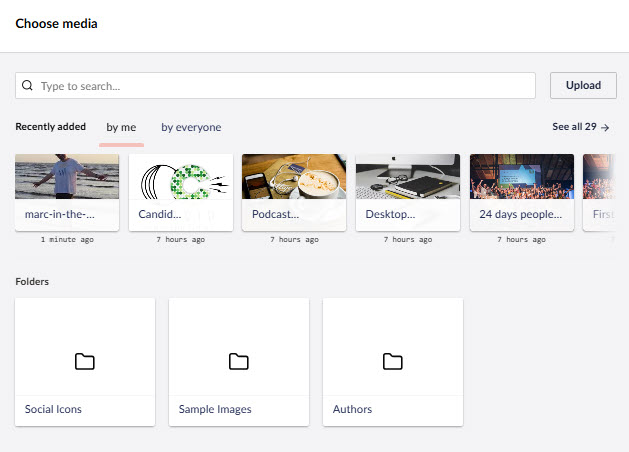
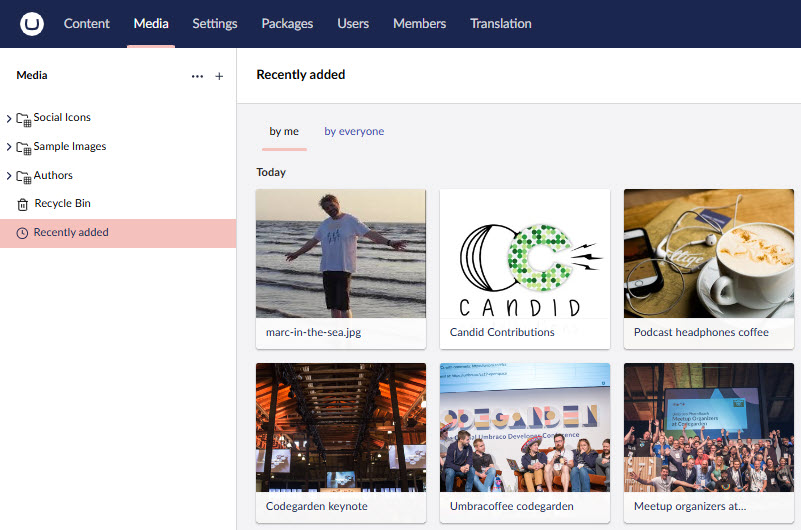
An alternative Umbraco Media Picker that surfaces recently uploaded media first - by you or by anyone - so editors don't have to remember which folder they put it in. Also adds a "Recent" layout to the Media section itself, for the same reason.
More screenshots


Umbraco CMS 17 or later.
Add the package to an existing Umbraco website from NuGet:
dotnet add package Umbraco.Community.RecentMediaPicker
Then, on any Media Picker Data Type, change its property editor to "Media Picker (Recent-first)". It produces the same value shape as core's own Media Picker, so switching is safe with no data migration - and reversible, if you switch back.
The Recent Media Picker property editor targets the same Umbraco.MediaPicker3 config schema as
core's own Media Picker, so a Data Type can be switched between the two UIs with no data migration.
Because of that, the Data Type's Settings screen still shows core's full set of fields - Accepted
Types, Pick multiple items, Amount, Start node, Ignore User Start Nodes, Enable Focal Point,
and Image Crops.
User-level and user-group Start Node permissions ARE honored - if an editor's account is restricted to a folder in the Media section, the Recent Media Picker only ever shows and allows picking items within that same folder, exactly like core's own Media Picker. This applies regardless of the "by me"/ "by everyone" toggle.
The Data Type-level "Start node" and "Ignore User Start Nodes" fields are not honored. These are a different, narrower setting - an optional extra restriction (or bypass) you can configure on one specific Media Picker property, on top of the editor's own permissions. This picker doesn't apply either one: it can't be used to further restrict a picker to one folder, and it can't be used to bypass an editor's own Start Node permission either. If you want a picker constrained to one specific folder regardless of who's using it, recency isn't a useful feature for that use case anyway - use core's own Media Picker instead, which honors both fields. They're left visible here purely so an existing Data Type keeps its configuration intact if switched back to core's Media Picker UI later.
Accepted Types, Enable Focal Point, and Image Crops are all fully honored by this picker, same as core.
Contributions to this package are most welcome! Please read the Contributing Guidelines.
Built in response to a long-standing (2019) community request to make it easier for editors to find recently-uploaded media without needing to remember which folder it landed in.