
Download your favourite videos, music, and playlists — without the hassle.
FastDownloader is a free, open-source desktop app that makes it easy to save audio and videos from YouTube and many other websites. Just paste a link, choose where to save your files, and start downloading. No command line required.
Download FastDownloader · See supported websites · Report a problem
Save videos to watch later, or download only the audio when all you want is the music. Choose from popular audio formats such as MP3, M4A, FLAC, WAV, and Opus, and select the audio quality you prefer.
Paste a YouTube playlist link and FastDownloader will find its tracks before the download starts. Expand the playlist to see what's inside and follow each track's progress. You can mix playlists and individual links in the same download list.
Don't wait for one file to finish before starting the next. FastDownloader can handle up to four downloads at the same time. Add more links while your downloads are running, and watch their progress in one place.
Want one video in its original format and another as an MP3? Right-click a link or playlist track to choose its download type, quality, format, or save folder. You don't have to use the same settings for everything.
- Pause and resume your download queue when you need to.
- Abort a batch if you want to stop active downloads.
- Keep an eye on the progress of individual files and the whole queue.
- Use the system tray to control downloads without keeping the main window open.
When you pause, files that are already downloading are allowed to finish; new ones won't start until you resume.
- Light and dark themes to suit your desktop.
- 16 languages, including English, German, French, Spanish, Portuguese, Italian, and many more.
- Optional start with your computer, start minimized, and close to tray settings.
- Save your preferences and last download folder, if you choose.
- Built-in checks for application and download-tool updates.
When downloading audio from YouTube, FastDownloader can try to find the corresponding YouTube Music version automatically. If it can't find a suitable match, it keeps the original link.
If you have YouTube Premium, you can optionally let FastDownloader use your existing browser session for supported downloads — there's no separate login inside the app. This depends on your browser and operating system. Chrome cookie access is not supported by the app on Windows; try another supported browser, such as Firefox, for this feature.
- Download the latest release for your computer and install or open it.
- Open Settings to choose Audio only or Video and audio, your preferred format, and your download folder.
- Paste a video or playlist link, click Add, and then click Download.
That's it. You can add several links at once, and you can right-click individual items to customise them before they start.
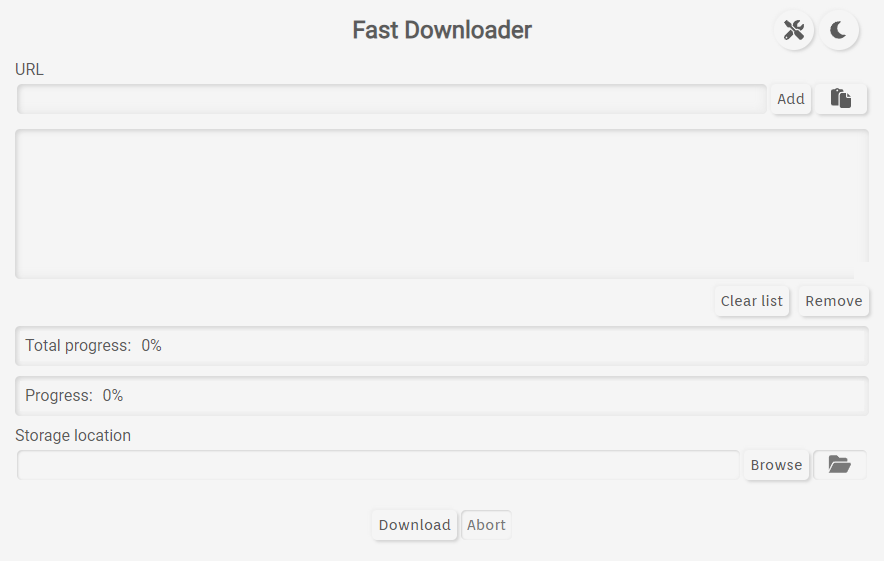
Main window — light theme
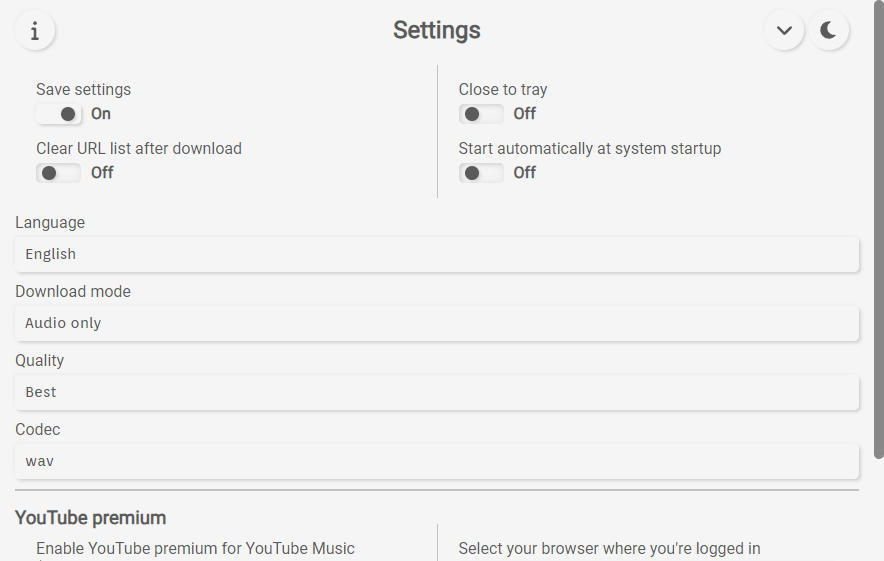
Settings
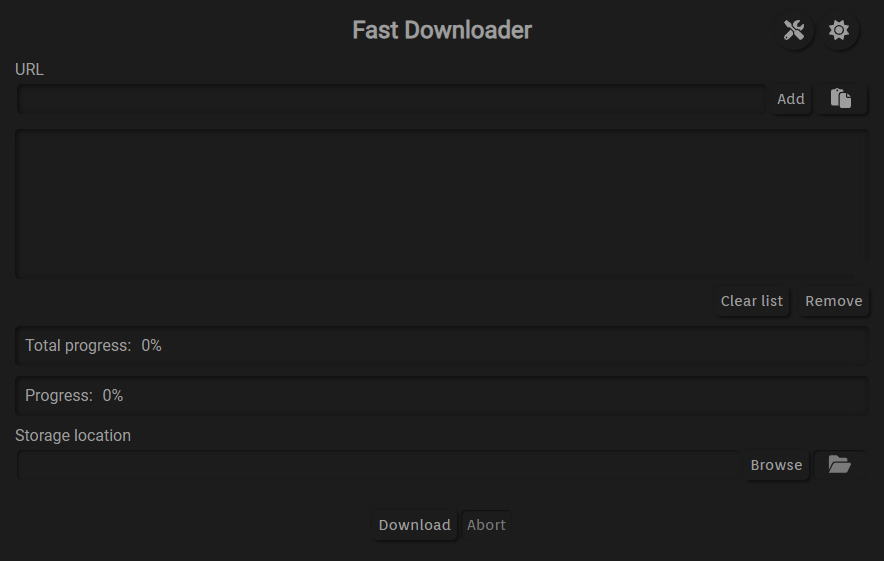
Main window — dark theme
FastDownloader provides release packages for Windows and Linux. Depending on the release, you may find a Windows installer (.exe) or Linux packages such as .deb, .rpm, and .AppImage.
Get FastDownloader on GitHub Releases
For Linux users, AppImage may be an option if there isn't a package for your distribution. Available downloads depend on the particular release.
Which websites work?
FastDownloader supports websites handled by yt-dlp, including YouTube and many other video or audio platforms. Website support can change when sites update their services.
Can I download an entire YouTube playlist?
Yes. Paste the playlist URL and FastDownloader will show the tracks it can find. You can expand the playlist and track its progress.
Can I download music as MP3?
Yes. Choose Audio only and MP3 in Settings, or right-click an individual item to change its format.
Do I need YouTube Premium?
No, not for regular downloads. Premium support is an optional feature for people who already have a subscription.
What happens when I pause a download?
Already-running downloads can finish, but the app won't begin additional downloads until you resume. Use Abort if you need to stop active transfers.
Will my unfinished download list reappear after restarting the app?
Not automatically. You can save settings and your last download folder, but FastDownloader does not currently restore an interrupted download queue after restarting.
Is FastDownloader free?
Yes. It's free and open source under the GNU GPL v3.0.
If something isn't working, first try updating FastDownloader and checking that the website is still supported. Some websites may temporarily prevent downloads, require a logged-in browser session, or offer different available formats.
You can open a GitHub issue to report a bug, request a feature, or suggest a translation improvement. Please include your operating system, the FastDownloader version, and a short description of the problem.
Want to know more about how FastDownloader works, its settings, limitations, dependencies, or how to build it from source? See the Technical README.
FastDownloader uses yt-dlp and FFmpeg behind the scenes.
FastDownloader is free software licensed under the GNU General Public License v3.0. See LICENSE.md for details.
Please download only content you have permission to save and follow applicable laws and website terms.